Cold Email Follow Up Sequence: A Practical Playbook
You've sent a thoughtful pitch, added the prospect to Excel, and promised yourself you'll follow up after finishing your client work. Now the reminder is buried, the inbox is cluttered, and you can't remember whether that studio owner declined or never replied.
A cold email follow up sequence should solve that administrative problem, not turn you into a bulk sender. My recommendation for freelancers is simple: start with the original email and one or two useful follow-ups, keep everything in a single contact history, and make stopping as deliberate as sending.
Table of Contents
- What a Follow-Up Sequence Actually Does for You
- The Building Blocks of a Sequence You Can Actually Run
- Choosing a Cadence That Fits a Small Sending Pattern
- Subject Lines and Templates for Each Follow-Up Touch
- When to Stop or Switch Channels Instead of Sending Again
- Deliverability Basics Relevant to Low-Volume Senders
- Personalization That Lifts Replies Without Feeling Robotic
What a Follow-Up Sequence Actually Does for You
Consider a freelance designer balancing proposals, revisions, and outreach to potential clients. Their spreadsheet contains names and addresses, but the actual conversations live elsewhere. A calendar reminder says “follow up,” without explaining what to send or whether the prospect has already answered.
A follow-up sequence connects those loose pieces. It's a predetermined set of messages and decisions attached to a prospect, with a visible next action and an endpoint. For a solo operator, its value is fewer dropped conversations, not more outgoing email.
Give each prospect a defined next action
You need to decide:
- Trigger: What makes this person suitable for outreach now?
- Cadence: When should the next message become due?
- Content: What new reason will you give them to respond?
- Stopping rules: What ends or pauses the sequence?
- Measurement: Which outcomes will change your next attempt?
Those decisions matter more than an elaborate automation diagram. If you can't explain why the next email belongs in someone's inbox, scheduling it won't improve it.
There's evidence that follow-ups contribute meaningful responses. An analysis of 7.5 million B2B emails reported that follow-up steps produced 58.6% of replies, compared with 41.4% from initial messages, as summarized in Belkins' sales follow-up statistics.
Working principle: Use a sequence to remember relevant next steps, not to manufacture reasons to contact someone.
Treat those findings as permission to follow up thoughtfully, not permission to continue indefinitely. A clean record should help you recognize both an opportunity and an ending.
The Building Blocks of a Sequence You Can Actually Run
Suppose a consultant has a hypothetical list of about 25 prospects for the quarter. They don't need separate software for list building, scheduling, pipeline tracking, and remembering who said “later.” They need a dependable place to record what happened and what should happen next.
Start with the contact record. Store the verified address, role, and business context there. Attach the potential engagement to a deal, then use the sequence status to distinguish active outreach from a conversation awaiting your personal response.
Minimum fields for each prospect before launching a sequence
| Field | Why it matters | Example |
|---|---|---|
| Contact and verified address | Identifies the intended recipient | Studio owner, address checked |
| Relevant business detail | Explains why you're reaching out | Recently introduced brand workshops |
| Offer | Keeps the conversation focused | Workshop landing-page review |
| Initial contact date | Anchors the schedule | Date the original pitch was sent |
| Deal stage | Separates outreach from active opportunities | Contacted |
| Sequence status | Shows whether another send is appropriate | Active, paused, or stopped |
| Next action | Removes ambiguity | Send relevant checklist |
| Outcome and stop reason | Prevents accidental repeat outreach | Declined, no further contact |
Excel can hold these fields. The difficulty is maintaining them alongside the actual correspondence. A CRM with email integration brings the messages and contact history closer together.
MicroCRM is one option: it combines contact and deal management, an intuitive Kanban pipeline, email templates and automated follow-ups, an appointment calendar, and integrated invoicing. Its focused interface is designed for modest client lists without enterprise-style automation wizards.
Before launching, verify addresses, define a single offer, write the stopping rule, and decide where you'll record replies.
Use the calendar for agreed appointments, not as a substitute for sequence status. When a prospect answers, the next action should reflect that answer rather than the old schedule.
Choosing a Cadence That Fits a Small Sending Pattern
Cadence means spacing, not an obligation to send every scheduled message. My conservative default is an initial email plus one or two additive follow-ups. A longer sequence needs a stronger justification than an empty slot on your calendar.
The benchmarks don't agree on a universal optimum. Snov.io's cold-email analysis reports 6.9% response for a two-email sequence, its highest reported result, while associating three follow-ups with a 30% decline in responses. The longer-sequence benchmark summarized in the earlier Belkins research reports roughly 27% replies for 4–7 messages, versus about 9% for 1–3 messages.
Those aren't interchangeable experiments. Different lists, offers, senders, and definitions of a reply can produce different results. Neither finding proves that your next prospect needs another email.
Use a schedule with an optional ending
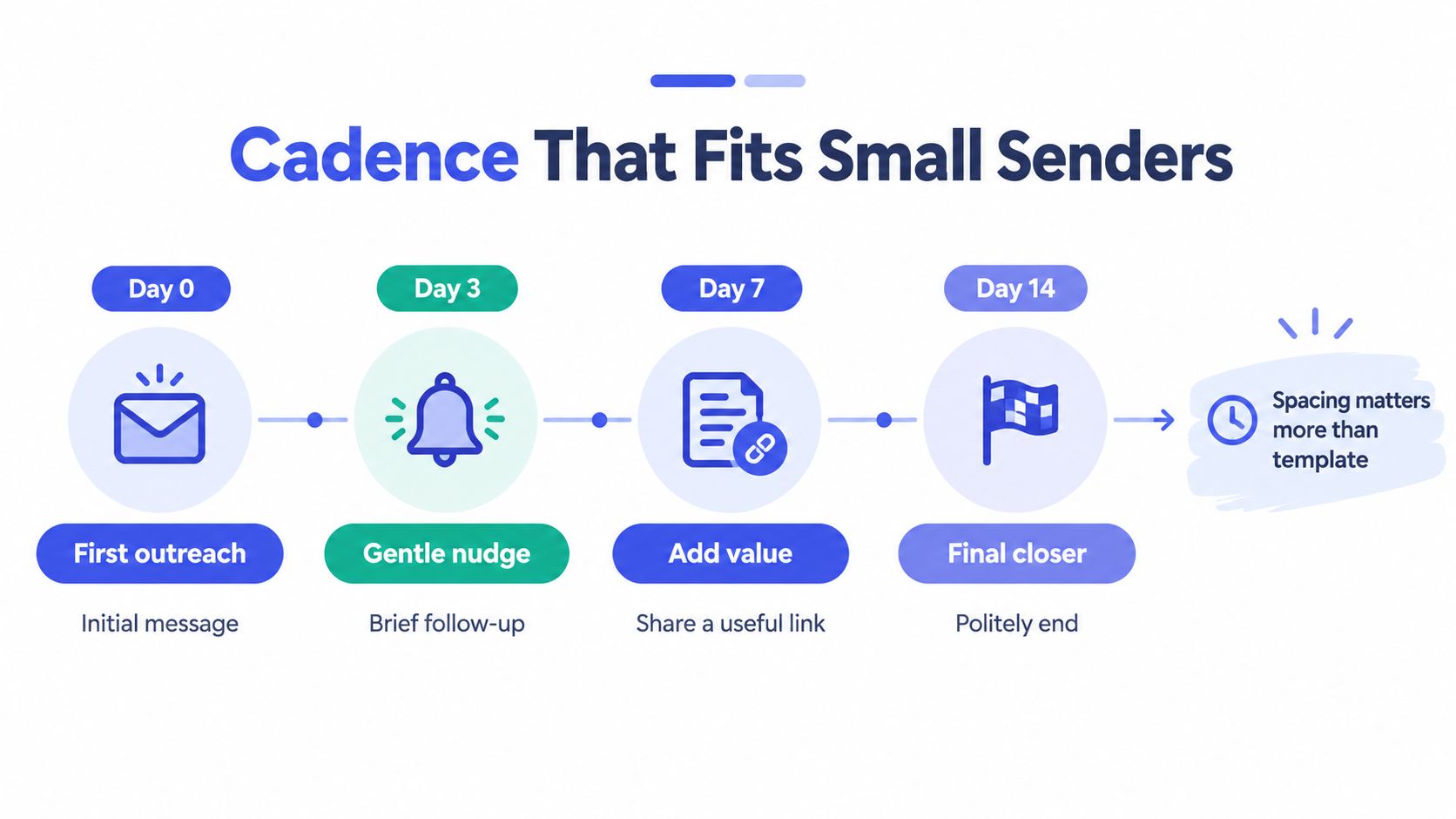
A workable extended rhythm is:
- Day 0: Send the personalized opening with a clear question.
- Day 3: Add a specific observation or useful clarification.
- Day 7: Offer a resource or lower-friction next step.
- Day 14: Close politely, only if a separate closing message is justified.
This practical cadence described in Martal's cold-email statistics is a planning framework, not a requirement. For the shorter default, make your final planned follow-up the closing message instead of adding another send.
The timeline shows the extended version.
Give recipients room to answer. EmailChaser's cited reply-timing analysis reports approximately 91% of replies arriving within three days, supporting a pause rather than an immediate nudge.
Cadence test: Add another touch only when you have a genuinely new reason to send it.
For a small studio, protecting future referrals matters more than copying a five-to-seven-touch campaign.
Subject Lines and Templates for Each Follow-Up Touch
A subject line should explain the message's purpose, not create artificial urgency. My editing rule is under seven words, with plain language and enough context to recognize the topic. If you're continuing the same conversation, keep the existing thread rather than inventing a new subject for every touch.
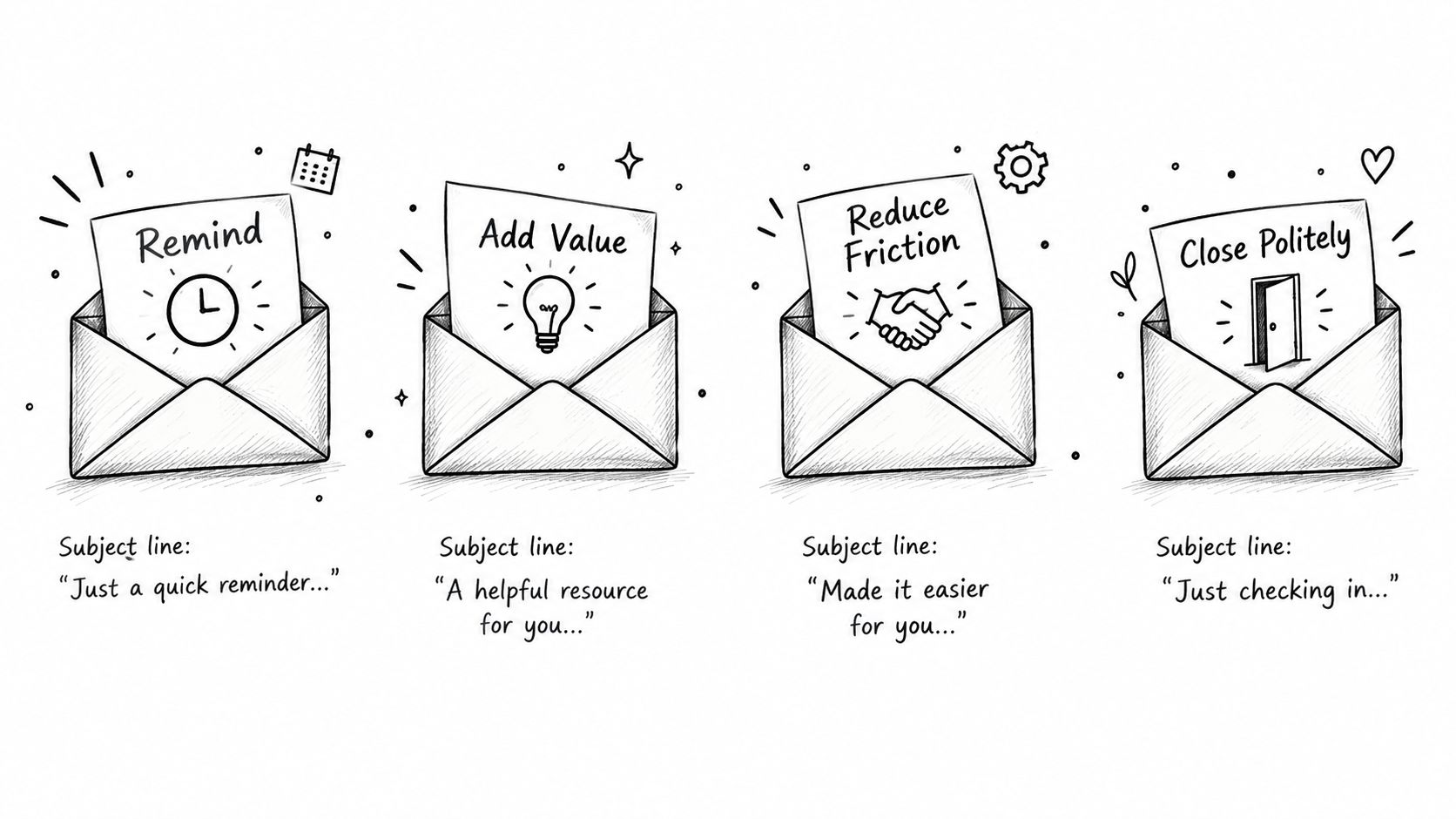
Think of these as message roles you can choose from, not additional emails you must send.
Templates to adapt rather than stack
First reminder
Subject: Your workshop page
Hi [Name], I emailed about [specific project]. I noticed [verified detail], which is why I thought [offer] might be relevant. Is [problem] something you're working on?
Resource or proof
Subject: A useful launch checklist
Hi [Name], your [business detail] reminded me of a checklist I use for [relevant task]. It covers [specific issue]. Would you like me to send it?
Use a resource you have. If you substitute a client example, include only an outcome you can substantiate and have permission to share.
Lower-friction alternative
Subject: A smaller next step
Hi [Name], rather than arranging a call, would a short note about [specific issue] be more useful? I can focus it on [relevant part of their project].
Graceful close
Subject: Closing this thread
Hi [Name], I'll leave this here. I reached out because [verified detail] seemed relevant to [offer]. No need to reply if it's not a priority. I won't send further follow-ups.
Keep the original pitch and follow-ups consistent
Start with a clear introductory sales email template, then change the reason to respond rather than rewriting the same request. Vary your openings, front-load context, and remove generic compliments.
This accompanying video offers another presentation of email outreach.
Add a visible exit where appropriate: “If this isn't relevant, let me know and I won't follow up.” Don't use guilt, fake scarcity, or an unsupported promise to force an answer.
When to Stop or Switch Channels Instead of Sending Again
For a freelancer, stopping is part of competent follow-up. Sending again can feel productive because it creates activity, but activity isn't the same as an interested buyer.
The small-sender discussion in ibLead's follow-up guidance highlights conflicting sequence benchmarks and the risk of applying volume-oriented advice to relationship-sensitive outreach. My recommendation is to make one or two strong follow-ups the default, not five mediocre ones.
Turn recipient signals into pipeline actions
| Signal | Immediate action | Record or next step |
|---|---|---|
| Any reply | Stop scheduled cold follow-ups | Read and respond personally |
| Soft bounce | Pause further sends | Verify the address before considering resumption |
| Unsubscribe or explicit refusal | Stop and suppress outreach | Mark do not contact |
| Silence after the planned endpoint | End the sequence | Archive or close the opportunity |
A meeting booking should also end the cold sequence. Don't let someone receive a “still interested?” email after they've reserved time with you. If automatic stopping isn't available for a particular signal, handle it manually before the next scheduled send.
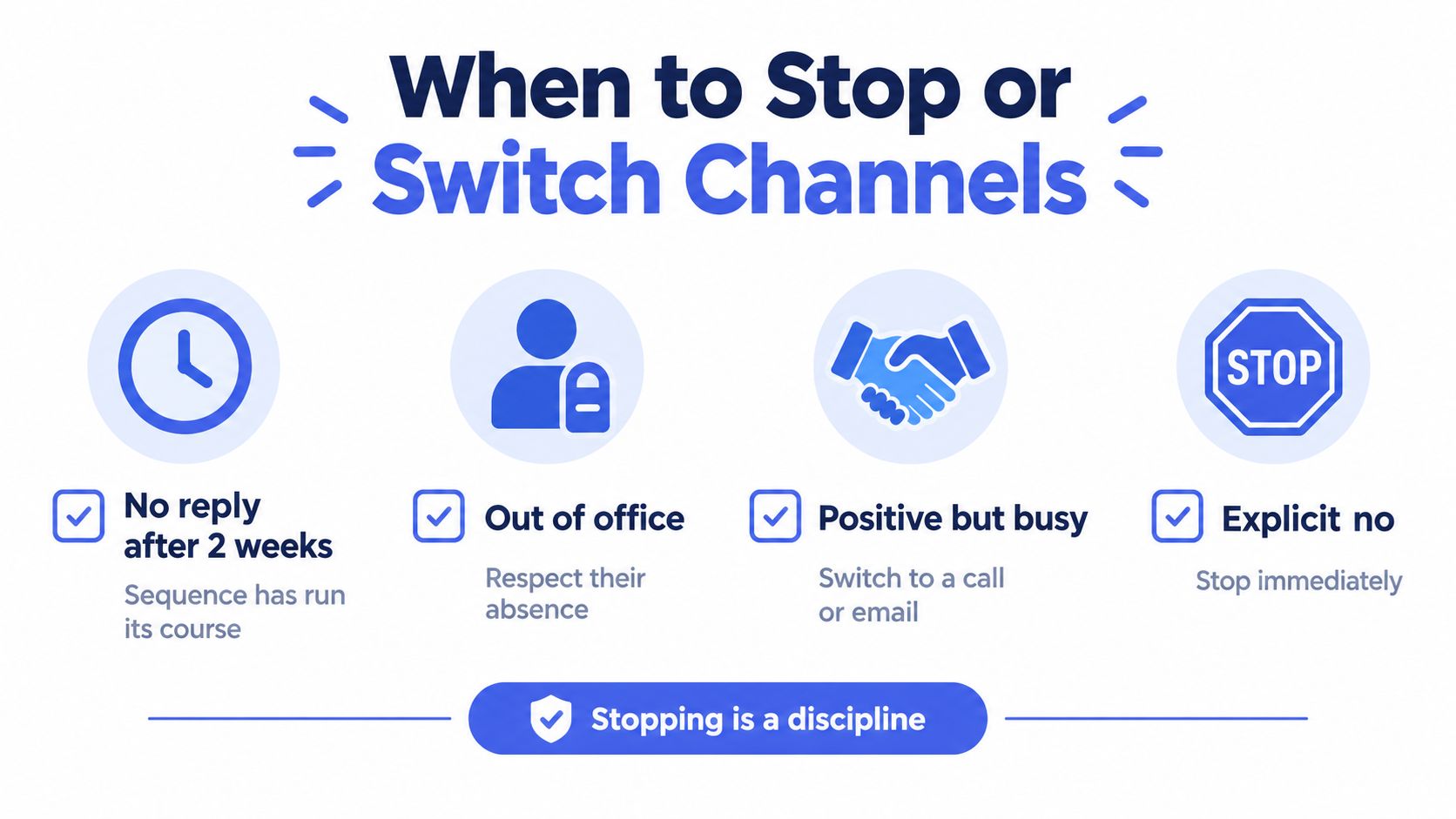
The scenarios below illustrate when the next action should change.
Switch channels only with a reason
An out-of-office response means pause, not rejection. A positive-but-busy reply means ask about their preferred timing or channel, then record the agreement in a nurture stage.
If they invite a call, prepare with a practical phone call script. Don't treat silence as permission to pursue someone across email, phone, and social messages.
Reserve a re-engage queue for an actual future trigger, such as a requested date or changed business context. An unsubscribe belongs on a suppression list, not in nurture.
Deliverability Basics Relevant to Low-Volume Senders
Being a small sender doesn't remove the need for authentication. Google requires all senders to configure SPF or DKIM, while bulk senders must configure SPF, DKIM, and DMARC, according to Google's email sender guidelines.
SPF identifies authorized sending servers; DKIM adds a verifiable cryptographic signature. DMARC passes when authenticated SPF or DKIM aligns with the domain shown in the From header. Ask your email administrator or provider to check authentication before you enable a sequence.
Separate bulk requirements from sensible safeguards
Gmail and Yahoo's bulk-sender requirements commonly apply around 5,000 messages daily, including authentication, unsubscribe mechanisms, and low spam rates. A freelancer below that threshold shouldn't assume every bulk-specific requirement applies identically, but should still treat recipient control and address quality seriously.
This visual distinguishes the areas to check.
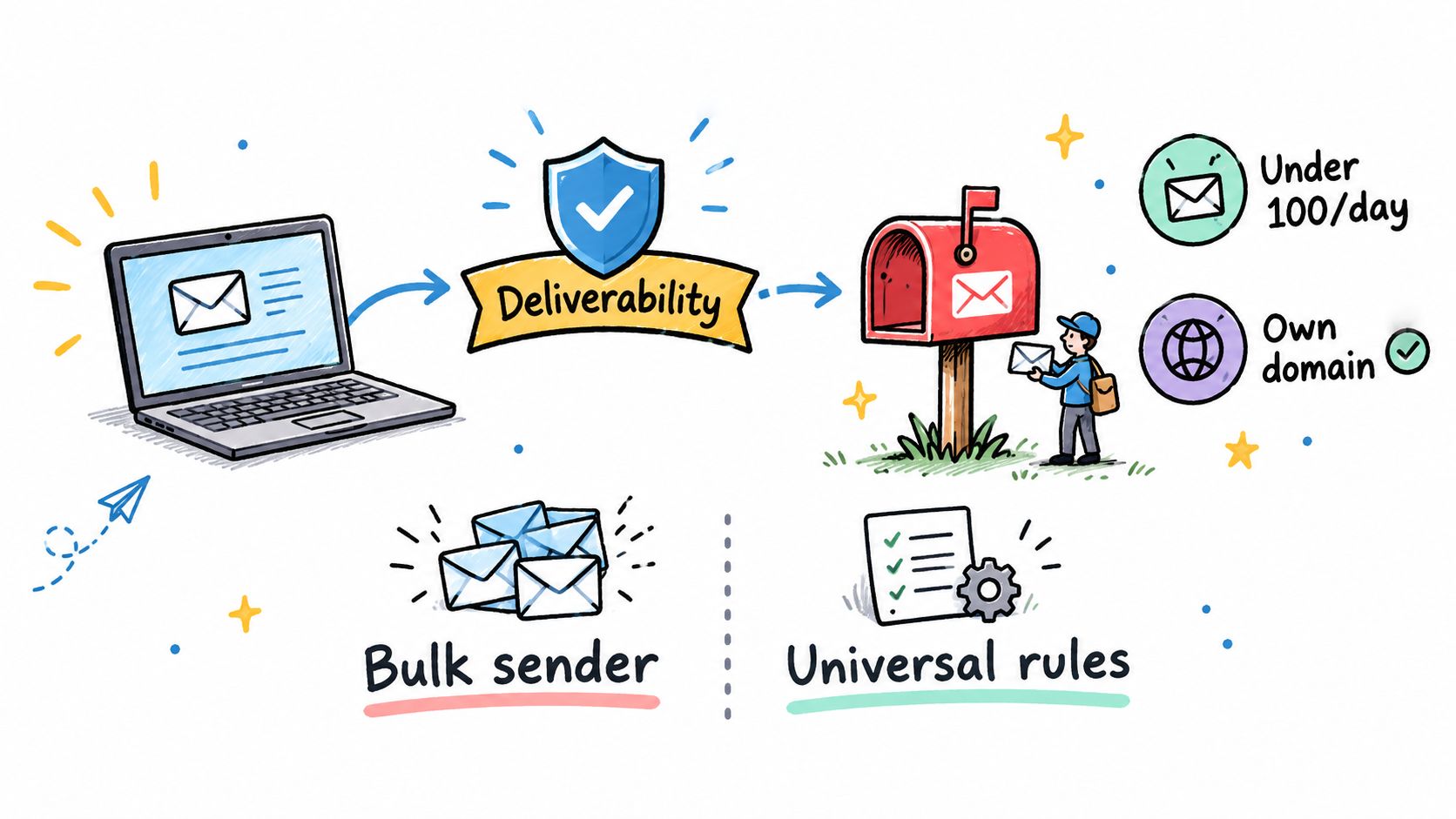
- Authentication: Confirm your sending service authenticates mail from your domain. Configuring all the relevant authentication methods is a sensible foundation even below bulk volume.
- Address quality: Check addresses before sending. Record bounces against contacts rather than leaving them in an active list.
- Formatting: Prefer plain-text-style messages without decorative banners or unnecessary attachments.
- Recipient control: Include clear opt-out language and process requests promptly. Where provider rules require one-click unsubscribe, use a sending system that implements it correctly.
- Contact limits: Set a defined sequence endpoint and review pending sends before extending it.
Keep deliverability inside the daily workflow
Your CRM should contain the bounce status, contact restrictions, and send history. That lets you inspect a recipient's situation before sending rather than treating deliverability as a separate checklist you completed once.
Don't increase volume to compensate for poor responses. Check whether messages are reaching valid recipients, whether your domain is authenticated, and whether the offer belongs with that audience. Better copy can't repair a rejected message.
Personalization That Lifts Replies Without Feeling Robotic
Personalization should explain why the offer fits this recipient. A first-name variable identifies someone; it doesn't establish relevance. A compliment about their “amazing company” doesn't explain what you can help them do.
Consider a hypothetical photographer contacting a retreat organizer. “I love your work” offers little substance. “Your upcoming retreat includes outdoor workshops; I photograph activity-led events and can help you build a consistent image library” connects an observable detail to an actual service.
That second version gives the recipient a proposition they can evaluate. It doesn't claim that photography will produce an invented revenue lift or imply that you know their internal priorities.
Store the reason, not just the name
Keep a short context note on the contact record: the observed detail, where you verified it, the relevant offer, and what remains unknown. Use it to shape the next message without copying the same sentence repeatedly.
A designer might note that a prospect has launched a workshop page but hasn't published a booking explanation. The next message could offer a relevant checklist rather than repeat the initial pitch. Phrase the possible problem as a question, not as a diagnosis of a business you haven't worked with.
Before scheduling, assess your draft:
- Verifiable detail: Could you show where the observation came from?
- Clear ask: Can the recipient answer without undertaking a project?
- No filler praise: Does every sentence contribute context or usefulness?
- Known next context: Do you know what would justify another touch?
Don't send a draft that relies on a detail you haven't checked. Templates save typing; they shouldn't replace judgment.
Review replies without building an analytics department
Use a weekly ten-minute review as a working habit. Track total replies, positive replies such as clear interest or booked meetings, and negative outcomes, with opt-outs and bounces labeled separately.
For rates, use contacted prospects as the denominator consistently. Compare cumulative replies across the sequence rather than judging each follow-up in isolation, and distinguish automated responses from human interest.
Review question: Did this outreach create useful conversations without creating avoidable complaints or delivery problems?
More positive replies can support continuing the targeting approach. More opt-outs should prompt a review of relevance and message fatigue; repeated bounces point toward address hygiene before subject-line editing.
Test one change per cycle, such as the subject line or sending day. With a small list, treat the result as directional feedback rather than statistical proof. Keep the parts that generate genuine conversations, remove the parts that merely generate sends, and preserve the recipient's decision in the record.
Manage clients, deals, and invoices in one platform with contact history, automated email follow-ups, and appointment scheduling that keep a short outreach sequence organized. Visit Micro CRM to set up your next prospect list and keep each conversation's next action visible. Start for free, with no credit card required.