10 Email Sequence Software Tools for Freelancers in 2026
A prospect asks for pricing on Tuesday. You read the message between client calls, mark it for later, and then discover the unanswered thread a week later. The proposal goes out late, the context is scattered across Excel and your inbox, and nobody can tell whether the next follow-up is due.
Email sequence software keeps those handoffs visible. It can send a planned series of messages, personalize each step, pause after a reply, and record the outcome. This guide reviews ten tools, from lightweight client follow-up systems to cold outreach platforms, with a practical focus on templates, automation depth, personalization, and the pricing gates that matter before you commit.

Table of Contents
- 1. Micro CRM for simple client follow-up
- 2. MailerLite for lightweight nurture
- 3. Kit for creator nurture and commerce
- 4. Mailchimp for mature customer journeys
- 5. Brevo for affordable email and SMS basics
- 6. ActiveCampaign for lifecycle automation
- 7. Buttondown for writers who want less software
- 8. Mailshake for cold outreach
- 9. lemlist for personalized multichannel outreach
- 10. Woodpecker for deliverability-conscious outreach
- Top 10 Email Sequence Software Comparison
- Matching your workflow to the right sequence tool
1. Micro CRM for simple client follow-up
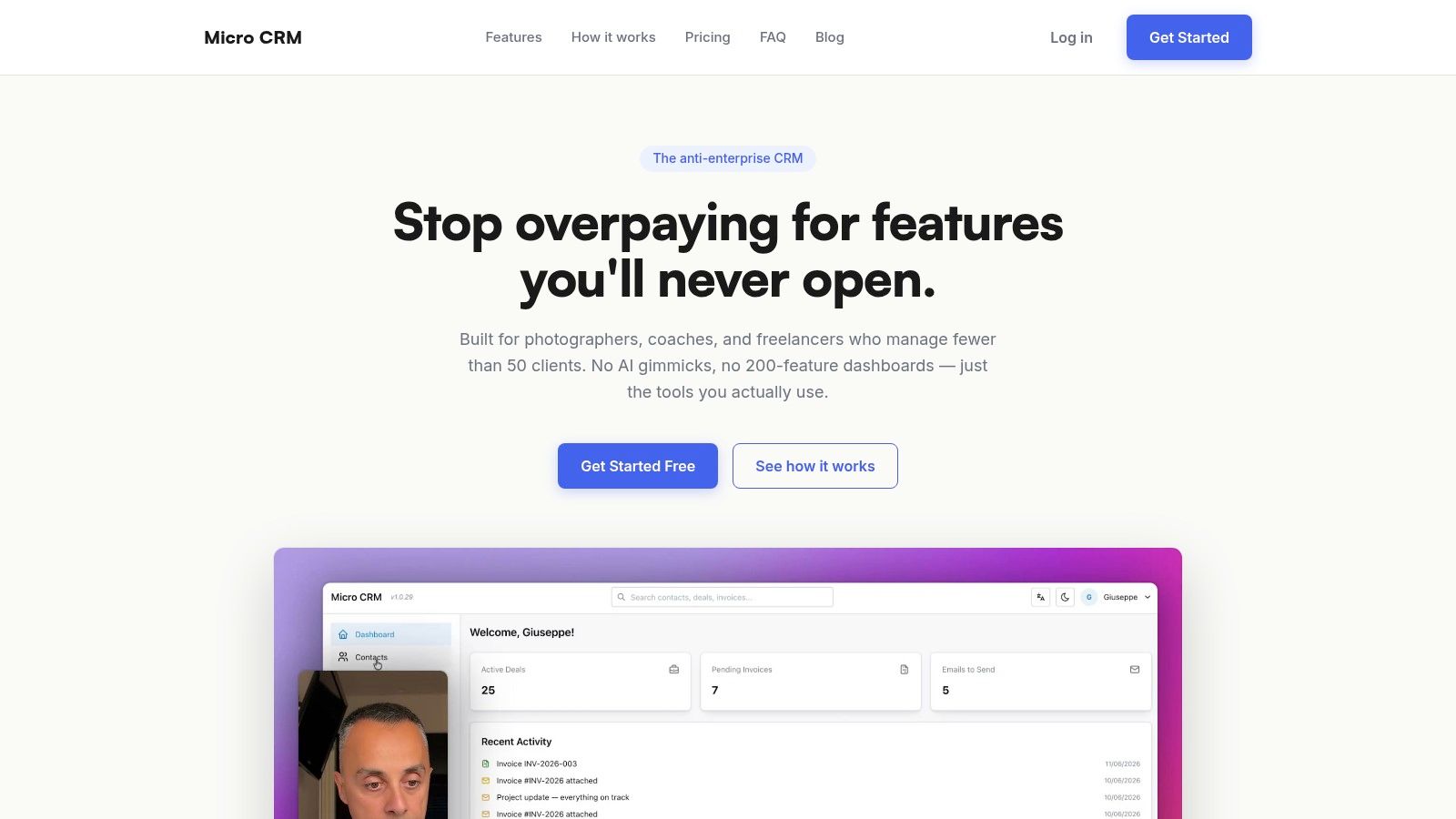
Micro CRM is the most natural fit when email follow-up sits inside a wider client workflow. A freelancer can keep contacts, deals, invoices, appointments, and email activity in one workspace instead of moving between Excel, a calendar, an invoicing app, and a separate email sequence tool.
The built-in email composer supports templates, variable placeholders, and automated follow-ups. That matters when a consultant sends a proposal, waits for a response, and wants a reminder to stop automatically after the client replies. The visual Kanban pipeline also shows which opportunities are waiting for a quote, an approval, or payment.
The setup is deliberately light. Sign-up is quick, the interface doesn't require a training project, and the feature set avoids the automation sprawl found in larger CRMs. The Free plan requires no credit card, while Starter, Pro, and a limited-time Lifetime Deal provide broader limits. Contact, deal, email, and sequence limits vary by plan, so check the current plan page before moving an active workflow.
What works and what doesn't
Works well: A solo operator can create a reusable proposal follow-up, connect it to a deal, schedule an appointment, and send an invoice without exporting contact data.
Trade-off: Micro CRM is designed for freelancers and very small businesses, particularly teams managing fewer than 50 clients. It isn't built for hundreds of clients, advanced AI branching, or enterprise integration requirements. Email and sequence limits depend on the selected plan.
It also handles account pauses sensibly. Pausing preserves data, stops billing, and automatically suspends active sequences rather than letting messages continue while the business is inactive. Hosting on AWS, encryption at rest and in transit, and Amazon Cognito authentication add a practical security baseline.
Practical rule: If your follow-up is tied to a deal, meeting, invoice, or client history, keep it inside the CRM rather than adding another disconnected sender.
For the underlying workflow, see what an email sequence is and how it works. Micro CRM is a strong choice when the priority is managing clients, deals, and invoices without wasting time on complex CRM administration.
2. MailerLite for lightweight nurture
MailerLite suits freelancers who want a clean email marketing platform rather than a full CRM. Its visual automation builder makes welcome, onboarding, and nurture sequences straightforward to assemble. A creator can collect sign-ups through a form, place subscribers into a sequence, and send a planned series without learning a complex journey system.
The drag-and-drop editor is its main practical advantage. Landing pages, forms, website tools, and ecommerce features extend the platform beyond email, while optional SMS capabilities are available through MailerSend. That broader coverage can reduce the need for separate marketing tools when a small business is building an audience.
The limitation appears when the workflow becomes client-specific. MailerLite is better at subscriber lifecycle communication than at connecting a follow-up to a deal, invoice, or appointment record. A photographer can use it to welcome newsletter subscribers, but a proposal reminder tied to one client may need manual tracking or another system.
Plan gates to check
The Free plan limits automations and other features. MailerLite also changed pricing and limits during 2026, so review the current tiers before migrating an existing audience. The entry plan may look attractive until the specific automation, subscriber, or sending requirement moves you into a paid tier.
Choose MailerLite when: You need a visual builder, forms, landing pages, and basic nurture in one approachable marketing platform.
Avoid it when: Your main problem is missed client follow-ups inside a sales pipeline. A CRM-first tool will usually create less duplication.
Visit MailerLite to review the current automation and plan details.
3. Kit for creator nurture and commerce
Kit, formerly ConvertKit, is built around creators who publish regularly and sell products, subscriptions, or paid newsletters. Its sequences and visual automations help a writer move a subscriber from a sign-up form into a welcome path, then into a product or newsletter offer.
The advantage is the connection between email and commerce. Creators don't have to stitch together a separate checkout flow for every digital product. Integrations with Shopify and Calendly extend the workflow when a creator sells through an external store or uses calls as part of the offer.
Kit's automation builder is approachable, but its pricing follows subscriber growth. Unlimited sequences and visual automations are available on Creator and higher plans, while the entry experience is more restricted. That structure works for a creator whose list and revenue are growing together, but it can be more than a consultant needs for a small group of active clients.
The useful boundary
Kit handles audience relationships better than operational client management. It can nurture a person who downloaded a guide or joined a paid newsletter. It won't replace a Kanban pipeline, invoice record, or client activity history.
Best fit: Solo creators selling content, products, subscriptions, or paid newsletters.
Main trade-off: Paid access is required for the deeper sequence workflow, and subscriber-tier pricing rises as the audience expands.
Review Kit's creator email and commerce platform before choosing it for a client-based workflow.
4. Mailchimp for mature customer journeys
Mailchimp remains a practical option when a business needs a mainstream email platform with broad integrations and a mature journey builder. It can handle a simple welcome sequence, but it also supports behavior-based automation for audiences whose paths change after clicks, purchases, or other recorded actions.
The template ecosystem is extensive, and the platform includes analytics, testing, and AI-assisted copy and setup. That makes Mailchimp useful for a small company that expects its email program to grow beyond a few manual follow-ups.
The downside is operational weight. A freelancer who only needs a proposal reminder may spend more time configuring audience structure, campaign settings, and billing than writing the actual messages. The Free tier was reduced in 2026, and many sequence use cases now require a paid plan.
Where Mailchimp earns its place
Mailchimp makes sense when email marketing is already a central business process. An agency with a content audience, lead forms, ecommerce activity, and multiple campaigns can justify its ecosystem. A solo designer managing a modest list of active prospects may find the system unnecessarily broad.
A practical setup should keep permission-based marketing separate from direct sales outreach. Email marketing tools generally work best with subscribers who asked to receive communication, while cold outreach requires different consent, deliverability, and mailbox controls.
Use Mailchimp's email marketing platform when you need a mature ecosystem and can accept the extra configuration. For reusable message structure, this guide to creating email templates covers the same practical foundation without requiring a large marketing stack.
5. Brevo for affordable email and SMS basics
Brevo combines email marketing, automation, contact management, and optional SMS. It fits a small business that wants a few lifecycle workflows and may later add another communication channel without adopting a full sales engagement platform.
The automation builder is suitable for clear event-based paths. A business can create a welcome flow, a post-purchase message, or a reminder connected to a contact action. Compliance tooling and multilingual support materials also help teams that communicate with audiences across markets.
Brevo's billing needs careful reading. Pricing can depend on email volume and add-ons, so the headline tier doesn't tell you the complete cost if SMS or other capabilities are part of the workflow. Some advanced functions also trail the deeper automation available in ActiveCampaign or Mailchimp.
A sensible use case
A small agency could use Brevo for a lead magnet sequence and occasional SMS reminder. It shouldn't use the same setup as a substitute for a deal pipeline if sales activity is still tracked in Excel. The more the workflow depends on a specific proposal, appointment, or invoice, the more useful a CRM record becomes.
Strength: Affordable cross-channel basics with a relatively direct setup.
Weakness: Nuanced billing and less depth for complex branching.
Check the current options on Brevo's email and SMS platform before committing to a volume-based plan.
6. ActiveCampaign for lifecycle automation
A small SaaS team usually feels the limit of a simple sequence tool fast. One user signs up and explores the product. Another stalls after day one. A third books a demo after reading two emails. ActiveCampaign is built for that kind of lifecycle work, where each contact should see a different path based on what they do next.
Its value is depth. You can combine onboarding emails, trial nudges, CRM updates, segmentation, site behavior, and upsell logic in one place. For a freelancer or small team, that matters when email is doing a real job in the funnel, not just sending timed follow-ups. Templates help you start faster, but the real advantage is automation depth and tighter personalization.
That same depth is the pricing gate and the setup burden. Contact-based pricing gets harder to justify as the list grows, especially if you only need a few client reminders. I have seen teams buy ActiveCampaign for one welcome series, then leave half the system untouched because no one owned the workflow.
Decide whether you need the depth
Use it when your process already has clear stages and trigger points. A good example is a product business that sends one email after signup, another after a key feature is used, and a recovery path when a trial account goes quiet. Before you build that kind of automation, define the stop rules in plain language, as outlined in this guide to email follow-up automation. A reply, booked meeting, purchase, payment, unsubscribe, or deal-stage change should pull the contact out of the wrong sequence.
The best automation is the one a team can explain, audit, and maintain after launch.
See ActiveCampaign's automation platform if your main need is advanced lifecycle logic. If you mainly need simple follow-up inside a client record, a smaller CRM is usually easier to run.
7. Buttondown for writers who want less software
Buttondown takes the opposite approach to enterprise email platforms. It offers a clean writing experience, simple segmentation, filters, triggers, and automations for welcome or time-based sequences. Its first-party comments feature also suits writers who want reader interaction close to the newsletter.
The tool is easy to understand. A writer can draft a welcome series, set the timing, and avoid the visual clutter found in larger marketing systems. Subscriber-based pricing is transparent, which helps when the list is small and the publishing workflow is consistent.
Automations are paid-only and less extensive than those in Mailchimp, Kit, or ActiveCampaign. The integration ecosystem is also smaller. That isn't a flaw for a writer who wants a focused newsletter tool, but it becomes a constraint when the sequence must connect to ecommerce, a CRM, multiple channels, or detailed customer events.
Choose clarity over breadth
Buttondown is a good fit for a solo writer, educator, or independent publisher. It isn't designed to manage proposals, client stages, invoices, or sales tasks. Keep the tool focused on audience publishing, and use a separate CRM when commercial follow-up needs a record.
Visit Buttondown to assess its automation plan and current subscriber pricing.
8. Mailshake for cold outreach
Mailshake is built for sales outreach rather than newsletters. It connects to Gmail, Outlook, or SMTP accounts and supports multi-step cold email sequences, scheduling, testing, tasks, and basic calling features.
The practical advantage is focus. A consultant can prepare a targeted prospect list, write an opening message, add follow-ups, and manage replies without building a complete marketing automation system. Deliverability guidance and warm-up tools also address the operational concerns that appear once outreach uses connected mailboxes.
Mailshake isn't the right choice for a welcome newsletter or a client CRM. It centers on prospecting and meeting generation, so the workflow assumes a sender is contacting people who may not already be subscribers. That makes list quality, consent, authentication, and suppression controls essential.
What to configure before sending
Authenticate the sending domain with SPF, DKIM, and DMARC. Set conservative sending intervals and daily caps. Suppress unsubscribed and bounced addresses. Stop a sequence when a person replies, books a meeting, or asks not to be contacted.
Open rates shouldn't be the only success measure. One benchmark reported that disabling open tracking increased reply rates from 1.08% to 2.36%, and a two-email sequence with one follow-up produced a 6.9% response rate. The benchmark details from Snov.io also emphasize reply and bounce signals, which are more useful than treating every open as intent.
Use Mailshake when the job is targeted outbound email and optional calling. Don't use it as a replacement for a client history or invoicing system.
9. lemlist for personalized multichannel outreach
lemlist is aimed at outreach that needs more than a plain text email. Its sequence builder combines email and LinkedIn steps, while image personalization, enrichment, task automation, and deliverability features support more personalised prospecting.
The personalization options are its clear differentiator. A freelancer can create an email that references a prospect's context and pair it with a LinkedIn action or manual task. That can work well for small B2B teams where relevance matters more than sending broad batches.
The cost rises with team size and channel requirements. Per-seat pricing can become difficult for a growing team, and advanced volume users may find it more expensive than email-only alternatives. A campaign also needs careful governance. Personalized assets take longer to review, and a bad variable can look more careless than a plain but accurate message.
Use it when the message deserves research
lemlist works best when the list is targeted and each contact has a clear reason to receive the outreach. It doesn't make weak targeting persuasive. Image personalization can add context, but it can't compensate for a generic offer or an irrelevant prospect.
For deliverability, favor reply and meeting outcomes over open-triggered branching. Privacy features and mailbox scanners can make opens unreliable, and tracked links can create additional filtering concerns.
Explore lemlist's multichannel sequence platform when email and LinkedIn belong in the same outreach process. If the work is mostly client follow-up, a CRM-based sequence will be less expensive to operate.
10. Woodpecker for deliverability-conscious outreach
Woodpecker focuses on targeted cold email with deliverability controls and optional multichannel steps. It supports automated follow-ups, verification, safety limits, LinkedIn actions, and basic task management. That combination suits solo consultants and small agencies that need controlled outreach across multiple mailboxes.
The platform's strongest quality is its safety orientation. It provides verification, deliverability monitoring, and sending controls rather than treating maximum volume as the goal. This is important for smaller senders, because a damaged domain can disrupt normal client communication as well as prospecting.
Pricing components can feel complicated. Email addresses, modules, and additional channel capabilities may affect the final bill. Woodpecker is also lighter on newsletter and marketing features than MailerLite, Kit, or Mailchimp.
Deliverability principle: The best sequence tool may be the one that makes sending slower, clearer, and easier to audit.
A 2024 dataset covering 16.5 million cold emails across 93 business domains found that one follow-up increased the average reply rate from 9% to 13%, while additional follow-ups produced diminishing returns. The Prospeo follow-up analysis supports a simple operating model: send a relevant first message, add one timely reminder, and stop before repetition turns into pressure.
Review Woodpecker's outreach platform if deliverability controls matter more than newsletter design. For a small client list, make sure the pricing model matches the number of prospects you contact.
Top 10 Email Sequence Software Comparison
| Product | Core features | UX / Quality (★) | Price & Value (💰) | Best for / USP (👥 ✨) |
|---|---|---|---|---|
| Micro CRM, The simple CRM for freelancers and small businesses 🏆 | Contacts, visual Kanban, Invoicing (PDF & multi‑currency), Email sequences, Calendar, Reports | ★★★★☆, Instant onboarding, near-zero setup | 💰 Free / Starter / Pro + limited Lifetime Deal; pause with data preserved | 👥 Freelancers & micro‑teams; ✨ zero-setup unified workspace, AWS security |
| MailerLite | Drag‑drop emails, visual automations, landing pages, forms, SMS add‑on | ★★★★☆, Easy builder, quick to launch | 💰 Affordable entry; free plan with automation limits | 👥 Small businesses; ✨ broad email + landing page toolkit |
| Kit (ConvertKit) | Unlimited sequences (paid), built‑in commerce, integrations, analytics | ★★★★☆, Creator-focused, approachable automations | 💰 Subscriber‑based pricing; commerce on paid plans | 👥 Solo creators; ✨ email + commerce in one place |
| Mailchimp | Customer journeys, templates, A/B testing, large integrations, AI assist | ★★★★☆, Mature ecosystem, advanced features | 💰 Free tier reduced; pricing grows with contacts | 👥 Scaling teams; ✨ advanced journeys & integrations |
| Brevo (Sendinblue) | Marketing automation, list management, SMS support, compliance tools | ★★★★☆, Straightforward automations | 💰 Budget-friendly by send volume; add‑ons vary | 👥 Small businesses; ✨ affordable cross‑channel (email+SMS) |
| ActiveCampaign | Sophisticated automations, segmentation, site tracking, light CRM | ★★★★☆, Powerful, steeper learning curve | 💰 Mid–high as contacts grow | 👥 Businesses needing behavior-driven flows; ✨ branching logic |
| Buttondown | Simple automations, segmentation, clean writing experience, comments | ★★★★☆, Minimalist & fast to publish | 💰 Transparent subscriber pricing; automations paid | 👥 Solo writers/creators; ✨ clean writing-first UX |
| Mailshake | Multi-step cold outreach, Gmail/Outlook integration, A/B testing, dialer | ★★★★☆, Sales-oriented UX, focused deliverability | 💰 Per-user pricing; can add up for teams | 👥 Sales reps & agencies; ✨ optimized for outbound prospecting |
| lemlist | Email + LinkedIn sequences, image personalization, enrichment, tasks | ★★★★☆, Personalization-first experience | 💰 Per-seat pricing; value for personalization | 👥 Small B2B outreach teams; ✨ image personalization & multichannel |
| Woodpecker | Automated cold email sequences, LinkedIn steps, deliverability & safety tools | ★★★★☆, Practical outreach tool for small teams | 💰 Modular pricing (addresses & modules) | 👥 Consultants & micro-agencies; ✨ deliverability controls & safety limits |
Matching your workflow to the right sequence tool
The right choice depends on the job, not the longest feature list. Start with the audience and the event that should trigger the first message.
For client follow-up, Micro CRM is the most coherent option in this comparison. Contacts, deals, Kanban stages, invoices, calendar appointments, templates, variables, and follow-up sequences stay together. That matters when a proposal reminder must connect to a real opportunity rather than sit in a marketing subscriber list.
For creator nurture, choose Kit, MailerLite, or Buttondown. Kit is strongest when commerce and subscriptions matter. MailerLite is broader for forms, landing pages, and small-business marketing. Buttondown is the cleanest choice for writers who want publishing without a large automation surface.
For lifecycle automation, ActiveCampaign provides the greatest depth. Mailchimp and Brevo work well for businesses that want customer journeys or cross-channel basics without adopting a specialist sales engagement system. Check whether your team can maintain the branches before paying for them.
For cold outreach, Mailshake, lemlist, and Woodpecker are more appropriate than newsletter-first tools. Mailshake keeps sales outreach practical. lemlist adds deeper personalization and LinkedIn steps. Woodpecker puts more emphasis on controlled sending and deliverability safeguards.
Compare the real operating cost
Don't compare only the entry plan. Check the limits that will affect your workflow:
- Contacts and subscribers: Some platforms charge as the audience grows.
- Sending volume: Others meter monthly emails or contacted prospects.
- Users and seats: Per-user pricing can change the economics for a small team.
- Channels: LinkedIn, SMS, calls, and WhatsApp may require higher plans or add-ons.
- Automation depth: Visual branching, testing, and behavior triggers often sit behind paid tiers.
- CRM connection: A low-cost sender may still require another tool for deals, invoices, and activity history.
The measurement model matters as much as the feature list. Automated messages have outperformed mass campaigns in benchmark data, with one 2026 analysis of 602 million emails reporting 31.4% average opens and 6.4% clicks for automated messages, compared with 11.0% opens and 1.2% clicks for mass campaigns. The analysis of automated and mass email performance also found that campaigns sent to fewer than 100 recipients produced 23.6% opens and 4.8% clicks, while campaigns sent to more than 100,000 recipients produced 5.7% opens and 0.4% clicks. For a freelancer, that supports relevant, manageable sequences rather than indiscriminate volume.
Use replies, positive replies, meetings, completed forms, invoices paid, bounces, unsubscribes, and complaints as primary signals. Automated flows represented 5.3% of total sends and 41% of total email revenue in one benchmark synthesis, based on data from more than 183,000 brands. The 2026 email automation benchmark supports measuring commercial outcomes per sequence enrollment, not just opens.
A sequence should also stop at the right moment. Pause after a reply, meeting booking, payment, unsubscribe, or explicit request for no further contact. Keep a consent record for each contact, separate transactional invoices from outreach, and maintain suppression records after opt-out.
Before subscribing, test one real workflow. Import a small contact group, create a template, add a variable, schedule one follow-up, reply as the recipient, and confirm that the system stops future messages. Then check the plan limit and full cost for the channels you need.
For freelancers and small businesses, simpler often wins. A tool that keeps clients, deals, invoices, and follow-ups in one place can be more useful than a powerful platform that adds another dashboard to maintain.
Micro CRM brings contacts, deals, Kanban pipeline management, invoices, calendar scheduling, templates, and automated follow-ups into one lightweight workspace for freelancers and small businesses. If you want email sequence software tied directly to client records instead of another disconnected campaign tool, visit Micro CRM and start for free with no credit card required.