Deal Tracking Software for Small Business: A Practical Guide
You answer a prospect's email from your inbox, update a spreadsheet later, write a note in your phone, and promise yourself you'll schedule the follow-up tomorrow. Then tomorrow fills up with client work, the spreadsheet stays unchanged, and a promising deal disappears.
That workflow is common among freelancers and small businesses. Deal tracking software replaces scattered notes with a shared view of contacts, opportunities, next actions, invoices, and appointments. A lightweight option such as MicroCRM can help organize that process without forcing a solo operator to learn an enterprise system or pay for features they won't use.

Table of Contents
- The Hidden Costs of Disorganized Client Work
- Core Features of Effective Deal Tracking Software
- Lightweight CRM vs Enterprise Tools and Spreadsheets
- Why Small Teams Benefit Most from Visual Pipelines
- How to Implement Deal Tracking Software Step-by-Step
- Practical Buyer Checklist for Micro-Business Owners
The Hidden Costs of Disorganized Client Work
A typical sales day rarely looks like a neat funnel. A designer receives a referral by email, discusses a budget on a video call, stores the proposal in a cloud folder, and records the expected value in Excel. A consultant may have several conversations in progress, but only remember the next step for the client who emailed most recently.
The problem isn't a lack of effort. The information is split across tools that don't share context. A spreadsheet can show a deal stage, but it won't necessarily remind you that a prospect has been waiting for an answer. An inbox contains valuable conversations, but it doesn't show which opportunities are stalled, who owns the next action, or how much potential revenue sits in each stage.

Small omissions become expensive
Missed follow-ups are only one symptom. You may also send a second proposal because the first version is hard to find, forget whether a client approved the scope, or create an invoice without checking the latest deal notes. Each task takes only a few minutes, but the repeated searching and re-entering create a steady administrative burden.
A CRM spreadsheet can work as a basic customer tracker when the process is small and disciplined. Template guidance commonly recommends columns for contact details, deal stage, last interaction, next follow-up, and notes, followed by a weekly review for overdue follow-ups and stale leads (CRM spreadsheet guidance). That approach is useful as a starting point, but it still depends on you remembering to maintain every row.
Practical rule: If a deal has no clearly recorded next action, it isn't being actively managed.
Deal tracking software provides the structural fix. It connects an opportunity to its contact, stage, activity history, milestones, and next step in one workspace. You still need a reliable sales process, but you no longer have to reconstruct that process from an inbox, a calendar, and several versions of a spreadsheet.
Core Features of Effective Deal Tracking Software
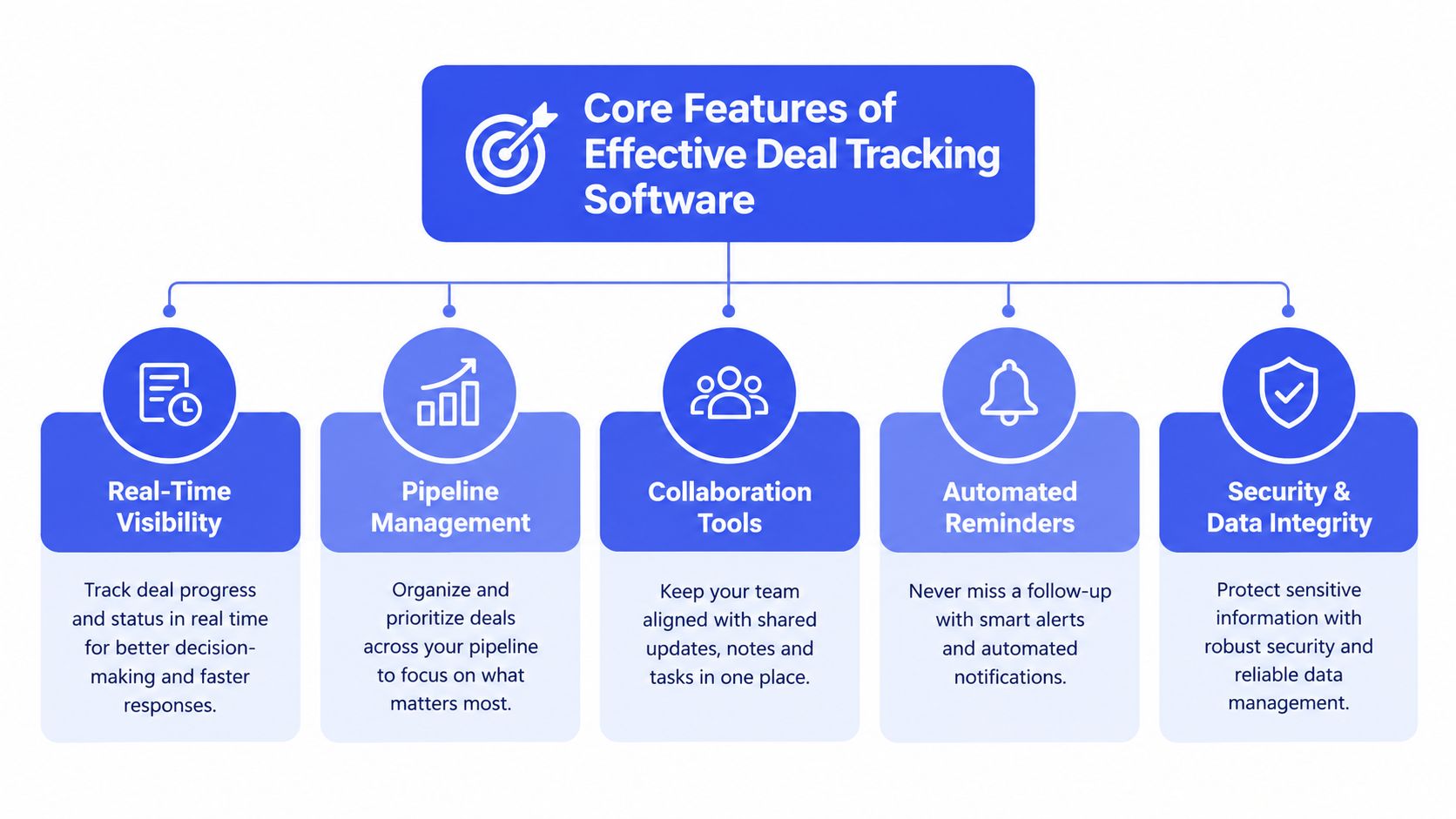
For a solopreneur managing fewer than 50 clients, deal tracking software should remove admin work rather than add another system to maintain. The practical test is simple: Who is the prospect? What is the opportunity worth? Which stage is it in? What happened last? What needs to happen next? If the software cannot answer those questions quickly, its feature list will not compensate.
A live, stage-based pipeline gives each opportunity a clear location. Deals appear as cards under stages such as Discovery, Proposal, Negotiation, Closed Won, and Closed Lost. Move a card when the buyer advances, then open the record to review messages, notes, ownership, milestones, and follow-up tasks. A drag-and-drop CRM interface makes that update practical between client assignments. The result is less context switching and a clearer view of stalled work, consistent with deal management software guidance from Pipedrive.
The features that earn their place
- Visual stage management: A Kanban-style board shows whether opportunities are concentrated in early conversations, proposals, or negotiations. It also makes an unattended deal visible without searching through spreadsheet rows.
- Activity and next-step tracking: Each opportunity should retain recent emails, calls, notes, deadlines, and the next action. A proposal should remain connected to its follow-up even when the prospect has not replied.
- Probability-weighted forecasting: A useful forecast considers deal value and stage confidence. The practical formula is expected revenue = deal amount × stage probability. One benchmarked model assigns Lead or Inquiry 5%, Qualification 10%, Discovery 20%, Solution Presentation 40%, Proposal Submitted 60%, Negotiation 80%, Verbal Agreement 90%, and Closed Won 100% (pipeline forecasting model). Treat these figures as starting assumptions. Replace them with conversion history from your own pipeline as that record develops.
- Follow-up automation: Automated emails and reminders can handle routine check-ins, while you remain responsible for the relationship and message quality. For a small business, automation earns its place when it removes repeated entry without forcing you to build sequences you will not maintain.
- Invoicing and scheduling: The workflow should continue smoothly after acceptance. An accepted deal can lead to an invoice and an appointment, while connected scheduling tools update availability, send reminders, prevent double bookings, and attach meeting records to customer histories (CRM scheduling overview). One industry explanation says manually creating a contact record from a new booking can take 5 to 10 minutes and introduce data-entry errors, problems connected workflows can reduce (CRM scheduling workflows).
A freelance photographer with six open proposals might have four recorded next steps, one proposal sitting unchanged for weeks, and one scheduled meeting without a follow-up task. The pipeline exposes those differences immediately. It does not close the deals. It shows which neglected action deserves attention while there is still time to act.
Lightweight CRM vs Enterprise Tools and Spreadsheets
The right system isn't the one with the longest feature list. It's the one that gives your team enough structure to follow opportunities without turning every update into an operations project.
Enterprise CRMs make sense when several teams need permissions, complex reporting, extensive integrations, and detailed handoffs. For a freelancer or a small agency managing fewer than 50 clients, those capabilities can become friction. A spreadsheet sits at the other extreme. It's cheap and familiar, but it depends heavily on manual updates and offers limited reminders, automation, and relationship context.
| Feature | Lightweight CRM | Enterprise CRM | Spreadsheet |
|---|---|---|---|
| Setup | Quick, with limited configuration | Often requires substantial configuration | Immediate, but structure is manual |
| Learning curve | Low | Moderate to high | Low at first, higher as the file grows |
| Pipeline view | Visual stages and deal cards | Advanced views and reporting | Usually rows, filters, or custom formulas |
| Follow-ups | Reminders and basic sequences | Extensive automation options | Manual calendar or task entry |
| Invoicing | May be built in | Often connected through integrations | Separate process or custom template |
| Cost control | Designed around essential features | Can become expensive as requirements grow | Low direct cost, high maintenance burden |
| Best fit | Freelancers and small teams | Complex, multi-team sales operations | Very early or occasional tracking |
The middle ground is usually practical
A lightweight tool should centralize contacts and deals, offer an intuitive pipeline, and support useful actions such as email follow-ups, appointment scheduling, and invoicing. It shouldn't require a setup call before you can add your first client.
MicroCRM fits this middle-ground category by combining contact management, a Kanban pipeline, invoicing, email sequences, a calendar, and reporting in one interface. Its free plan doesn't require a credit card, which makes it possible to test whether a structured workflow improves consistency before committing to a larger system.
The market has moved well beyond niche CRM use. Gartner data summarized by CRM market statistics says CRM became the world's largest software market in 2018, when the segment also recorded 16% growth. A later outlook cited in the same source projects a 14.6% compound annual growth rate from 2025 to 2030, reaching an estimated $163.16 billion by 2030. That scale doesn't mean every small business needs an enterprise platform. It means pipeline management has become a mainstream operating practice, and small teams can choose a proportionate version of it.
Why Small Teams Benefit Most from Visual Pipelines
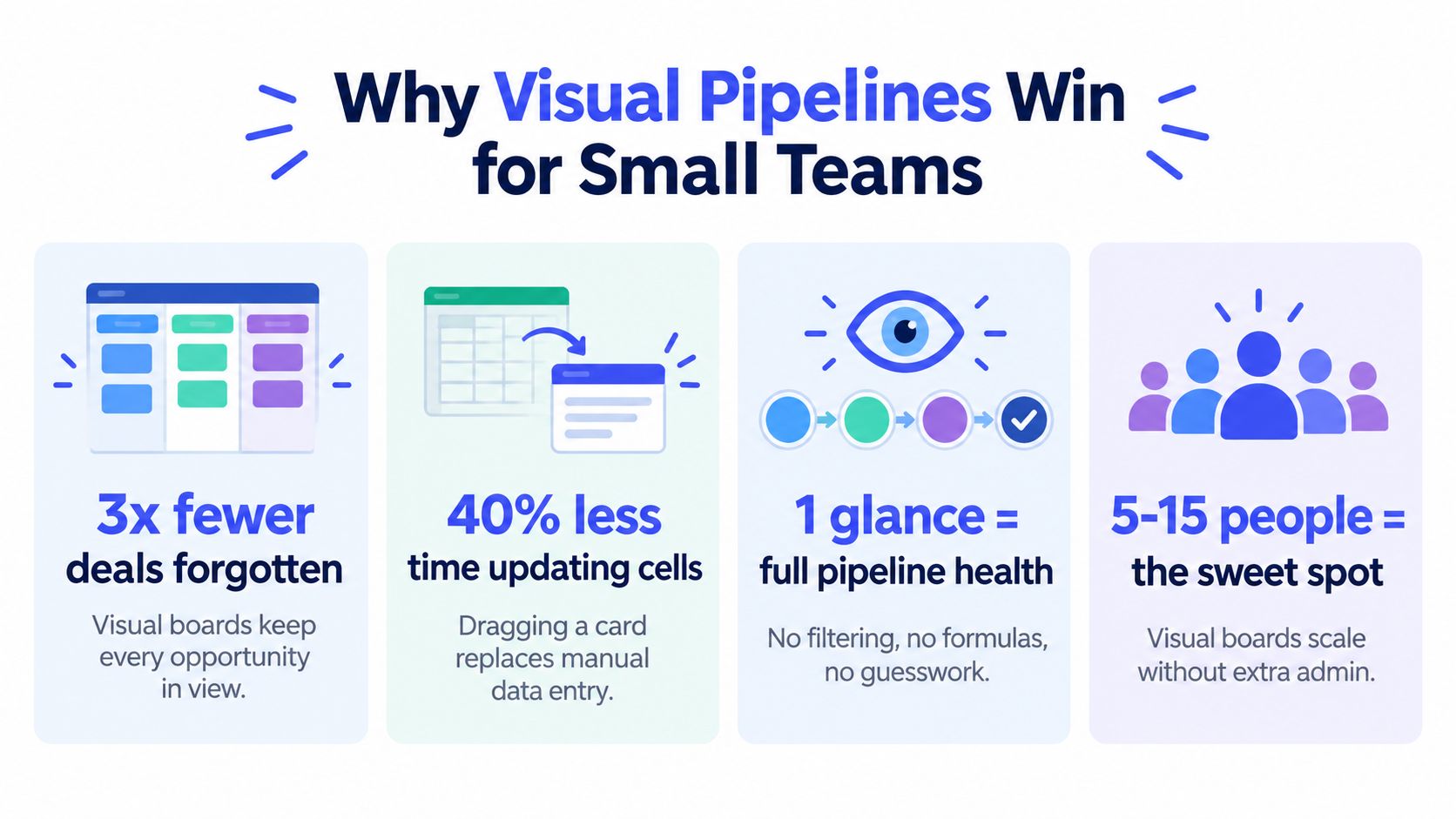
When you are handling delivery work, sales calls, administration, and billing in the same week, a spreadsheet forces you to interpret rows before you can decide what to do. A visual pipeline puts the work in front of you as a process, so the next priority is easier to identify.
A Kanban board shows the difference between a prospect in Discovery, a client waiting for a proposal, and a buyer ready to negotiate. Moving a deal card is more concrete than changing a stage cell, particularly when the card includes the contact, value, recent activity, and next action.
Visibility changes daily decisions
For a solopreneur managing fewer than 50 clients, attention is usually the constraint. Several cards with no upcoming activity point to follow-up work. A crowded Proposal column may show that approval steps need clarification. Many early-stage leads with few qualified opportunities can indicate that prospecting is producing activity without enough conversion.
A board becomes more useful when it includes probabilities and amounts. The weighted forecast model described earlier multiplies each deal's amount by its stage probability. A $2,000 opportunity at a 40% stage probability contributes $800 to expected revenue. Treat that figure as a planning aid, not a promise, and base probabilities on your own conversion history where possible.
Better structure supports better timing
Pipeline discipline can improve sales-cycle management. A benchmark cited by SuperOffice says about 34% of businesses report that CRM shortens their average sales cycle by 8 to 14 days (CRM statistics and benchmarks). The practical lesson is more limited than the statistic may suggest. Software does not automatically shorten a cycle, but consistent visibility can reveal delays, clarify ownership, and prompt action before an opportunity goes cold.
For a small team, that may mean noticing that a client has not reviewed a proposal, a discovery call has no follow-up, or an invoice is still waiting after an accepted offer. A Kanban workflow example can help turn those moments into clear stages and actions.
A visual pipeline doesn't replace judgment. It gives judgment a reliable set of facts to work from.
Enterprise CRM marketing often emphasizes AI forecasts and large-scale automation. Those features may suit complex sales operations, but a small business can create more value with a clear stage, one next action, and a probability it can explain. For a modest client list, readable information that supports a decision today is usually more useful than prediction technology that adds cost and uncertainty.
How to Implement Deal Tracking Software Step-by-Step
A solopreneur with fewer than 50 clients does not need an enterprise CRM rollout. Start with the records already in use, then build a workflow around the deals that need attention now.
- Choose a proportionate plan. Select a free or low-commitment option with pipeline views, contact records, and follow-up tools. Avoid advanced modules until you know the recurring problem they will solve.
- Clean active records. Export your spreadsheet, remove duplicate contacts and abandoned opportunities, then import current prospects and clients. Leave older history until the workflow is working.
- Name your actual stages. Use familiar labels such as New Inquiry, Discovery, Proposal, Negotiation, Won, and Lost. A short list of clear stages is easier to maintain than a long list of vague ones.
- Add one next action to every open deal. Set a date and specific task, such as “send revised scope” or “call after budget review.” Replace “follow up” with an action someone can complete.
- Create one simple email sequence. Begin with a proposal reminder or post-meeting thank-you. Keep the message personal and give the recipient a clear way to respond.
- Review the board weekly. Check overdue actions, inactive deals, and proposals awaiting decisions. Use the review to improve the workflow rather than adding more fields.
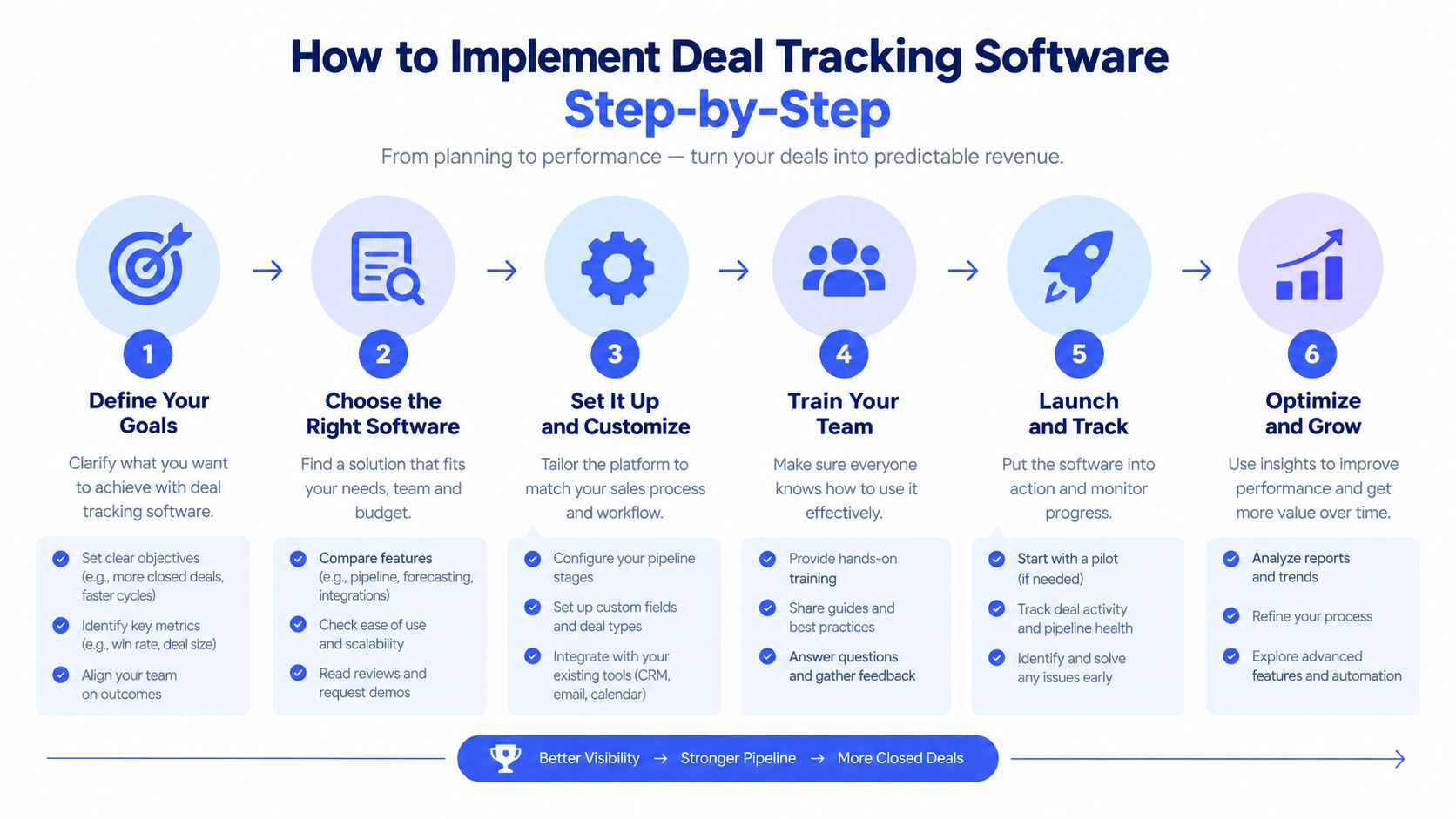
Begin with contacts, stages, amounts, and next actions. Once that habit is stable, add invoicing, appointment scheduling, or reporting if those tasks create real friction. AI forecasting and complex automation can wait when a clear board already answers the daily sales questions.
Want to better organize your clients and business opportunities?
Start for free. No credit card required.
Practical Buyer Checklist for Micro-Business Owners
For solopreneurs managing fewer than 50 clients, choose software you will update. Check for:
- Must have: Contact history, visual stages, next-action reminders, deal values, and simple reporting.
- Useful extras: Invoicing, email templates, follow-ups, and appointment scheduling.
- Skip for now: Complex AI forecasting, deep customization, and features needing dedicated support.
Use this CRM selection guide to compare tools with your workflow, not enterprise lists. Micro CRM combines clients, deals, invoices, follow-ups, and appointments in one lightweight workspace for freelancers and small businesses.