Email Template Builder Guide for Freelancers and Small Teams
You copy last week's proposal, change the client name, attach an invoice, adjust the appointment date, and send it. Then you remember a follow-up that should have gone out yesterday. The contact is in one spreadsheet, the deal is in another tab, and the invoice is buried in an email thread.
An email template builder can turn that repeated work into a dependable client workflow. Instead of rewriting the same proposal, confirmation, reminder, or payment message, you save the structure once, add variables for changing details, preview the result, and reuse it when the same situation appears. The aim isn't enterprise marketing automation. It's helping a freelancer or small team communicate consistently without adding another complicated system.

Table of Contents
- Why Reusable Email Templates Matter for Freelancers
- What an Email Template Builder Actually Does
- Core Features That Make a Builder Useful
- Practical Use Cases for Freelancers and Small Businesses
- Personalization That Works Without Overengineering
- Hidden Risks Most Freelancers Overlook
- Why a Lightweight CRM Builder Is Enough
- Putting It All Together
Why Reusable Email Templates Matter for Freelancers
A freelance photographer may send the same five kinds of messages every week: an inquiry response, a booking confirmation, a session reminder, an invoice email, and a delivery note. A consultant may repeat a similar pattern after every discovery call. A designer may spend valuable creative time fixing the same greeting, payment instructions, and project details in separate drafts.
That repetition creates more than inconvenience. It encourages small inconsistencies, such as a missing attachment, an outdated payment link, or a follow-up sent to the wrong person. It also makes client communication depend on memory. A saved template gives you a stable starting point while leaving room for the details that naturally change.
Practical rule: Automate the structure, not the relationship.
A useful builder separates fixed content from changing information. The greeting, explanation, next step, and sign-off can stay consistent. The contact name, company, appointment date, invoice number, and deal stage can come from the client record. This is the basic idea behind a lightweight CRM email composer.
You can apply the same approach to a new-client welcome workflow, then extend it to proposals, reminders, and payment follow-ups. The result is a small library of reliable messages, not a large campaign machine. By the end, you'll know how variables, templates, sequences, mobile-ready layouts, personalization, and basic quality checks fit together.
What an Email Template Builder Actually Does
An email template builder lets you create a message once and reuse it without rebuilding the layout each time. In a CRM, it usually sits beside contacts, deals, invoices, and appointments, so the message can draw from information you already maintain.
The minimum useful workflow is straightforward:
- Save a recurring message. Start with a proposal, confirmation, follow-up, or invoice email you already send.
- Add merge fields. Insert values such as contact name, company, appointment date, invoice number, or deal stage.
- Preview the message. Check the completed email with a real contact record before sending.
- Reuse it deliberately. Send it as a one-off message or place it inside a short sequence.
That makes a builder different from a signature. A signature adds a fixed block to a message, while a template gives you a complete communication pattern. It also differs from a snippet manager, which may paste saved text but doesn't necessarily understand contact records, previews, sequences, or invoice data.
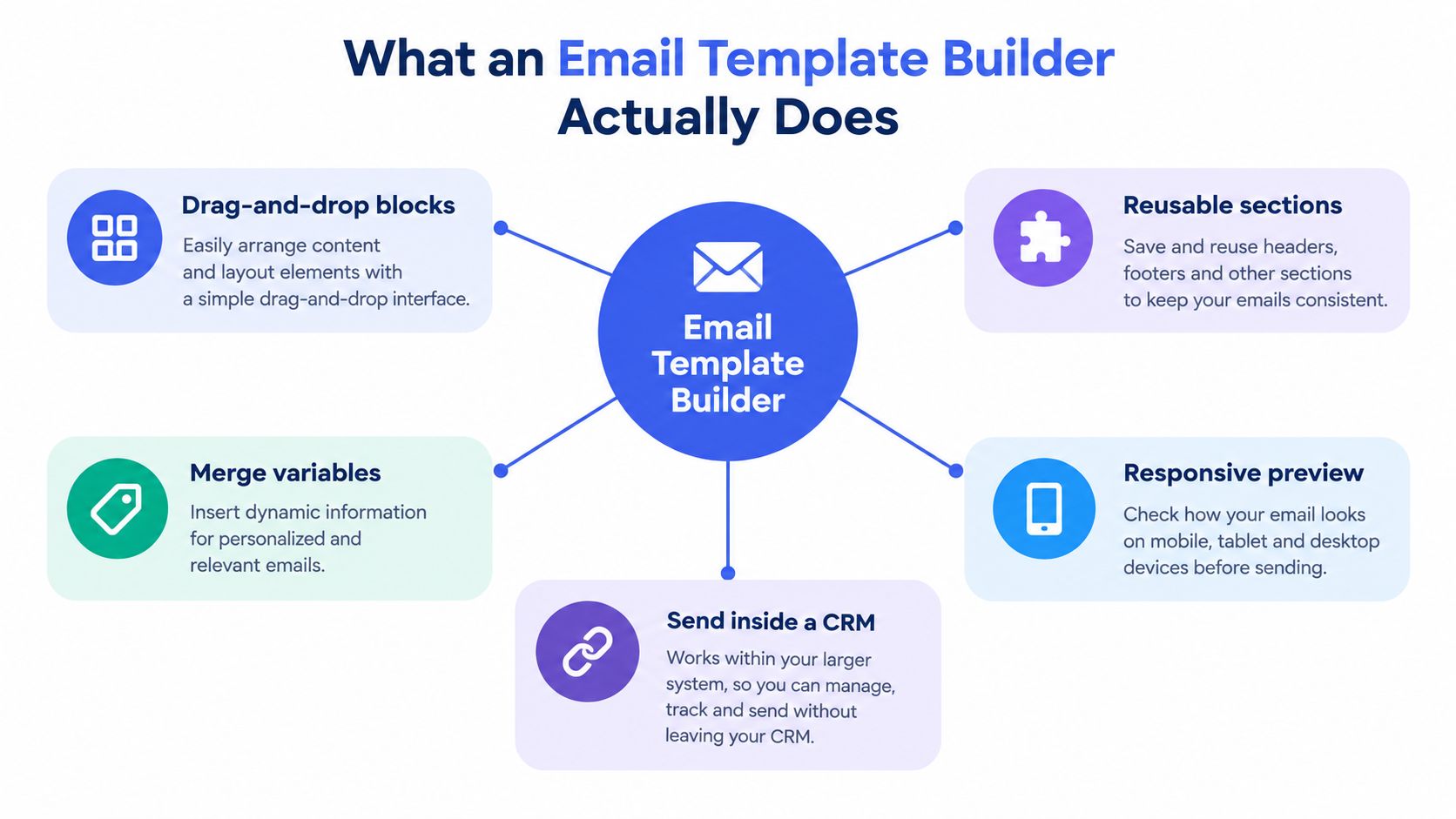
Enterprise marketing platforms can manage complex audience rules, campaign reporting, and large-scale automation. A freelancer usually needs something narrower: a dependable composer that makes ordinary client messages faster and safer. A drag-and-drop email interface can help arrange sections, but the main value comes from connecting the layout to accurate client data and a clear next action.
Core Features That Make a Builder Useful
A practical email template builder needs four capabilities. Each one solves a different part of the repeated-communication problem.
| Capability | What It Does | Freelancer Example |
|---|---|---|
| Variables | Inserts approved details from a contact or deal record | A photographer adds the client name and appointment date |
| Templates | Saves complete messages for recurring situations | A studio reuses a payment reminder with its normal terms |
| Sequences | Sends related messages after an event or at a planned time | A coach follows up after onboarding or a missed meeting |
| Mobile-ready design | Keeps the email readable on smaller screens | A consultant sends a clear confirmation with an easy-to-tap link |
Variables keep routine messages personal
Variables are the fields that change from one recipient to another. A photographer might use the contact name, session date, location, and payment link. A coach could pull the client's company and next appointment. A design studio may need the invoice number and current deal stage.
The important distinction is validation. If a first name is missing, the builder should use fallback text rather than sending an empty greeting. Previewing with an actual contact record catches malformed dates, blank fields, and links that point to the wrong destination.
Templates protect the recurring process
A template isn't just a pretty layout. It's a saved answer to a repeated business situation. Useful categories include proposals, appointment confirmations, onboarding notes, follow-ups, invoice delivery, and overdue-payment reminders.
Keep each template focused. A payment reminder should make the amount due, payment path, and next step easy to find. A proposal email should guide the recipient toward reviewing the proposal or booking a call instead of mixing several unrelated requests.
Sequences handle timing
A sequence connects messages to an event. A new inquiry can trigger an initial reply, a later follow-up, and a final check-in. A missed appointment can create a rescheduling message. An unpaid invoice can lead to a polite reminder based on the invoice status.
Sequences need stopping rules. If a client replies, books a meeting, or pays an invoice, the remaining messages should stop or change. Good email follow-up automation supports attention without making every client receive the same fixed chain.
Mobile-ready design keeps the message usable
A client may open an email on a phone while traveling between meetings. Use short paragraphs, clear headings, readable text, and buttons or links that are easy to select. A mobile-ready template should preserve the order of the information, not merely shrink a desktop layout.
Practical Use Cases for Freelancers and Small Businesses
The best way to evaluate a builder is to trace a normal working day.
A coach can create an onboarding sequence for a new client. The first message welcomes the client and explains the next step. Another message provides preparation instructions before the first session. A later message checks whether anything remains unclear. The coach writes the guidance once, then uses the client record and appointment details to make each message relevant.
A photographer can connect booking and communication. When a session is created, the confirmation template can state the date, location, preparation notes, and payment instructions. A reminder can follow later, while a post-session message can explain when the client should expect the finished work. The photographer isn't searching through old email threads for the wording or manually rebuilding the schedule each time.
A design studio can use an invoice template with a direct payment path. The email can identify the project, include the invoice number, link to the invoice PDF, and point the client toward payment. If the invoice remains open, a separate reminder sequence can handle the next communication while the studio continues working.
A consultant may prefer a simple three-message follow-up after a discovery call:
- Recap: Summarize the client's stated problem and agreed next step.
- Resource: Share a relevant proposal, example, or scheduling option.
- Decision point: Ask whether the client wants to proceed or close the conversation.
A solo entrepreneur can also use tags to separate warm leads, active projects, and past clients. The same basic template can change its wording or next step according to the relationship. That reduces context switching because the sender starts from the correct workflow instead of a blank page.
Personalization That Works Without Overengineering
Personalization has levels. Adding a first name to a subject line is useful, but it isn't the same as understanding the recipient's situation.
A Stanford Graduate School of Business field experiment found that inserting a recipient's name into the subject line increased the probability of opening an email by 20%, from 9.05% to 10.80%. The same change increased sales-lead generation by 31%, from 0.39% to 0.51%, and reduced unsubscribes by 17%, from 1.2% to 1.0%. Those findings support using simple merge fields, but they don't suggest that a first name alone creates a meaningful relationship.
Light personalization works well for confirmations, reminders, and initial outreach. Use the contact name, company, appointment date, invoice number, or payment link. The message remains standardized, but it doesn't look like an anonymous broadcast.
Substantive personalization goes further. It refers to the project discussed, the client's current deal stage, the appointment context, or a specific problem raised in a call. Audited B2B SaaS and services campaigns found basic templates produced approximately 0.3% to 0.7% reply rates, while one or two substituted variables produced 0.4% to 0.9%. Substantive recipient-specific personalization reached 2% to 4%, a roughly 4 to 6 times lift over light personalization, according to Allston Labs' personalization analysis.
Use safeguards:
- Fallback text: Provide a natural alternative when a field is empty.
- Record preview: Test the message with a real contact before activation.
- Field validation: Flag unsupported or malformed variables.
- Honest labeling: Don't present a company-name insertion as researched context.
The discipline matters more than the number of available fields. A small library of accurate variables is better than a complicated system that sends incorrect details.
Hidden Risks Most Freelancers Overlook
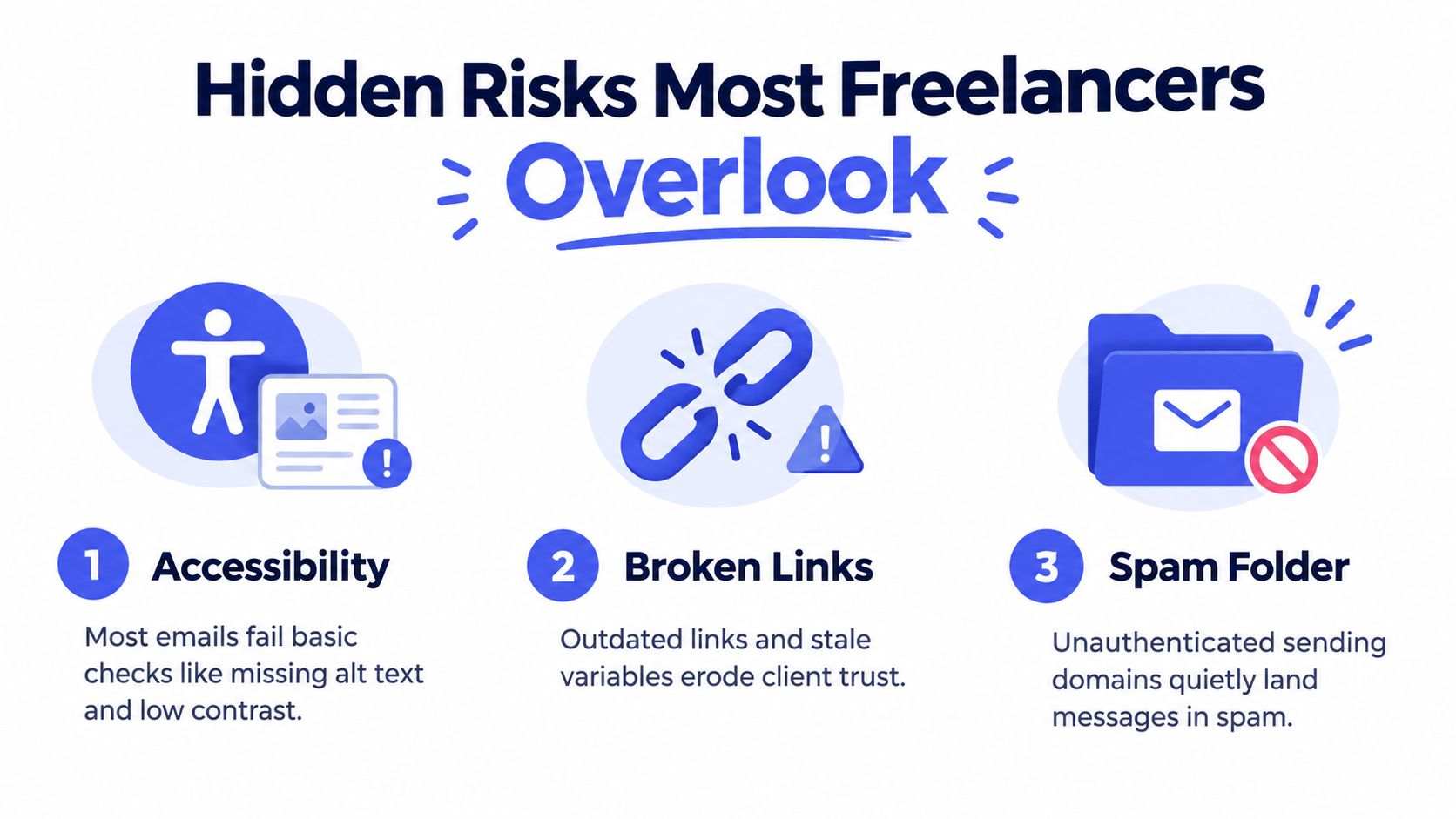
A polished email can still create problems. Accessibility, inbox placement, and sequence fatigue deserve attention before a template becomes part of an automated workflow.
Accessibility is part of the template
The Email Markup Consortium analyzed 443,585 emails in its 2025 accessibility report. 99.89% contained at least one serious or critical accessibility issue, only 21 emails passed all automated checks, and 51.42% lacked image alternative text.
A builder should help you make accessible choices by default. The NSW Government email accessibility toolkit recommends logical reading order, semantic headings, meaningful link text, presentation roles for layout tables, and WCAG AA contrast ratios of at least 4.5:1 for normal text and 3:1 for large text. It also identifies 24 by 24 CSS pixels as a minimum interactive target and approximately 44 by 44 pixels as a recommended size.
Check alt-text decisions, heading order, link labels, keyboard navigation, screen-reader behavior, image blocking, dark mode, and mobile reflow. An invoice should remain understandable when images don't load.
Deliverability affects small senders too
A 2025 deliverability benchmark reported global inbox placement around 84%, meaning roughly one in six messages didn't reach the inbox, according to Mailreach's deliverability statistics. Gmail and Yahoo require stronger sender authentication and a one-click unsubscribe process for applicable bulk senders, while Microsoft announced stricter standards for high-volume senders beginning in 2025.
You don't need an enterprise dashboard to reduce avoidable problems. Identify the sender clearly, keep reply-to details accurate, limit unnecessary images and tracking, and include an obvious unsubscribe or preference path where appropriate.
Sequence fatigue damages trust
A relevant reminder can help. The same reminder sent to every contact, regardless of context, becomes noise. Stop a sequence when the client replies, pays, books, or asks not to be contacted.
Before activation, test one real record, inspect every link, confirm the fallback text, review the timing, and ask whether the recipient has a clear reason to receive the message. These checks take less time than repairing trust after an incorrect automated email.
Why a Lightweight CRM Builder Is Enough
A freelancer with a small client list rarely needs an enterprise marketing suite. The practical requirement is simpler: contacts, deals, invoices, appointments, and follow-ups should use the same information instead of creating separate data-entry tasks.
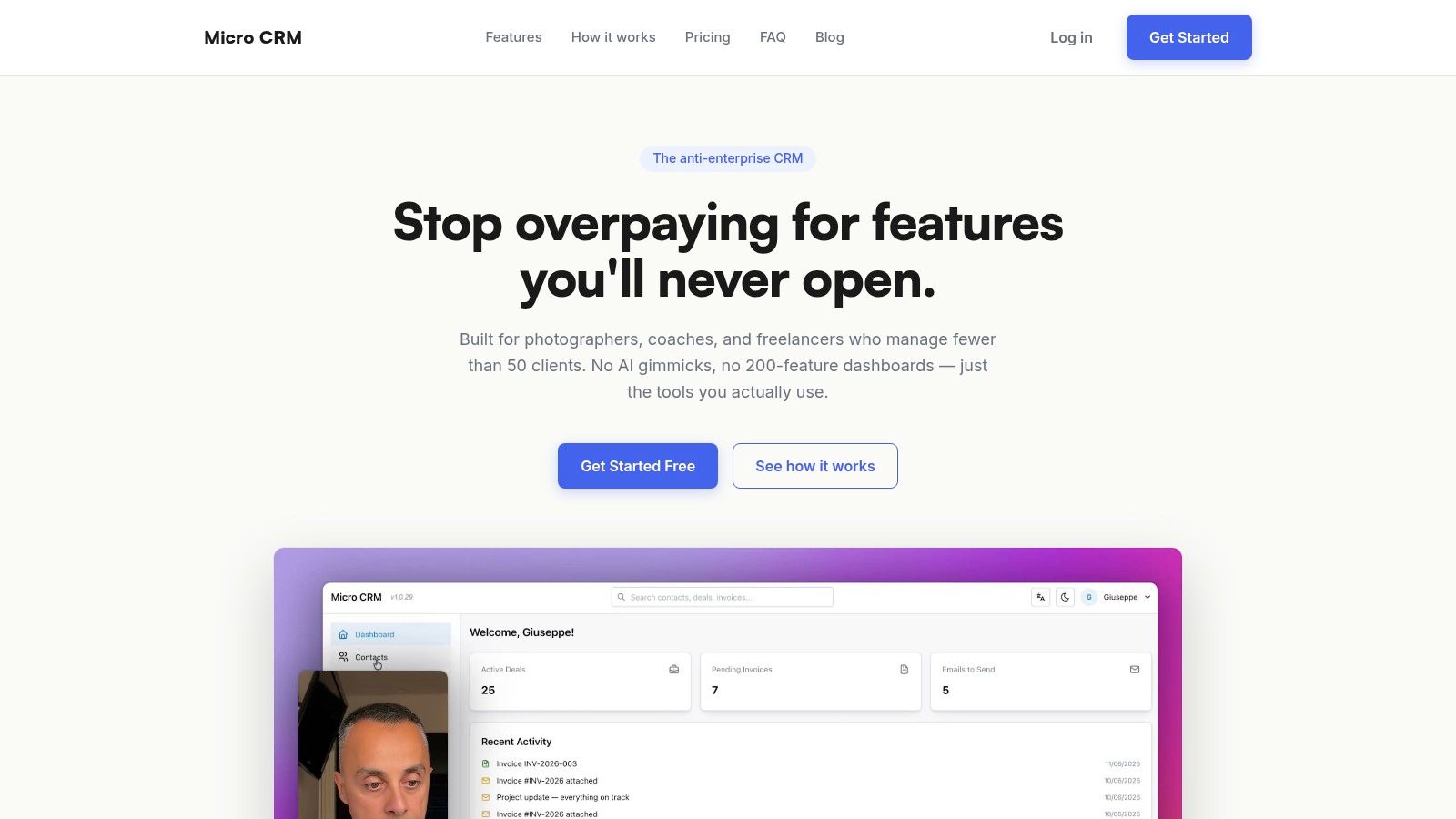
MicroCRM combines an email composer with templates, variables, and sequences, alongside contact management, a Kanban pipeline, invoicing, and a calendar. Its free plan requires no credit card, while mobile-ready templates and invoice workflows keep routine client communication in one workspace. See the email follow-up automation guide for a closer look at that approach.
A missed appointment shows the value of the connection. One sequence can send a booking confirmation, a reminder, and a rescheduling message after the appointment passes. The template supplies the wording, while the calendar event and contact record supply the relevant details. You avoid copying the appointment into a separate email tool.
Invoices follow the same pattern. A template can insert the client, project, invoice number, and payment link associated with the record. A sequence can send a payment reminder without searching through spreadsheets or old conversations.
For a business serving fewer than 50 clients, this focused setup may be easier to maintain than unused enterprise features. The goal is a visible, manageable workflow that provides the main benefits of automation without recreating a large marketing department.
Putting It All Together
An email template builder turns a saved message layout into a repeatable client workflow. Variables, templates, sequences, and mobile-ready design each solve a different task: inserting accurate details, keeping approved wording consistent, sending follow-ups on time, and making messages readable on small screens.
Use personalization with purpose. Light variables suit confirmations and reminders. A proposal, re-engagement message, or project decision needs context written for that client. Add accessibility and deliverability checks before sending, then stop a sequence when the client's situation changes.
The payoff is a connected workflow. Contacts, deals, invoices, appointments, and emails can support one another instead of sitting in separate tools. For a freelancer serving fewer than 50 clients, this focused setup can replace spreadsheet handoffs without unused enterprise features.
If you want one workspace for client operations, try Micro CRM for free. Manage clients, deals, and invoices there while building reusable templates and organizing follow-ups without a complex CRM. No credit card is required.