8 New Clients Welcome Message Templates
A new client says yes. You send a friendly note, promise a kickoff, and move on to the next task. Then the cracks start showing. Their intake details are in a spreadsheet, the appointment link is in your calendar app, the invoice draft is in another tool, and the follow-up email is still sitting in your head. That's the moment when a simple welcome message stops being a nicety and becomes part of operations.
A strong new clients welcome message should do three jobs at once. It should confirm the relationship, set expectations, and point the client to one clear next action. If it only sounds warm, it's incomplete. If it dumps every policy and link into one email, it creates friction on day one.
That's why many freelancers and micro-business owners move this step into a lightweight CRM instead of juggling Excel, inbox folders, and separate schedulers. Survey coverage reported by Freshworks says 71% of small businesses with 500 or fewer employees use CRM software, which tells you this isn't only a big-company habit. Tools like MicroCRM fit that shift well because they keep contacts, deals, invoices, follow-ups, and appointments in one place. The product image gives a quick sense of that setup:

Below are eight ready-to-use approaches for writing new clients welcome messages that move work forward. The list is organized by strategic purpose, then adapted by tone, profession, channel, and next step. You'll see problem-solution messages, quick-win messages, comparisons, use-case versions, feature-led drafts, peer-story framing, free-plan reassurance, and onboarding roadmaps.
Table of Contents
- 1. The Problem-Solution Welcome Message
- 2. The Quick-Win Welcome Message
- 3. The Comparison-Based Welcome Message
- 4. The Use-Case-Specific Welcome Message
- 5. The Feature-Highlight Welcome Message
- 6. The Success-Story Welcome Message
- 7. The Free-Plan-Focused Welcome Message
- 8. The Onboarding-Roadmap Welcome Message
- 8 New-Client Welcome Message Comparison
- Make the Welcome Message Lead Somewhere
1. The Problem-Solution Welcome Message
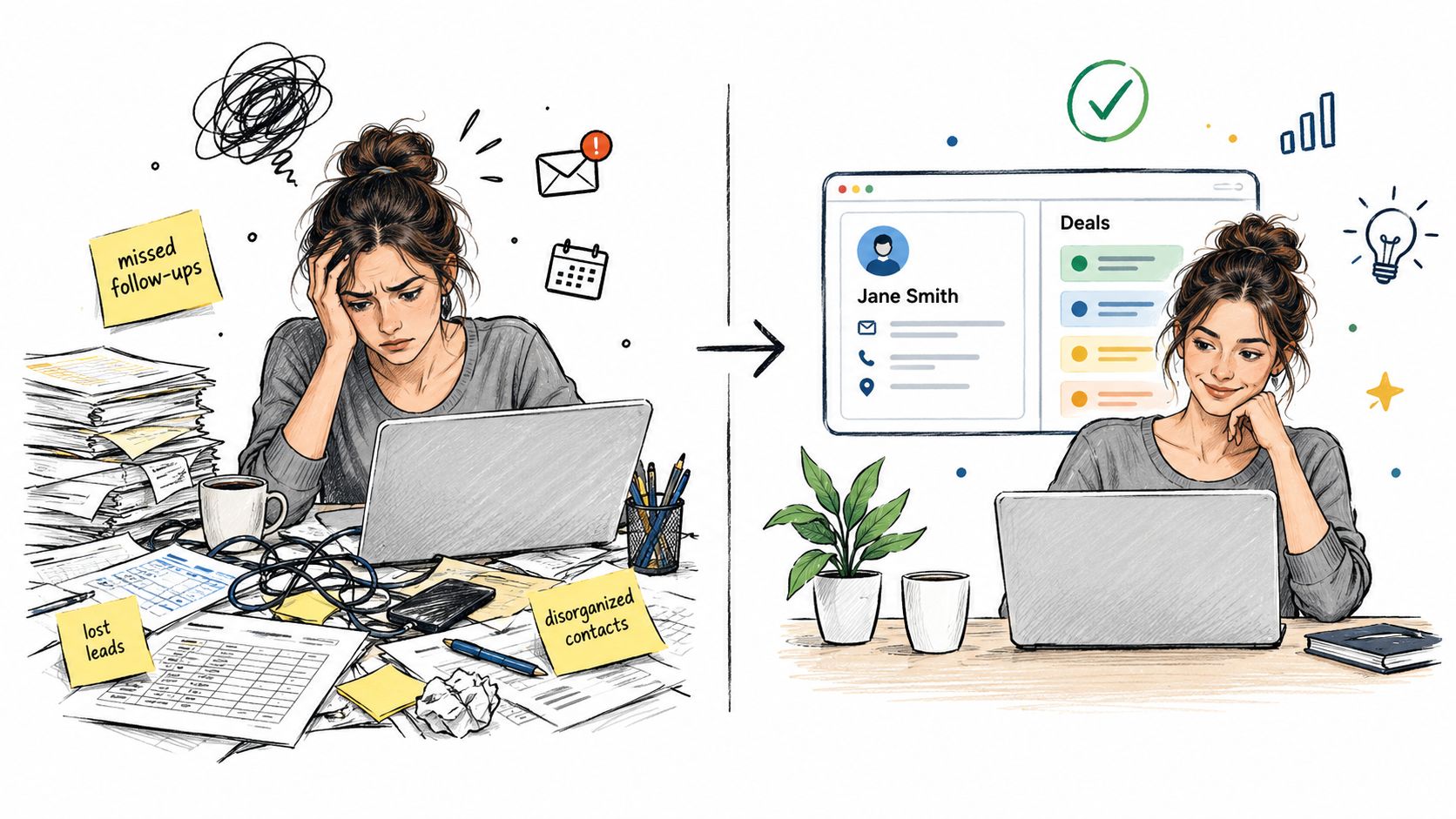
A client says yes, then remembers the last project that went sideways because details were split across email threads, a spreadsheet, calendar invites, and unpaid invoices. That is the moment for a problem-solution welcome message. It works best when the client already knows the pain and wants proof that this engagement will run differently.
A photographer might send this:
Welcome. Keeping bookings, notes, payments, and follow-ups in separate tools creates missed details fast. For this project, we'll keep the timeline, session notes, and invoice steps in one place so you can see what is pending and what is done. Reply with your preferred shoot date, and we'll confirm the booking.
The message works because it does three things in order. It names a problem the client already recognizes, shows the operational fix, and asks for one simple next step. That order matters. If the message jumps straight to links, forms, and policies, the client still feels the old chaos.
How to adapt it without sounding generic
The strongest version uses the friction the client would describe in their own words. Consultants usually respond to “call notes, proposals, and follow-ups.” Agency clients care more about “approvals, invoices, and pipeline visibility.” Coaches tend to care about “intake, session scheduling, and reminders.”
Keep the structure tight:
- Name the friction: Call out the exact handoff problem, delay, or duplication the client wants to avoid.
- Show the better workflow: Explain what will be tracked together and who will handle it.
- Give one action: Ask for one reply, one file, one form, or one booking.
There is a trade-off here. If the message is too broad, it sounds like template copy. If it is too detailed, it starts reading like onboarding documentation. For freelancers and very small teams, the sweet spot is a short note that reduces uncertainty and pushes the client into the first operational step.
This approach also fits simple CRM-driven workflows. Cost and complexity often push small businesses to delay setup or replace tools early, as noted earlier, so the welcome message should reduce effort instead of adding another layer to learn. MicroCRM supports that kind of process in a practical way. You can create the contact, update the deal stage, send the invoice, and set the next follow-up in the same workspace.
2. The Quick-Win Welcome Message
A client signs the proposal, opens your welcome note, and gives you about thirty seconds of real attention. That message needs one job: get them to complete a small action that pays off today.
Here is a version that works well for service businesses that want a fast operational start:
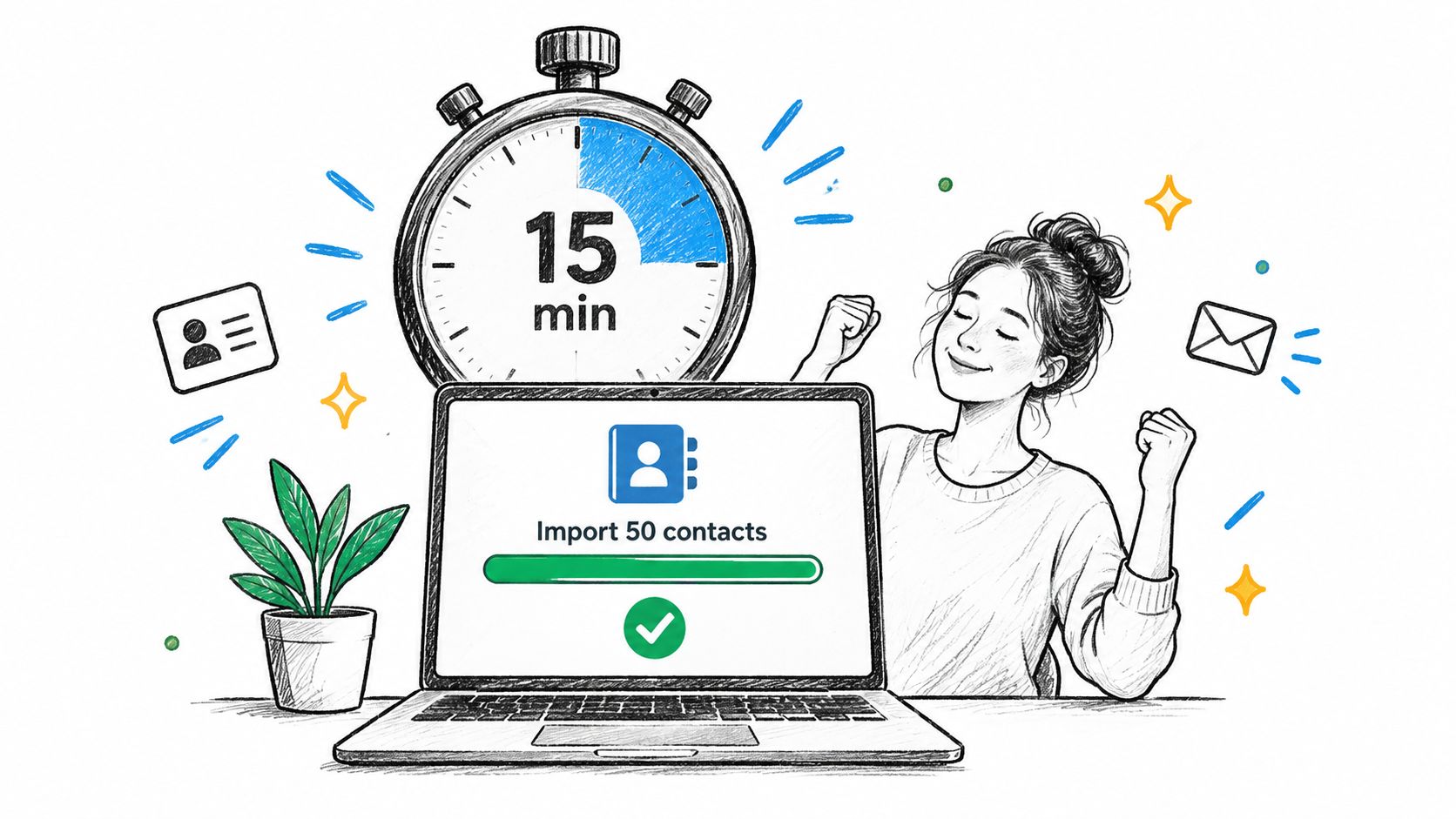
Welcome aboard. Let's get one client-facing asset ready today. Start by creating your first welcome email template, then reuse it for every new client from now on. Follow this short guide on creating client email templates.
The strength of this approach is focus. It gives the client a task they can finish quickly and a result they can use immediately.
Good quick wins share three traits. They are easy to explain, easy to finish, and tied to a repeatable part of the workflow. For a freelancer, that might be a welcome template or invoice message. For a consultant, it could be booking the kickoff call. For a small agency, it is often creating the first client record with owner, stage, and next action already set.
A quick-win message also needs the right scope. Asking a new client to import all contacts, customize every pipeline stage, and review automations turns a welcome note into setup homework. Asking for one finished task keeps momentum high and reduces drop-off.
One line I use as a check is simple:
The first action should save time this week, not promise value later.
That trade-off matters. If the task is too small, it feels trivial. If it is too ambitious, it feels like unpaid implementation work. In practice, the sweet spot is a task the client can complete in minutes and recognize as useful before the day ends.
Tone changes by profession and channel. Email can carry a bit more context, especially if the client is buying a higher-touch service. A chat message or in-app prompt should stay tighter and point to one button, one reply, or one booking link. Creative freelancers can sound warmer. Ops-focused services usually perform better with direct language that names the outcome and the next click.
Keep the promise modest and concrete. As noted earlier, small-business tools get adopted faster when the first step feels light. “Set up your first polished welcome message today” is believable. That is enough to start the relationship with progress instead of admin friction.
3. The Comparison-Based Welcome Message
A comparison-based welcome message fits the client who already has a workaround in place. They are tracking leads in a spreadsheet, keeping notes in email, or using a CRM that asks for more setup than their business can support. The job of the message is to help them switch without making them feel careless for how they worked before.
Use language that respects the old system and names the operational cost of keeping it.
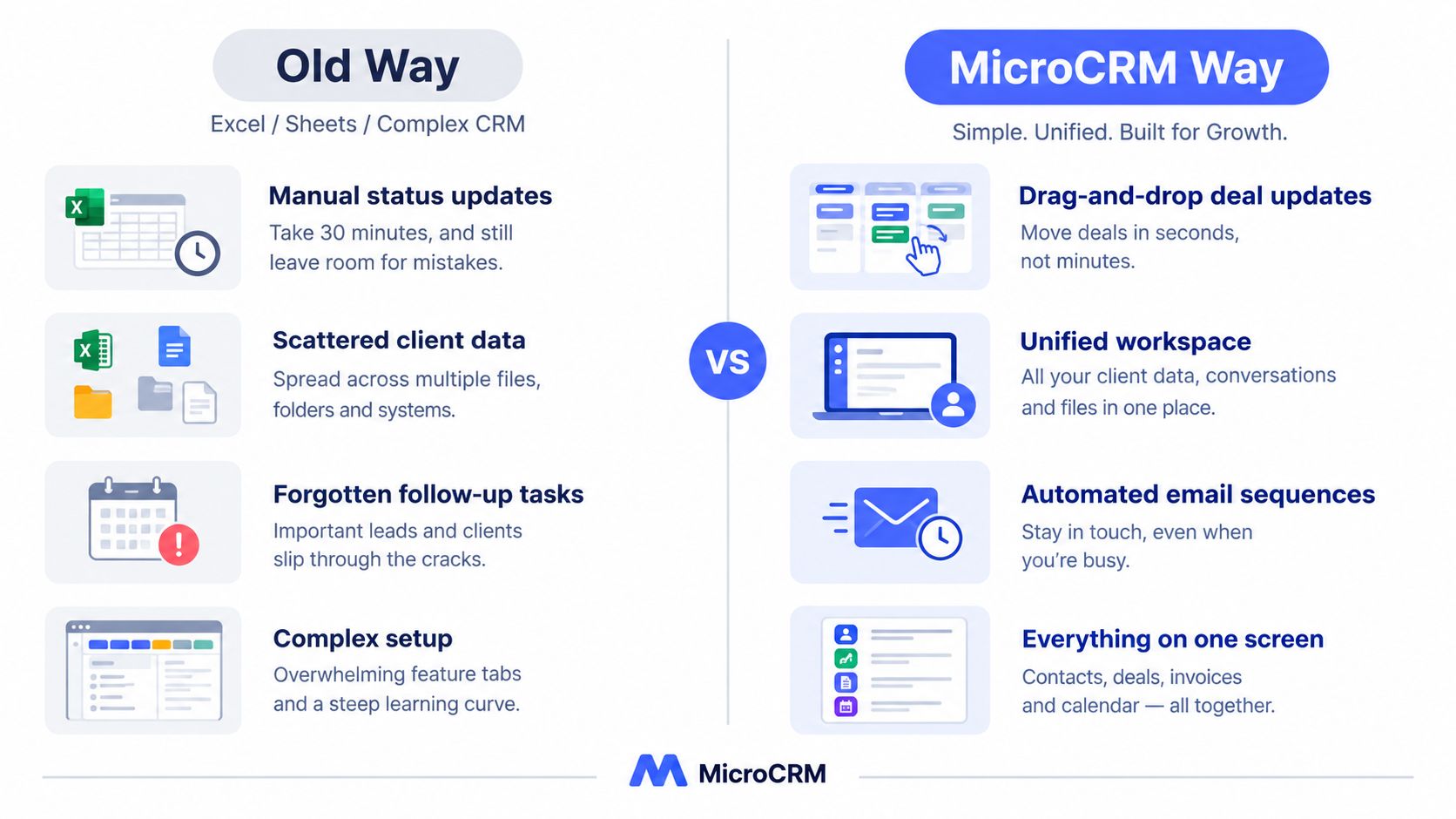
If you've been managing client work in spreadsheets or scattered threads, you already have a process. The issue is that updates, notes, invoices, and follow-ups live in different places. From now on, we'll keep that work in one client record so the next step is clear without checking three tools first.
That approach works because it lowers resistance. Solo service providers and very small teams often built the current process themselves. A welcome message that mocks it can trigger defensiveness. A message that shows the trade-off gets a better response.
The trade-off is usually not feature depth. It is retrieval time and missed handoffs. Work gets slower when project details sit in one tab, billing lives in another tool, and the next follow-up depends on memory.
A 2026 survey summary on Excel-based customer management reported that people managing customers in Excel frequently ran into problems. That supports what freelancers and small agencies already see in practice. Spreadsheets work until client volume, repeat work, or delegated follow-up creates enough moving parts that context starts slipping.
Here is the wording pattern I use:
First, name the client's current method without judgment.
Then show the friction in plain workflow terms. Delayed follow-up, duplicate notes, hunting through inboxes, uncertain invoice status.
Then state the better operating state.
For example:
- A consultant may compare scattered meeting notes with one record that stores decisions, tasks, and billing status.
- A photographer may compare email-based booking details with one place for shoot date, contract, payment, and delivery notes.
- A micro-agency may compare a heavy CRM built for sales teams with a lighter setup that tracks owner, stage, and next action without extra admin.
MicroCRM fits naturally here as a factual contrast. It gives small businesses one place to keep client history, active work, and next actions, without the setup load that often comes with larger CRM systems.
Channel matters too. In email, the comparison can carry a little more context because the client has space to read the “before” and “after.” In chat or an in-app welcome prompt, shorten it to one frustration and one gain. Keep the next step close to the message, such as importing one contact, opening the first client record, or booking the kickoff call.
The best comparison message does one practical thing. It helps the client see why changing tools or process is worth the effort today, not someday.
4. The Use-Case-Specific Welcome Message
A client books, signs, or starts a trial, then gets a welcome note that could have been sent to anyone. Momentum drops fast. The message may be polite, but it does not tell the client how work will run in their situation.
Use-case-specific copy fixes that by naming the job the client hired you to do and the handoff you need first.
Welcome. We'll use this space to track concepts, revision rounds, approvals, and invoices from first brief to final files. Send your brand assets and preferred review schedule, and we'll set the first milestone.
That works because it gives the client a familiar path. A designer sees revision rounds and approvals. A consultant expects action items and billing cadence. A coach looks for intake, session dates, and progress notes. The message feels credible because the nouns match the service.
A practical way to write this section is to choose one of four anchors, then build around it.
- Deliverables: concepts, galleries, reports, session notes
- Timing: shoot dates, kickoff call, weekly check-in, renewal date
- Approvals: stakeholder signoff, revision window, file review process
- Administration: contract, invoice timing, reminders, shared documents
Different professions need different anchors. Photographers usually care about date, location, gallery delivery, and payment timing. Coaches often need intake forms, session scheduling, and a clear place for follow-up notes. Agencies may need a more operational version because several client-side readers will scan the email for process, owners, and approval points.
Tone matters as much as content. A wedding photographer can write warmly because the relationship is personal and emotional. A B2B consultant usually gets better results with calm, precise wording. A bookkeeper or virtual assistant may need a plain operational tone because the client mainly wants to know what to send, where to send it, and what happens next.
Channel changes the level of detail. Email gives enough room to name the workflow and ask for the first input. A chat welcome or in-app prompt should tighten to one use case and one action. SMS works only if the next step is simple, such as uploading a document or confirming the kickoff time.
One onboarding guide notes that welcome templates often suggest one welcome message plus 2 to 3 follow-ups in the first week, yet offer little guidance on adapting that sequence by business type or client risk level. That gap matters in real client work. A high-ticket consulting client may need a tighter sequence around kickoff and stakeholder alignment. A low-touch photography booking may only need one clear next action and an automated reminder.
MicroCRM supports this style well because the message can point to real workflow elements the client will use: contact records for history, a Kanban pipeline for status, invoice tools for payment timing, and a calendar for scheduling. For freelancers and small teams, that keeps the welcome message tied to the working process instead of generic account language.
5. The Feature-Highlight Welcome Message
A feature-highlight welcome works best once the client has already said yes and wants to get oriented fast. At that stage, the message should reduce setup friction. It should show which tool to use first, what job it handles, and what action comes next.
One strong version sounds like this:
Welcome. Your workspace is ready. Start with the three tools you'll use in the first week: the pipeline to track active work, invoicing to send or review payment details, and follow-up reminders so nothing slips after kickoff. First step: open your client record and confirm the current project stage.
That format works because it translates product language into real client behavior. The client does not need a tour of every tab. The client needs a short path to one useful action.
Here is the decision test I use: if a feature cannot be tied to a task the client will complete in the next few days, leave it out of the welcome message. Save it for onboarding docs, a help article, or a later check-in.
A few examples make the difference clear.
A weak version says the platform includes contact management, invoicing, scheduling, and automation.
A stronger version says where to check project status, how to send the first invoice, and how to set the next reminder before the thread goes cold.
That is also the practical value of MicroCRM. A freelancer can keep the contact record, deal stage, invoice status, and next follow-up in one working system instead of copying the same details across separate tools. For a solo operator, that saves time. It also cuts avoidable mistakes, especially after handoff, payment, or rescheduling.
The trade-off is tone. Feature-led copy can become dry if it reads like release notes, and it can feel pushy if every sentence sounds like product marketing. Keep the message operational. Name the feature only after you name the task.
Use this simple sequence: First, state the job. Next, point to the tool. Then, ask for one concrete action.
That rhythm fits email, post-purchase onboarding, and approval-stage handoffs especially well. It is less useful earlier in the relationship, when the client still needs reassurance, context, or proof that the process fits their situation.
6. The Success-Story Welcome Message
Success-story messaging is persuasive, but it's also easy to overdo. The mistake is turning the welcome note into a testimonial parade. A better approach is to use a short peer example that helps the client picture their own workflow.

A simple version:
Many solo business owners start out keeping client details in email and spreadsheets, then hit a point where follow-ups become hard to track. The better pattern is to centralize the client record, next step, and billing flow early. If you want to tighten your process after this welcome step, this guide on following up with clients consistently is a good next read.
That gives the recipient a story shape without inventing a fake customer result.
What to include when you don't have a hard case study
If you don't have verified customer metrics, use a realistic peer scenario instead of made-up proof. That still works if the pattern is believable and specific.
For example, a freelance photographer may relate to this sequence: inquiry arrives, date is tentatively held, contract is approved, invoice goes out, questionnaire is sent, shoot is confirmed. A coach may picture discovery call, intake form, package selection, session scheduling, reminder emails, and check-in notes. These are real workflows. They don't need inflated results to feel credible.
This kind of social framing becomes even more persuasive because CRM adoption is already mainstream among small businesses. One survey summary reported that about 50% of businesses with fewer than 10 employees use a CRM, while 91% of businesses with 10 or more employees do so. For the smallest operators, the challenge often isn't whether CRM is useful. It's whether the tool feels right-sized.
That's where a lightweight product has an easier story to tell. The peer example isn't “become a sales organization.” It's “stop losing track of clients because your process lives in too many places.”
7. The Free-Plan-Focused Welcome Message
Money friction is real, especially for freelancers who haven't fully outgrown their spreadsheet yet. A free-plan-focused welcome message should lower perceived risk without sounding evasive about limits.
Here's the kind of copy that works:
You don't need to commit to a complex system to get organized. Start with the free plan, add your active clients, and use it for the parts of your workflow that keep slipping through the cracks first. No credit card means you can test the process before you decide whether it fits your business.
What this approach does well
It removes the pressure to “switch everything” at once. That's important because many small operators resist CRM tools less because of need and more because of budget and setup fatigue.
Another operational reality supports this angle. Onboarding guides consistently say the welcome content should answer practical questions clients ask, such as communication channels, billing expectations, response times, cancellation policies, and what the client must provide. One guide points out that many welcome materials still under-answer those operational FAQs. A free-plan-focused message can fix that by being clear about what happens next and what's included right now.
Use this style when your audience is hesitant, early-stage, or comparing several tools. It works especially well for independent designers, coaches, and solo consultants who know they need more structure but don't want to buy complexity.
A practical version ends with one low-risk action: add a first client, create a first deal, or send a first invoice draft. The point isn't to close the whole decision in one email. It's to get them into a useful workflow with minimal resistance.
8. The Onboarding-Roadmap Welcome Message
Roadmap messages work when the client needs clarity more than motivation. Instead of asking them to “explore the platform,” you show the first week in order. That removes the blank-page feeling and reduces drop-off.
Start with a visible sequence, not a feature dump.
Your first week might look like this:
- Day one: Add your active clients and basic notes.
- Next step: Create one deal stage or service workflow.
- After that: Send one welcome or follow-up message.
- Then: Book the first appointment or kickoff call.
A roadmap like that turns onboarding into a short path, not an open field.
Here's a walkthrough that matches that idea:
Why the roadmap format reduces friction
Client onboarding benchmarks show how much speed and completion matter. A 2026 benchmark report found that time from signing to kickoff call is 3 days for top performers versus 8 days on average, and intake completion before first session is 92% versus 38%. That makes roadmap messaging more than a style choice. It's an operational tool.
The roadmap also gives your follow-ups a reason to exist. Instead of “just checking in,” you can send a message tied to a milestone. If the client hasn't completed step one, your next note reminds them to add contacts. If they've done that, the next message points them to scheduling or invoicing.
A useful companion resource is this guide to a structured client onboarding process. It helps turn the welcome message into a repeatable workflow rather than a one-off email.
One more principle matters here. Onboarding metrics repeatedly prioritize time to first value, onboarding completion, and early churn as the measures worth watching, and Docebo's overview explains time to first value as the period from onboarding start to the first meaningful outcome. In plain English, your welcome message should lead to something the client can feel quickly.
8 New-Client Welcome Message Comparison
| Message Type | 🔄 Implementation Complexity | Resource Requirements | 📊 Expected Outcomes & ⭐ Key Advantages | Ideal Use Cases | 💡 Tips |
|---|---|---|---|---|---|
| The Problem-Solution Welcome Message | Moderate, needs audience research and tailored copy | Customer insights, segmentation, short personalized copy | Builds immediate relevance and trust; higher engagement and conversion ⭐ | Solo entrepreneurs and micro-business owners with organizational chaos | Open with a specific frustration; use "we understand"; transition quickly to solution |
| The Quick-Win Welcome Message | Low, create clear fast-path workflows | Fast-path guides, short video (3–5 min), direct links | Rapid activation and confidence; reduces setup anxiety; very fast activation ⚡ | Busy designers, coaches, and time-constrained micro-businesses | Lead with a time frame; link the fastest workflow; follow up after 24 hours |
| The Comparison-Based Welcome Message | Moderate, requires accurate, verifiable comparisons | Competitive research, quantified before/after examples | Clarifies value vs existing tools; lowers switching friction; persuasive ⭐ | Users frustrated with spreadsheets or overly complex CRMs | Quantify time savings; use before/after workflows; avoid disparaging competitors |
| The Use-Case-Specific Welcome Message | High, multiple segmented templates and tailored content | Segmented templates, industry examples, dedicated guides/screenshots | Strong perceived fit and higher activation within segments ⭐ | Photographers, coaches, designers, consultants, small agencies | Research workflows; use appropriate jargon; provide a tailored onboarding guide |
| The Feature-Highlight Welcome Message | Low, assemble feature copy and demos | Feature screenshots, short demo videos, benefit-focused copy | Communicates capabilities clearly; appeals to feature-focused decision-makers ⭐ (may overwhelm novices) | Users comparing feature sets or familiar with CRMs | Lead with the benefit, then the feature; use action verbs; link to feature tour |
| The Success-Story Welcome Message | Moderate, needs authentic customer stories or composites | Customer interviews, measurable outcomes, short case blurbs | Provides social proof and aspirational motivation; credibility boost ⭐ | New clients who need evidence or are skeptical | Use real metrics; match profession/size; show before/after and link to case study |
| The Free-Plan-Focused Welcome Message | Low, pricing-centric messaging | Clear plan limits, transparent signup flow, simple copy | Lowers barrier to entry and increases trials; may attract non-paying users ⚡ | Budget-conscious freelancers and first-time CRM testers | Lead with "free" and "no credit card"; state limits clearly; make signup frictionless |
| The Onboarding-Roadmap Welcome Message | Moderate, build staged content and automated triggers | Roadmap content, short videos, automated follow-ups, maintenance | Reduces overwhelm, creates momentum, improves activation and retention ⭐ | Users new to CRMs or those who want structured guidance | Break into 3–5 stages with time estimates; include direct "Start Step 1" links and celebrate milestones |
Make the Welcome Message Lead Somewhere
The best new clients welcome messages don't try to do everything. They choose a clear angle based on the recipient's situation. If the client feels overwhelmed, start with the problem and show the simpler path. If they're ready to act, give them one realistic first win. If they work in a specific profession, mirror their workflow so the message sounds like it belongs to their business.
The strongest pattern is simple. Start with the client's reality, not your enthusiasm. Then point to one next action that moves the relationship forward. That action might be booking a kickoff call, sending assets, completing intake, approving an invoice, or replying with availability. What matters is that the message creates motion.
There's also a timing lesson here. Onboarding guidance often stresses quick first contact and practical clarity. If your welcome email arrives fast but leaves out basic expectations, you'll still create extra back-and-forth. If it includes everything at once, clients will skim and miss the one thing you need them to do. A good welcome message is selective.
Use this editing lens before sending any version:
- Tone: Does it sound like your actual business and the client's actual context?
- Channel: Is the message short enough for email or SMS without losing the key step?
- Personalization: Did you mention the client's service, project type, or immediate need?
- Proof: Are you using believable examples instead of inflated claims?
- Timing: Does the message arrive while momentum is still high?
- Ownership: Do you know who follows up if the client doesn't respond?
Want to better organize your clients and business opportunities?
For freelancers and micro-businesses, a lightweight CRM earns its place. Keeping contacts, deals, invoices, appointments, and automated follow-ups together is better than scattering them across Excel, inbox folders, and separate apps. It also makes your welcome message part of a system instead of a standalone email that someone forgets to act on.
MicroCRM is one practical option for that workflow. It's built for smaller client loads, and its contact management, Kanban pipeline, invoicing, email sequences, and calendar tools line up closely with the handoffs that usually break during onboarding. That makes it easier to turn welcome copy into a usable process rather than a polite gesture.
Manage clients, deals, and invoices in one platform. 👉 MicroCRM Start for free. No credit card required.
If your new clients welcome process still lives across spreadsheets, calendar apps, and draft emails, Micro CRM gives you one place to handle the handoff. You can organize contacts, track deals, send invoices, schedule appointments, and automate follow-ups without loading an enterprise-style CRM into a very small business.