Sales Pipeline CRM Guide for Freelancers and Small Teams
You know the scene. The spreadsheet has three tabs, the inbox has six half-finished threads, and one lead is sitting in a sticky note because you swear you'll reply after this call. Then the invoice lives somewhere else, the follow-up got buried, and the client who was “warm” on Monday goes cold by Friday. A sales pipeline CRM exists to stop that mess from running your day.

For freelancers, consultants, studios, and tiny agencies, the point isn't fancy revenue ops. The point is simple, visible next actions, fewer missed follow-ups, and one place where the deal, the contact, and the invoice stay connected. If you handle fewer than 50 clients, that's usually enough.
Table of Contents
- The Freelancer Pipeline Problem Nobody Talks About
- What a Sales Pipeline CRM Actually Does
- Pipeline Features That Actually Move the Needle
- Lightweight CRM vs Enterprise CRM Without the Spin
- Forecasting Honestly When Your Deal Volume Is Tiny
- A Minimum Viable Pipeline Habit You Can Actually Keep
- Common Pipeline Mistakes Small Operators Make
- Choosing the Simplest CRM That Still Earns Its Place
The Freelancer Pipeline Problem Nobody Talks About
A solo designer opens a spreadsheet in the morning and sees ten prospects, four active clients, and two invoices that still need chasing. By lunch, one prospect has replied in email, another needs a proposal update, and a third has gone quiet long enough that the next step is no longer obvious. Nothing is broken in a dramatic way, but memory is doing work that software should be doing.
That's the problem with scattered tracking. You're not just organizing names, you're trying to remember who needs what, when, and why. The cost shows up as duplicate emails, delayed replies, and invoices that don't leave your desk fast enough.
A good sales pipeline CRM fixes the basic failure mode first. It keeps the contact record, the opportunity, the stage, and the next action in one place, so you're not reconstructing the story every time you reopen a thread. That matters because sales work is already buried under admin, and the gap between “I'll handle it later” and “I forgot” is where revenue leaks.
Practical rule: if a deal can disappear when your inbox closes, your system is too fragile.
For people managing 10 to 50 active opportunities, this isn't about enterprise control towers. It's about keeping one clean source of truth so the work doesn't depend on what you remember before coffee.
What a Sales Pipeline CRM Actually Does
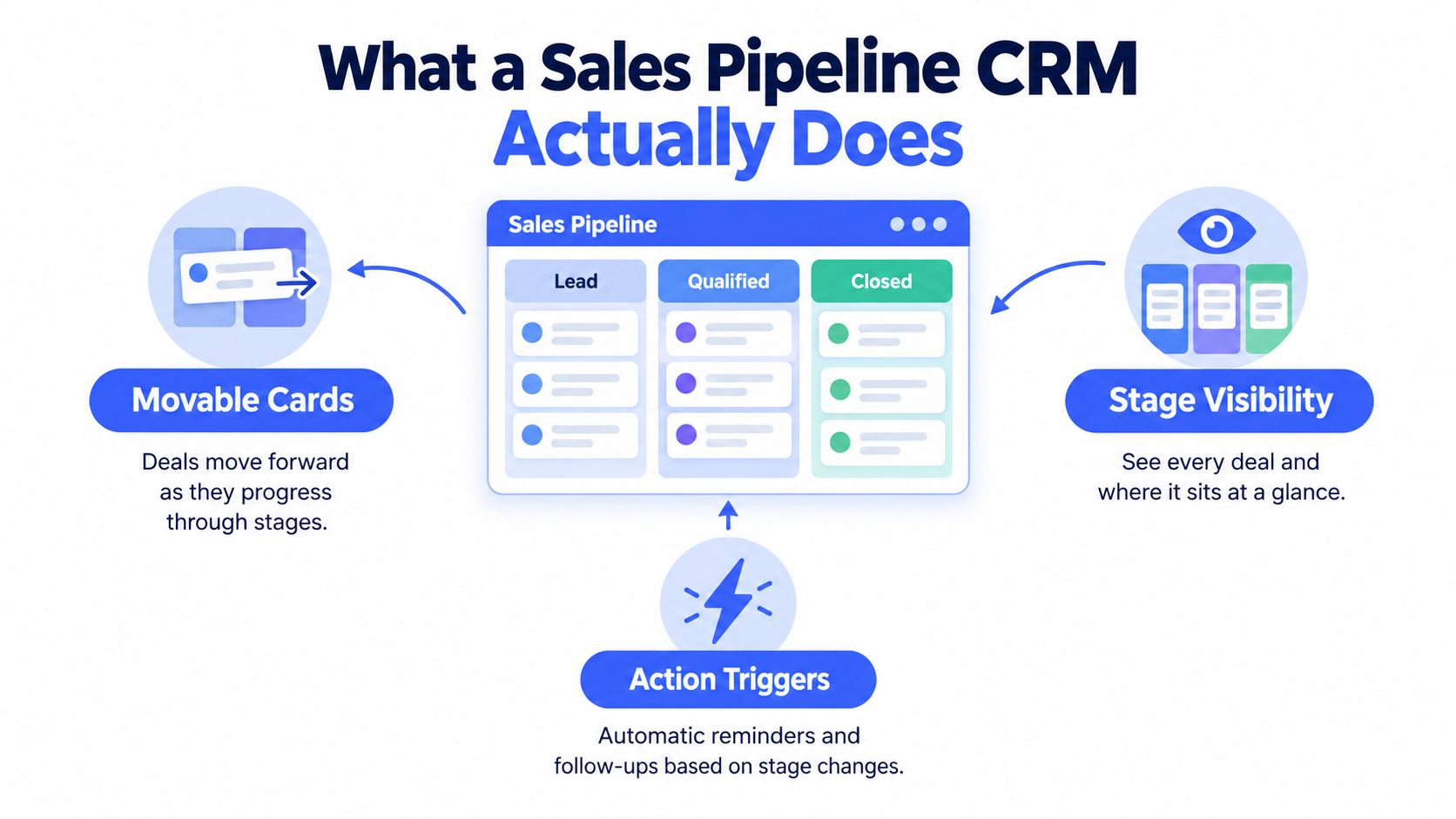
Think of it as a Kanban board for client revenue. A lead starts on one side, moves through stages, and ends when the work is won, lost, or parked. The board gives you motion, but the actual value comes from what sits behind each card.
The three building blocks
A pipeline CRM needs three parts to be useful:
- Movable cards: a deal is a card that moves as the opportunity changes.
- Stage visibility: you can see where every deal sits without opening a separate spreadsheet.
- Action triggers: when a deal changes stage, the system can remind you to follow up, book a call, or send the next email.
The contact record is the memory layer. It stores the client's history, so you don't have to search old messages to remember what was discussed. The stage is the status layer. It tells you whether the opportunity is new, qualified, proposed, or closed.
That basic structure matters more than fancy dashboards. A card without contact history becomes a dead label. A contact without a stage becomes a loose note. Put them together, and you get a workflow that tells you what to do next.
If you want a deeper breakdown of how stages should work in practice, this guide on sales pipeline management is a useful companion. Keep the model simple. A sales pipeline CRM should make the next step obvious, not force you to learn a new job.
Pipeline Features That Actually Move the Needle
The best pipeline features are the ones that replace something messy you're already doing by hand. For a freelancer, that usually means one of six things. If a feature doesn't eliminate a real chore, it's decoration.
What to keep and what to ignore
- Centralized contact history: replaces digging through email threads, notes apps, and chat logs.
- Drag-and-drop Kanban: replaces spreadsheet status columns that drift out of date.
- Probability-aware pipeline math: replaces guessing what open deals are worth.
- Email sequences that stop on reply: replaces manual chasing and awkward duplicate nudges.
- Appointment calendar beside the deal: replaces separate scheduling tools and missed handoffs.
- Invoice flow tied to the client record: replaces disconnected billing software and status confusion.
The first thing I'd keep is contact history, because every missed follow-up starts with bad recall. Next comes the board itself, because visual stages make it obvious where a deal is stuck. After that, probability is useful, but only if it reflects actual stage behavior rather than made-up optimism.
The calendar matters when calls, proposals, and reviews have to happen in sequence. The invoice link matters because billing is part of client management, not some separate universe. If the invoice sits outside the pipeline, you lose sight of whether a won deal has turned into cash.
A small operator doesn't need twenty toggles. Needless complexity costs more than it looks like it should because every extra field has to be updated somewhere.
If a feature doesn't save you time this week, it probably won't save you money next quarter either.
For a solo practice, the minimum useful set is straightforward: contacts, stages, next action, reminders, calendar, and invoicing. Anything beyond that should earn its place.
Lightweight CRM vs Enterprise CRM Without the Spin
Enterprise systems make sense when you have real complexity, shared ownership, and process debt that needs governance. Most freelancers don't have that problem. They have a simpler one, they need something they'll open every week.
| Dimension | Lightweight CRM (e.g. Micro CRM) | Enterprise CRM (e.g. Salesforce, HubSpot) |
|---|---|---|
| Setup speed | Fast, usually focused on core fields and a simple pipeline | Slower, often needs configuration, training, and process decisions |
| Likely weekly use | Contacts, stages, follow-ups, calendar, invoices | Broader feature set, much of it unused in small operations |
| Feature overhead | Low, fewer toggles to maintain | High, more admin and more places to make mistakes |
| Fit for under 50 clients | Strong fit if the workflow is simple | Often overbuilt unless the business is already complex |
| Risk | Limited depth if you need advanced automation | Paying for capabilities you won't touch, or not using them well |
That comparison is blunt on purpose. The failure mode with enterprise tools is usually one of two things. You overpay for seats and features you never use, or you under-use the system because nobody has time to configure it properly.
A lightweight tool wins when your pipeline needs to do a few things really well. It should let you log opportunities quickly, see stages at a glance, and keep follow-ups attached to the record. That's enough for most small operators.
Micro CRM fits that description with a Kanban pipeline, invoicing, email sequences, and a small-business layout, so it belongs in the lightweight camp rather than the enterprise one. The important part is not the brand name, it's the discipline of choosing the simplest system that still covers the work you do every week.
Forecasting Honestly When Your Deal Volume Is Tiny
Forecasting is where a lot of small-business pipeline advice goes wrong. People see a visual board and assume the numbers are now trustworthy. They aren't. With low deal volume, one large project can distort the whole picture, and a stale lead can make the future look healthier than it is.

The right use of probability is triage, not prophecy. It helps you sort active opportunities into “likely,” “possible,” and “don't count this yet.” That's especially true for custom creative work, milestone-based projects, and repeat clients whose buying pattern is informal rather than rigid.
A better habit is simple:
- Separate committed work from exploratory leads.
- Require a next-action date.
- Flag deals with no recent activity.
- Treat stale opportunities as risk, not revenue.
- Report a range, not a false exact number.
Those five moves keep a tiny pipeline from lying to you. If a deal hasn't had a real touch, it doesn't deserve the same weight as an active opportunity. If the next step is missing, the forecast is already sloppy.
For a sharper look at the math behind pipeline prediction, this overview of sales forecasting methods is worth a read. The core idea is simple, pipeline visibility matters more than forecast precision when your deal count is low.
A Minimum Viable Pipeline Habit You Can Actually Keep
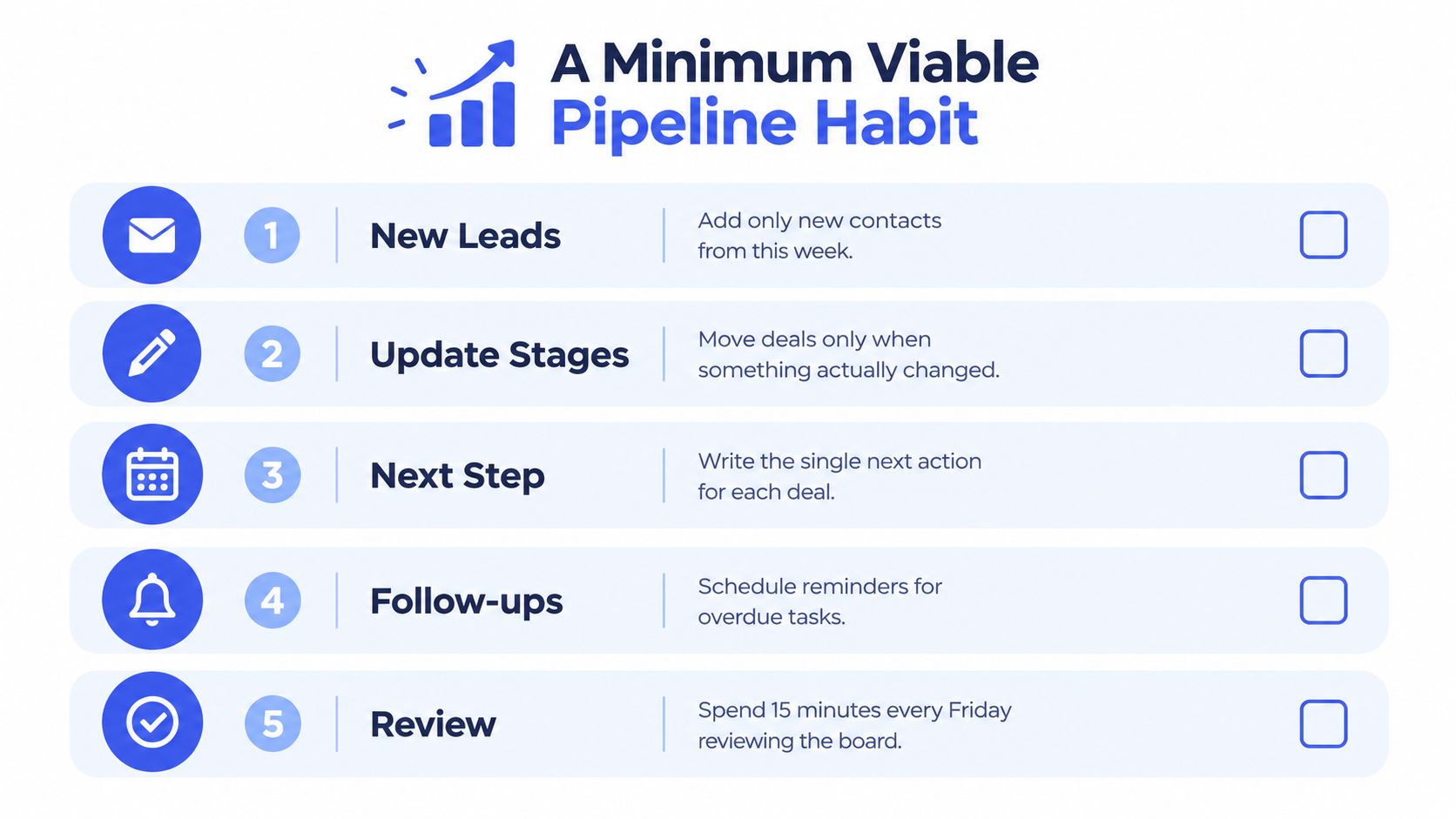
A pipeline only works if you keep it current without turning it into admin theater. Update it at the same moments you already do real work. Do not create a separate CRM session you will avoid.
The only fields worth filling
Use six fields:
- Contact name
- Opportunity value
- Stage
- Next action
- Next-action date
- Invoice status
Update them when something changes. A proposal goes out, change the stage. A call gets booked, change the next action. A milestone is completed, change the invoice status. That is enough.
The discipline here is not data entry for its own sake. It is making the CRM a byproduct of the work you already do. If you issue an invoice, the record should show it. If you schedule a call, the deal should reflect it. If a client replies, the automated sequence should stop.
That is the simplest way to keep invoicing and follow-up in one workflow. The same record should show where the client came from, where the deal stands, and whether money is still outstanding. Use the same pipeline structure described in how to build a sales pipeline, then keep the habit small enough to sustain.
If an opportunity goes quiet for too long, archive it. Do not keep nurturing dead weight just because you do not want to decide. A clean pipeline is easier to trust than a crowded one.
Common Pipeline Mistakes Small Operators Make
The worst pipeline mistake is pretending a spreadsheet is a system. It isn't. Spreadsheets drift, formulas break, and the record stops matching reality as soon as you get busy. Evidence submitted to the UK Parliament's Treasury Committee reported that more than 90% of spreadsheets contain mistakes, and another study of 3,887 operational spreadsheets found errors in 24% of files, including 755 files with more than 100 errors UK Parliament Treasury Committee evidence.
Four mistakes and the fix for each
- Spreadsheet drift: the symptom is old data and uncertain status. The fix is one centralized record for contacts, deals, and follow-up dates.
- Contacts without opportunities: the symptom is a long list of names with no action attached. The fix is to log only leads that have a clear next step.
- Static pipeline thinking: the symptom is a board that looks organized but doesn't drive action. The fix is to review overdue deals and next actions every week.
- Disconnected invoicing: the symptom is chasing payment in a separate app while the deal history sits elsewhere. The fix is to keep invoice status next to the client record.
Late payment makes the last mistake expensive. A 2025 compilation citing a QuickBooks survey says 56% of US small businesses have money owed from unpaid invoices at any given time, and 59% experience late payments at least occasionally late payment statistics. That's exactly why invoicing shouldn't live on an island.
If you need a single fix this week, choose the one that reduces the most guessing. For most small operators, that's moving away from the spreadsheet and toward one live pipeline record.
Choosing the Simplest CRM That Still Earns Its Place
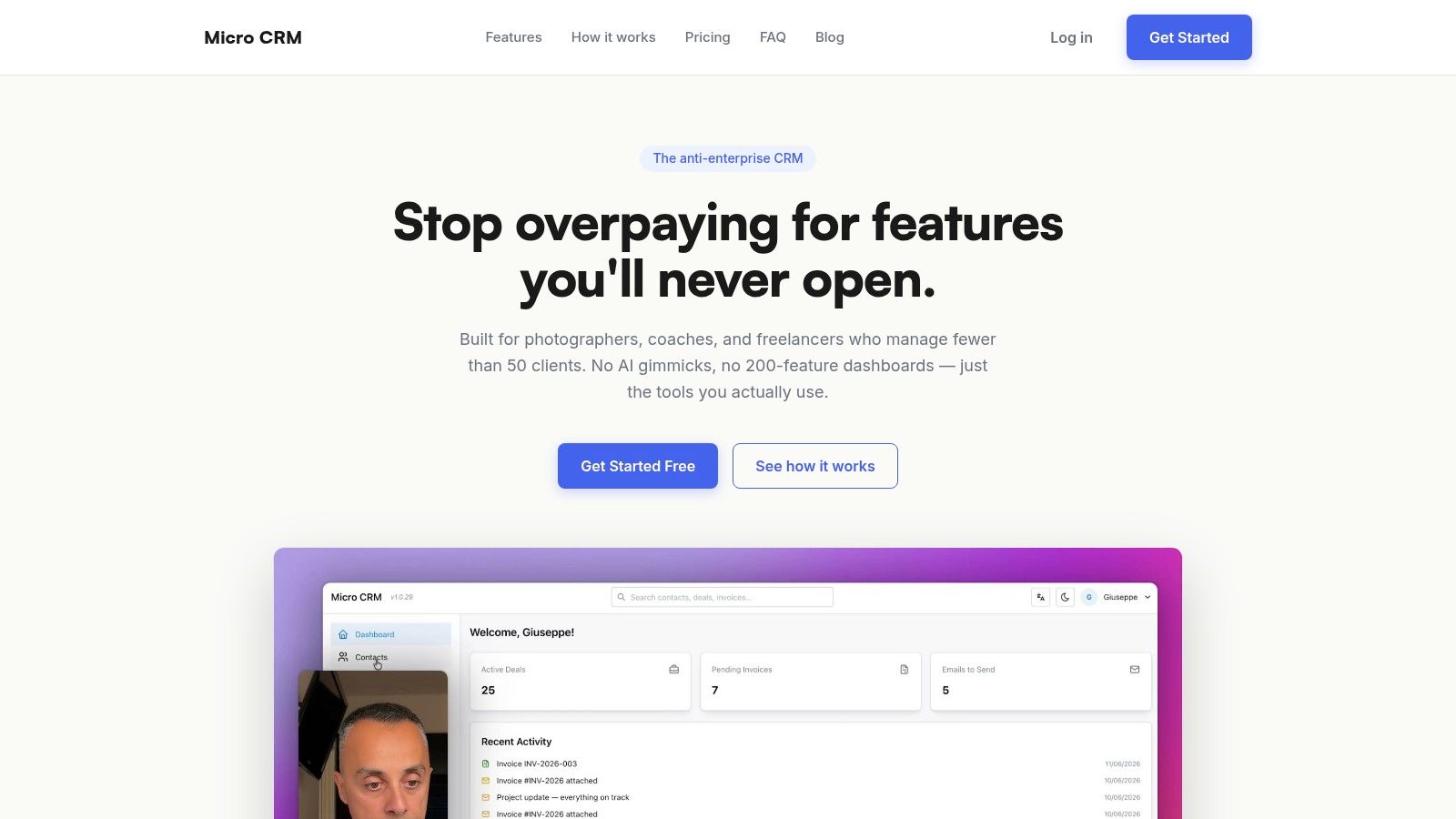
Pick the lightest tool you will open every week. It should handle contacts, pipeline stages, follow-ups, and invoicing in one place. A free plan that does not demand a credit card is the kind of friction a freelancer can live without.
Micro CRM is built for that narrow job. It gives you a visual Kanban pipeline, contact and deal tracking, invoicing, email sequences, calendar scheduling, and plan options that include Free, Starter, Pro, and a limited-time Lifetime Deal. It also lets you pause an account while keeping data and billing intact, which fits seasonal or uneven work.
The decision is simple. If a tool keeps the pipeline current, prevents missed follow-ups, and ties invoicing to client work, it earns its place. If it needs heavy setup before it helps, skip it.