Small Business Sales Tracker That Actually Works
You've got a spreadsheet open with four tabs, three versions of the same client list, and a status column filled with “TBD” and “follow up soon.” The signed revenue for this month is somewhere else entirely. Meanwhile, a promising inquiry has sat in your inbox long enough for the buyer to move on.
That's not a discipline problem. It's a design problem. A useful small business sales tracker should tell you which deal needs attention, what action comes next, and whether your pipeline can support the revenue you need. It shouldn't become another administrative project.

Table of Contents
- Why Most Sales Trackers Fail Before They Start
- The Five KPIs That Actually Change Decisions
- Spreadsheet, CRM Pipeline, or Something Lighter
- Building a Tracker Template You Will Actually Use
- Follow-Up Speed and Automation That Protects Revenue
- From Pipeline to Cash With Reports and Forecasting
- A Simple Weekly Tracker Habit and the Right Tool
Why Most Sales Trackers Fail Before They Start
Most trackers fail because owners treat them as memory banks. They record names, notes, dates, and deal stages, then assume the information will somehow turn into decisions. It won't. Data only helps when someone reviews it and changes behavior because of it.
The usual spreadsheet graveyard has three structural problems:
- Too many fields: The owner adds source, industry, lead score, campaign, service type, preferred channel, and several custom notes. Nobody reads most of them during a busy week.
- Stages that don't match reality: A photographer may move from inquiry to consultation to proposal to booking. A consultant may go from referral to discovery call to scope approval. Generic stages create false clarity.
- No weekly review: Without a regular review, dates become stale, “next actions” lose meaning, and old opportunities look active long after the buyer has gone quiet.
Practical rule: If a field doesn't change what you'll do this week, remove it from the main view.
A freelancer I've worked with once had a healthy-looking list of opportunities, but nearly every deal had the same status: “Proposal sent.” The tracker suggested progress. The inbox showed unanswered questions, unconfirmed timelines, and proposals that had never received a second contact. The issue wasn't a lack of leads. It was the absence of a decision point.
A sales tracker isn't where you store leads. It's where each deal either advances, stalls, or dies this week. That reframe keeps the system small enough to use and sharp enough to expose the bottleneck.
The Five KPIs That Actually Change Decisions
A sales tracker should force a weekly decision, not collect impressive-looking data. Keep a KPI only when a change in its value alters your outreach, pricing, qualification, or follow-up. Otherwise, move it out of the main view.
| KPI | What It Measures | Action It Triggers |
|---|---|---|
| Deal velocity | How quickly opportunities move from first contact to close | Investigate slow stages and prioritize faster sources |
| Win rate by stage | Where prospects convert or disappear | Rewrite the message, improve qualification, or remove a weak stage |
| Pipeline value versus weighted forecast | The difference between total opportunity and realistic expected revenue | Increase outreach when the forecast won't cover the target |
| Average deal size | The typical value of closed opportunities | Focus positioning and outreach on more valuable client types |
| Lead response time | How quickly a new inquiry receives attention | Add alerts, templates, or an automated first response |
Deal velocity beats a raw activity count. Ten calls mean little if opportunities remain stuck afterward. Track the time from first contact to close, then compare sources and stages. A referral channel that produces fewer conversations but faster decisions may deserve more attention than a busier channel.
Win rate by stage identifies the point where deals weaken. If prospects disappear after discovery calls, improve the call or qualification. If they vanish after proposals, review scope, pricing, presentation, and follow-up. Sending more generic emails will not repair a broken stage.
Compare pipeline value versus weighted forecast each week. Total opportunity can look healthy while realistic expected revenue falls short. That gap tells you to increase outreach, tighten qualification, or stop treating unlikely deals as active.
Average deal size guides positioning. If small projects consume the same selling time as larger ones, refine the offer and target client types that support better-value engagements.
Lead response time deserves its own alert. Companies responding within one hour are about seven times more likely to qualify leads, according to the benchmark summarized by Sales Genie's sales pipeline statistics. Treat speed as an operating measure. Use notifications, saved replies, or an automated first response when immediate personal replies are unrealistic.
For a practical way to arrange these measures, see this sales metrics dashboard guide. Keep the dashboard focused on decisions rather than turning it into a miniature business intelligence system.
Review the five at a fixed weekly time. Add another field only when you can name the decision it supports. A smaller tracker that changes behavior beats a complete tracker nobody updates.
Spreadsheet, CRM Pipeline, or Something Lighter
Choose the tracker that matches your weekly decisions, not the longest feature list. A solo operator with a short list needs visibility and a reliable next-action reminder. A sales team needs shared stages, reporting, and ownership.
| Option | Strengths | Trade-offs | Suitable For |
|---|---|---|---|
| Spreadsheet | Familiar, inexpensive, flexible layout | Manual updates, weak reminders, scattered communication | Small lists and disciplined operators |
| Traditional CRM pipeline | Structured stages, reporting, reminders, integrations | More setup, more fields, higher complexity | Sales teams with repeatable processes |
| Lightweight CRM | Simple pipeline, contact history, follow-ups, focused reporting | Less customization than enterprise software | Freelancers and micro-businesses |
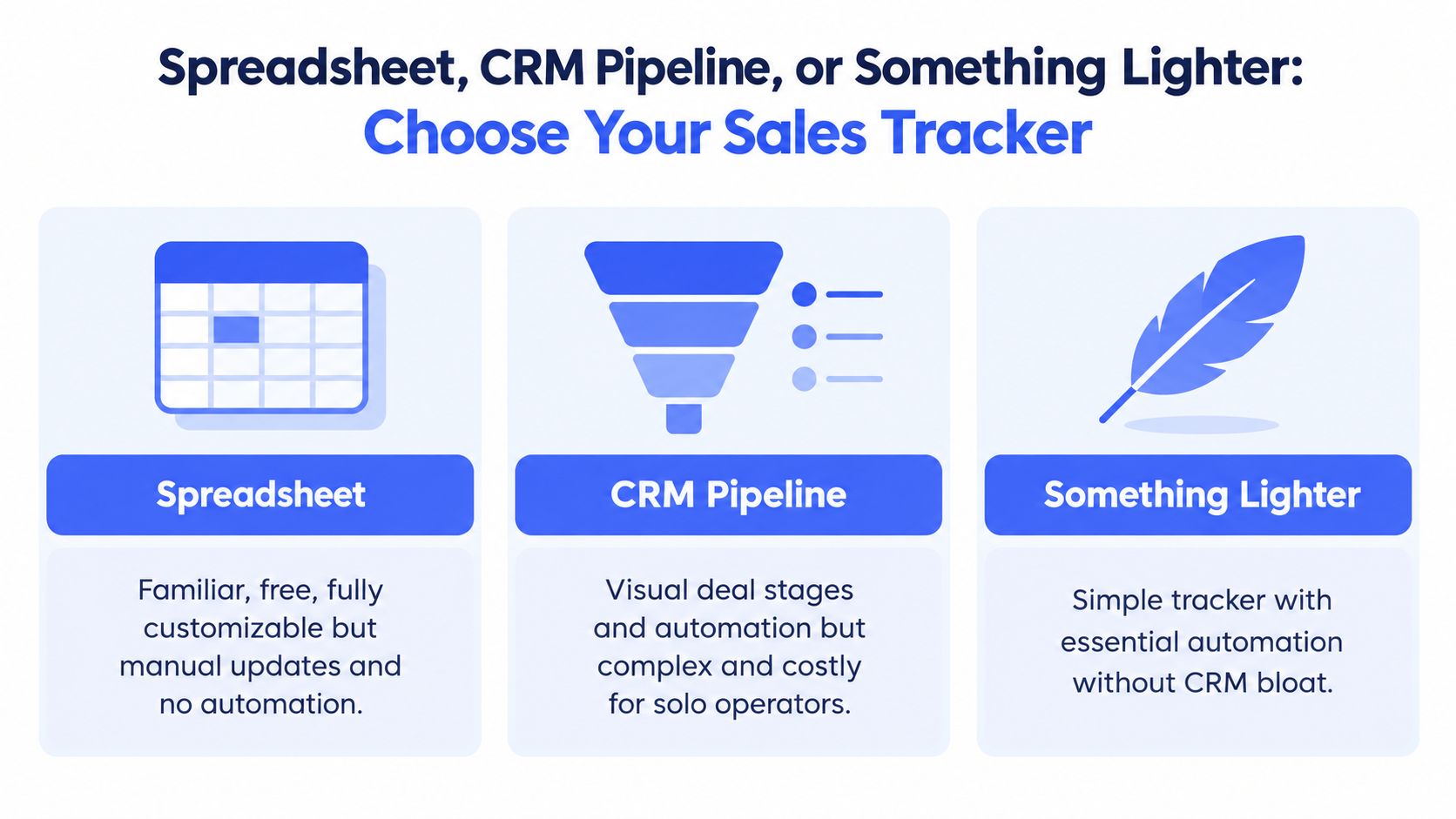
A spreadsheet is the right choice for under ten active conversations when you record every interaction and can manage follow-up yourself. It gives you control over the columns and avoids new software costs. Keep one rule: every open deal must show its stage, value, and next action. The weakness appears after the first interaction, when emails, meeting notes, reminders, and invoice details begin sitting outside the row.
A traditional CRM provides stronger control for teams with repeatable sales work. It can also bury a solo operator under seats, configuration, unused fields, and reports nobody reviews. Complexity creates an adoption cost. The review cited by Fit Small Business CRM statistics reports that 64% of small businesses identify cost as the main adoption barrier, while 37% switch CRMs within two years because the tool was too complex.
A lightweight CRM fits the middle ground. It keeps the visual pipeline and contact history, then adds reminders, email sequences, calendars, and invoicing without the overhead of enterprise software. For a freelancer handling ten to forty active deals, or anyone relying on automated follow-up, that trade-off usually wins. The system records the work and prompts the next decision instead of becoming another project to maintain.
Use a spreadsheet until missed follow-ups or scattered records start costing opportunities. Move to a traditional CRM when several people need shared ownership and consistent reporting. Choose a lightweight CRM when automation matters but enterprise configuration does not. MicroCRM is one option to evaluate with a free trial.
Building a Tracker Template You Will Actually Use
Start with one row per deal, not one row per contact. A repeat client may have several opportunities, and combining them hides the value, stage, and next action for each project.
Add fields in this order:
| Column | Purpose | Example |
|---|---|---|
| Deal name | Identifies the opportunity | Brand photography package |
| Client | Connects the deal to the person or company | North Street Studio |
| Value | Shows potential revenue | Project fee |
| Stage | Shows where the buyer stands | Proposal sent |
| Probability | Converts stage into a forecast | 50% |
| Expected close date | Gives the opportunity a time boundary | Next month |
| Next action | Defines the immediate move | Send scope clarification |
| Next action date | Prevents vague follow-up | Thursday |
| Owner | Makes responsibility clear | You |
Probability weighting turns gut feeling into a usable forecast. If an active opportunity is worth 1,000 in your chosen currency and you assign it a 50% probability, its weighted contribution is 500. You don't need a complicated model. You need consistent stage definitions and a probability that reflects actual buyer progress.
Use a weekly rhythm:
- Monday: Review every open deal, update its stage and probability, and assign one concrete next action.
- Tuesday and Thursday: Protect an outreach block for proposals, follow-ups, and new inquiries.
- Friday: Clean stale opportunities, record outcomes, and note what should change next week.
Avoid custom fields for hypothetical needs. “Maybe useful later” fields become clutter quickly. Also, don't leave probability at 100% for every deal. A forecast made entirely of certain wins is not a forecast. It's wishful thinking.
Your next-action field needs the same discipline. “Follow up soon” is not an action. “Email revised scope on Thursday” is. A focused sales reporting template should make that level of specificity easy to maintain.
A lightweight CRM such as MicroCRM can enforce the core structure through deal stages, contact records, follow-up sequences, calendar scheduling, invoicing, and reports. That reduces the amount of spreadsheet discipline required to keep the template alive past the second week.
Follow-Up Speed and Automation That Protects Revenue
A promising inquiry can go cold while you are delivering client work. The service has not changed. The buyer's attention has. Treat response speed as a weekly operating decision, not another field to complete.
Track when each lead arrives, when you first reply, when it qualifies, when you send a proposal, and when it closes. These timestamps show where opportunities wait. Review them weekly and fix the slowest handoff first.
Set a response rule your workload can support:
- New inquiry: Send an acknowledgment the same day.
- Substantive reply: Provide a useful response within 24 hours.
- No response from prospect: Trigger a reminder after three days.
- Still quiet: Send a clear check-in after seven days.
- Stalled stage: Create a task when the deal exceeds your agreed inactive limit.
Automation should protect these commitments without pretending every buyer needs the same message. A freelancer moving between delivery work, calls, inboxes, and administration will miss manual reminders. Attach follow-up tasks to the deal record, set an owner, and make the next action visible. “Follow up soon” creates work later. “Send revised scope Thursday” creates a manageable task now.
A follow-up sequence should remove memory from the process, not remove judgment from the conversation.
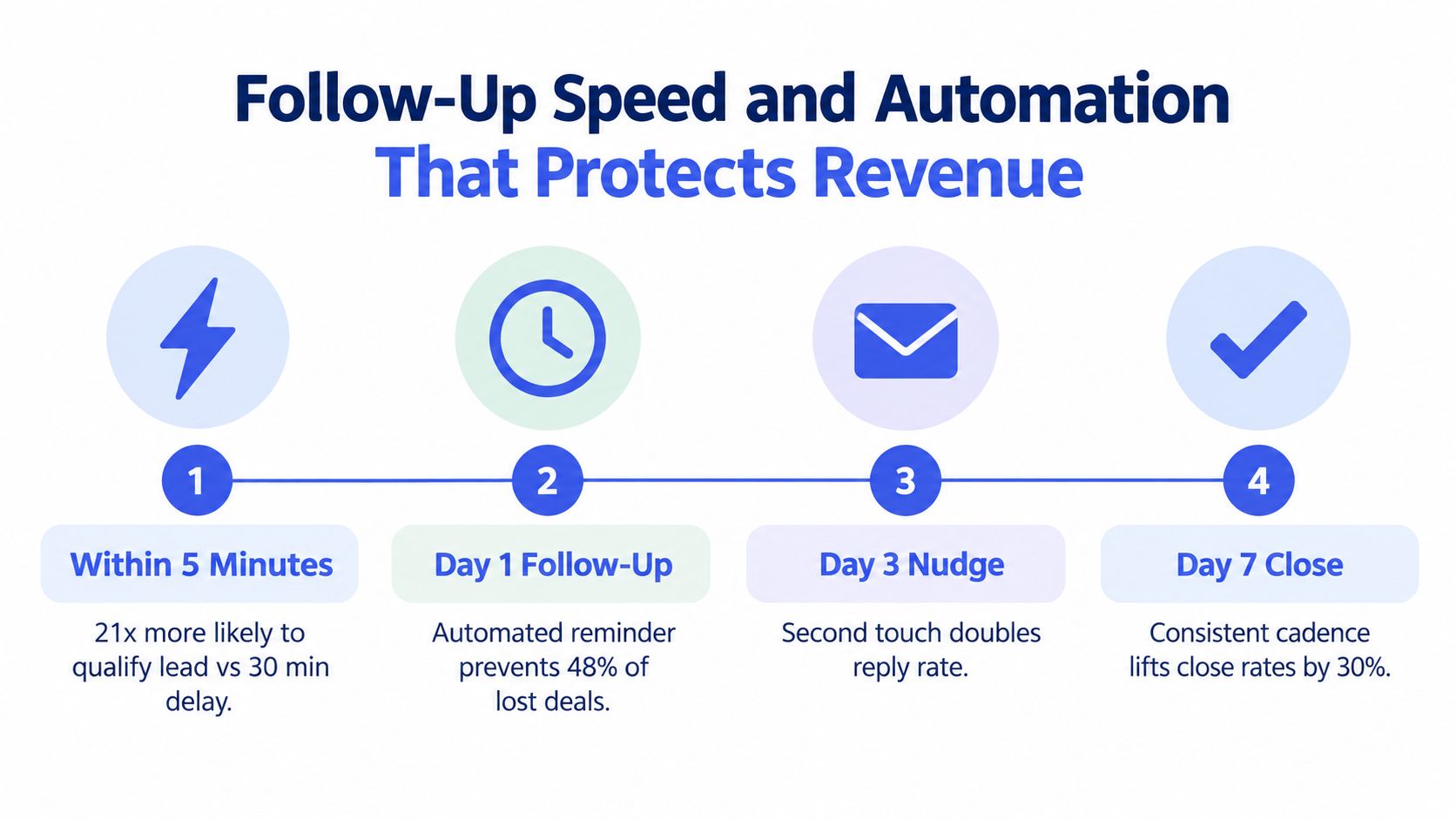
A CRM keeps the trigger beside the deal record, so the last conversation, current stage, and next email stay together. Use email follow-up automation for reminders and planned sequences, then stop or adjust them when the buyer replies. The tracker should reduce forgotten follow-ups while leaving the actual conversation under your control.
From Pipeline to Cash With Reports and Forecasting
A pipeline becomes useful when it connects to cash. A list of open deals can look healthy while invoices remain unsent, payments arrive late, or your revenue mix shifts toward less profitable work.
Use a simple weighted forecast:
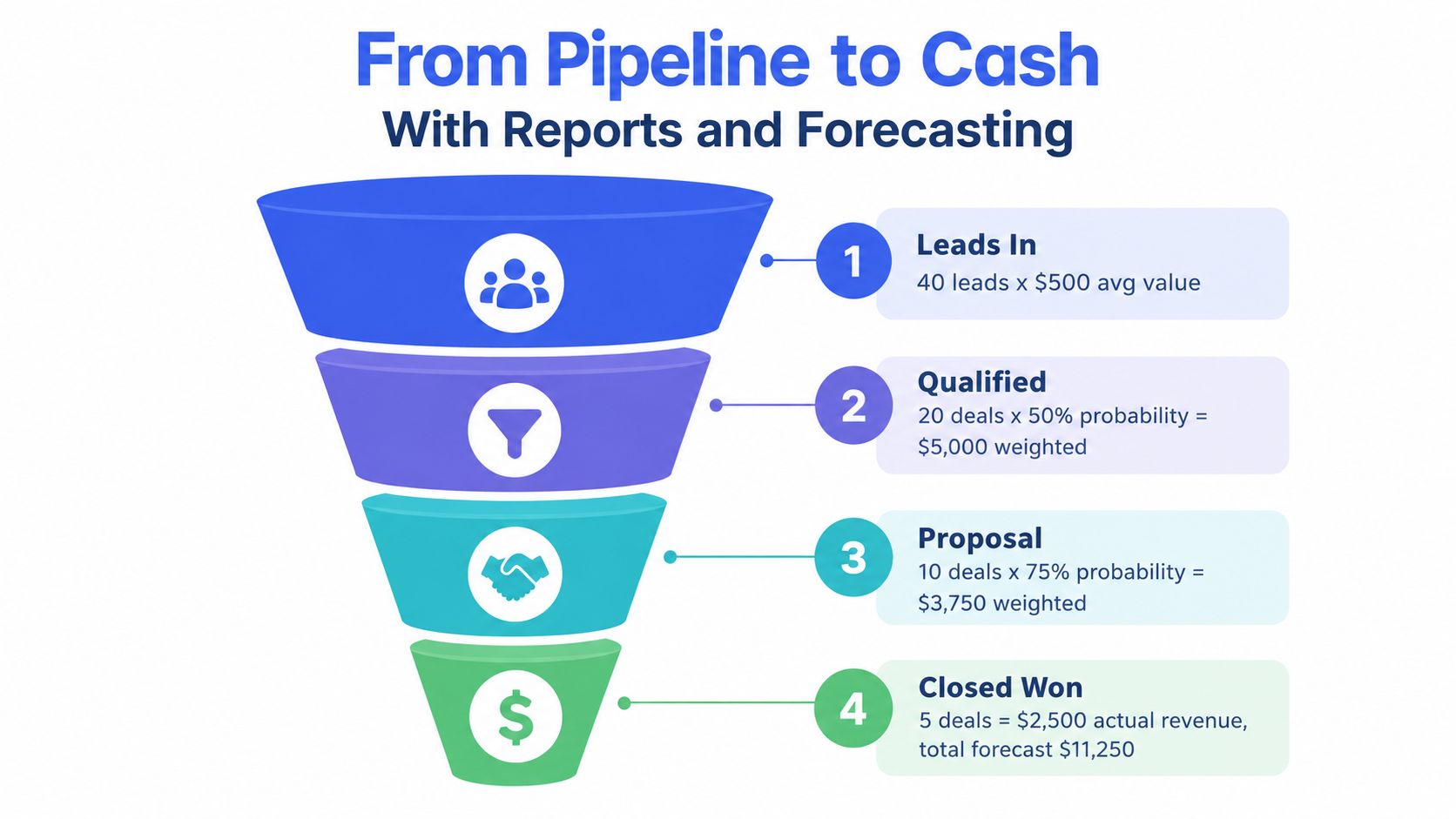
Open deal value × probability = weighted deal value
Add that result for every active opportunity. Then compare the total with last month's closed revenue. The comparison tells you whether the current pipeline is strong enough to support the next period or whether you need more qualified conversations now.
Your reporting set should stay practical:
- Stage conversion snapshot: Shows where opportunities move forward and where they leak.
- Aging report: Flags deals stuck for more than 14 days so you can revive, requalify, or close them.
- Monthly win-loss tally: Records whether deals were won or lost and captures the reason in one free-text field.
- Invoice status: Shows whether closed work has been billed and whether payment has arrived.
The sales funnel below illustrates how probability weighting separates raw opportunity from expected revenue.
In a service business, pipeline data alone can mislead you. Independent reporting on the Fiserv Small Business Index described overall U.S. small-business sales as unchanged in August even while foot traffic rose year over year. The same report described sales shifting toward goods while services slipped, which is why service-heavy businesses should connect deal stages with invoicing, payment timing, and category-level revenue.
When a deal becomes Closed-Won, create the invoice immediately. A tool with integrated invoicing can generate a professional PDF and send it from the same workspace, reducing the gap between “sold” and “billed.” The report earns its keep only when it changes next week's behavior, such as adding outreach, improving qualification, chasing an overdue invoice, or stopping work that attracts poor-fit buyers.
A Simple Weekly Tracker Habit and the Right Tool
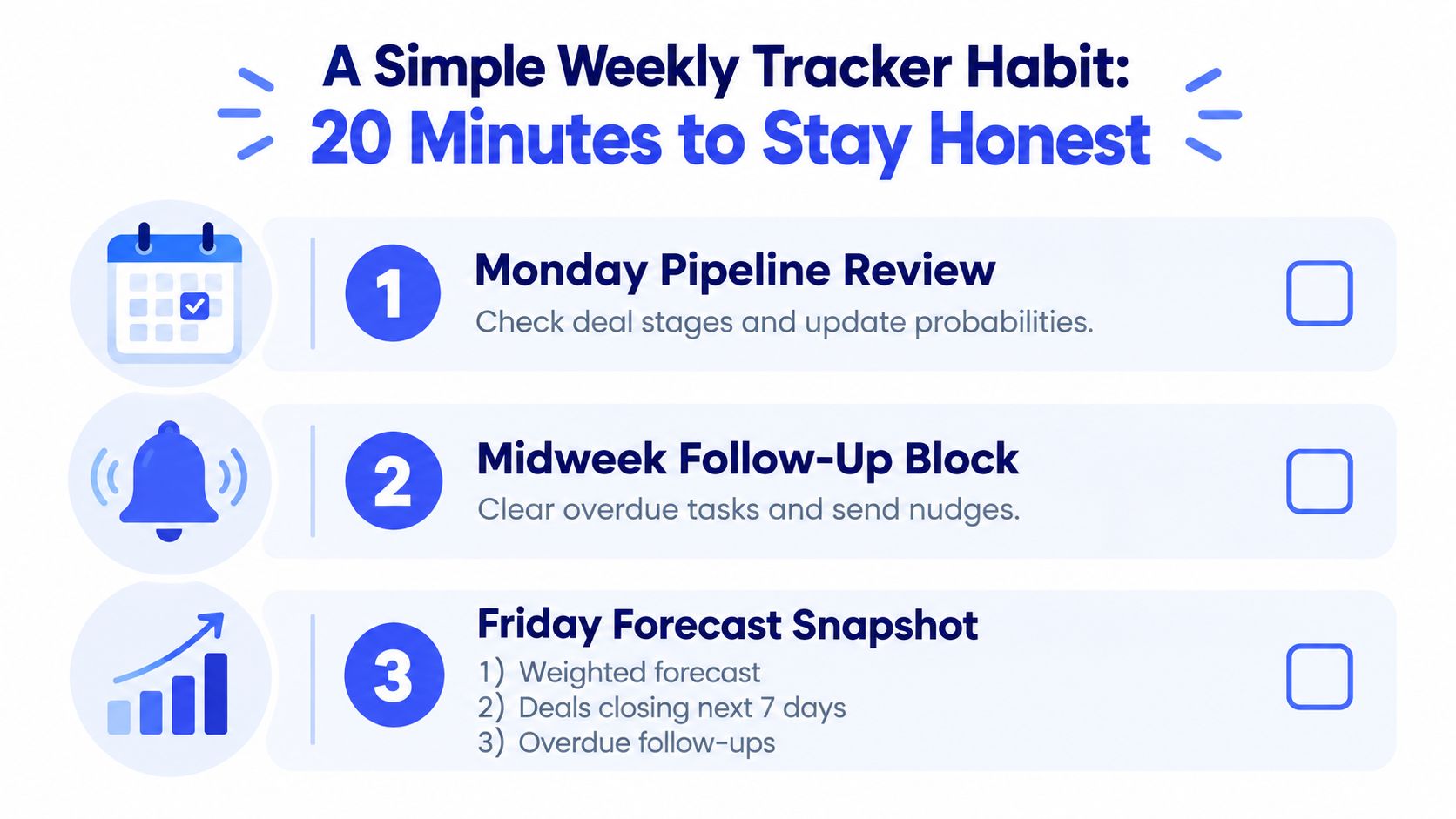
A sales tracker earns its place when it changes a decision. Set aside a 20-minute weekly habit to refresh the pipeline, identify risk, and choose the next action. Daily dashboard maintenance adds work without improving judgment.
On Monday, review each stage and update its probability. Midweek, clear overdue follow-ups and send the next message. On Friday, record the weighted forecast, deals likely to close in the next seven days, and any follow-up still overdue.
Track three numbers:
- Deals moved: Opportunities that reached a new stage.
- Deals stalled over 14 days: Opportunities that need a decision to revive or remove them.
- Probability-weighted revenue: Expected value from active opportunities.
Then answer one question: What will I change next week? Stalled proposals call for a better proposal or tighter follow-up. Slower response times justify automation. A weak forecast calls for more qualified outreach, not more dashboard polishing.
For freelancers managing fewer than 20 active deals, an enterprise CRM usually creates unnecessary administration. Choose a lightweight tool with contact management, a Kanban pipeline, probability, reminders, invoicing, calendar scheduling, and weekly reports. MicroCRM fits this focused workflow and offers a free plan without requiring a credit card.
Keep this checklist visible:
- Single source of truth: Store contacts, deals, and next actions together.
- Weekly probability updates: Replace stale assumptions before they distort the forecast.
- 14-day cleanup: Remove or requalify opportunities that have gone quiet.
- 24-hour follow-up: Respond while the inquiry remains active.
- Monthly comparison: Compare forecasted revenue with actual revenue.
Your tracker should answer one question every week: What deserves my attention before Friday?
Manage clients, deals, and invoices in one platform with Micro CRM. Set up a focused pipeline, automate follow-ups, and start for free with no credit card required.