What Is CRM Software Used for in 2026
A freelancer's client information rarely starts in one place. A new inquiry might sit in Gmail, a quote in Excel, a meeting in a calendar, and an unpaid invoice in a chat thread. By the time you need the latest client details, you're searching across tabs instead of doing the work that brings in revenue.
CRM software brings those relationships, deals, follow-ups, appointments, invoices, and activity records into one working system. The question, “what is CRM software used for,” has a practical answer: it helps you remember who needs attention, what happens next, and how each opportunity becomes paid work.

Table of Contents
- A Typical Freelancer's Monday Before a CRM
- What CRM Software Actually Means in 2026
- The Core Uses Every CRM Is Built For
- Spreadsheets vs a Real CRM Workflow
- A Day in the Life With CRM Software
- Why Freelancers Need a Simpler CRM
- Choosing a CRM That Fits Your Business
- Bringing It All Together
A Typical Freelancer's Monday Before a CRM
At 8:15 on Monday morning, a freelance copywriter opens a spreadsheet with client names in one tab, proposal dates in another, and a hand-written note beside the keyboard that says, “Follow up with Elena.” The note doesn't say which Elena, what she asked for, or whether the follow-up should mention the revised project scope.
Her inbox holds the missing context. A search for “website copy” returns several threads. One client, Northline Studio, is waiting for an invoice reference from Friday. Another prospect, Daniel, replied to a proposal last week, but the reply is buried below a newsletter. A third client asked to move a call, and the new time appears only in a chat message.
The work itself isn't the only problem. She also has to reconstruct the status of each relationship before she can decide what to do next. A warm lead receives no reply because she can't find the last message, two meetings risk overlapping, and an invoice takes longer to prepare because the agreed project details are scattered across different places.
Practical rule: If a task depends on remembering what happened last, its history belongs beside the contact record.
A CRM gives her a single workspace for that history. Each person or company has a record, each opportunity has a stage, and each action has a clear next step. Instead of treating a spreadsheet as a list of rows, she can manage the relationship from first inquiry through proposal, delivery, payment, and future work.
What CRM Software Actually Means in 2026
CRM means customer relationship management. In software terms, it's a central record of the people and organizations you work with, the conversations you've had, the opportunities you're pursuing, and the tasks that keep those relationships moving.
A useful analogy is the difference between a filing cabinet and a control room. A filing cabinet stores a client's name, email address, and notes. A control room shows the client's current position, what was discussed, what is owed, and what should happen next. Modern CRM systems are built to do the second job.
A CRM can combine:
- Contacts, including names, companies, tags, and communication details.
- Interactions, such as emails, calls, meetings, and notes.
- Deals, with stages that show where each opportunity stands.
- Actions, including reminders, follow-ups, appointments, and billing tasks.
- Reports, which help you review revenue, activity, and pipeline movement.
The wider business use is clear. A 2026 industry summary reports that 91% of companies with 10 or more employees use CRM software, while sales teams spend 18% of their time using CRM applications. The same summary says 70% of businesses use CRM for customer service, and 32% of CRM usage focuses on lead generation and improving customer satisfaction. These figures come from Grand View Research's CRM market summary.
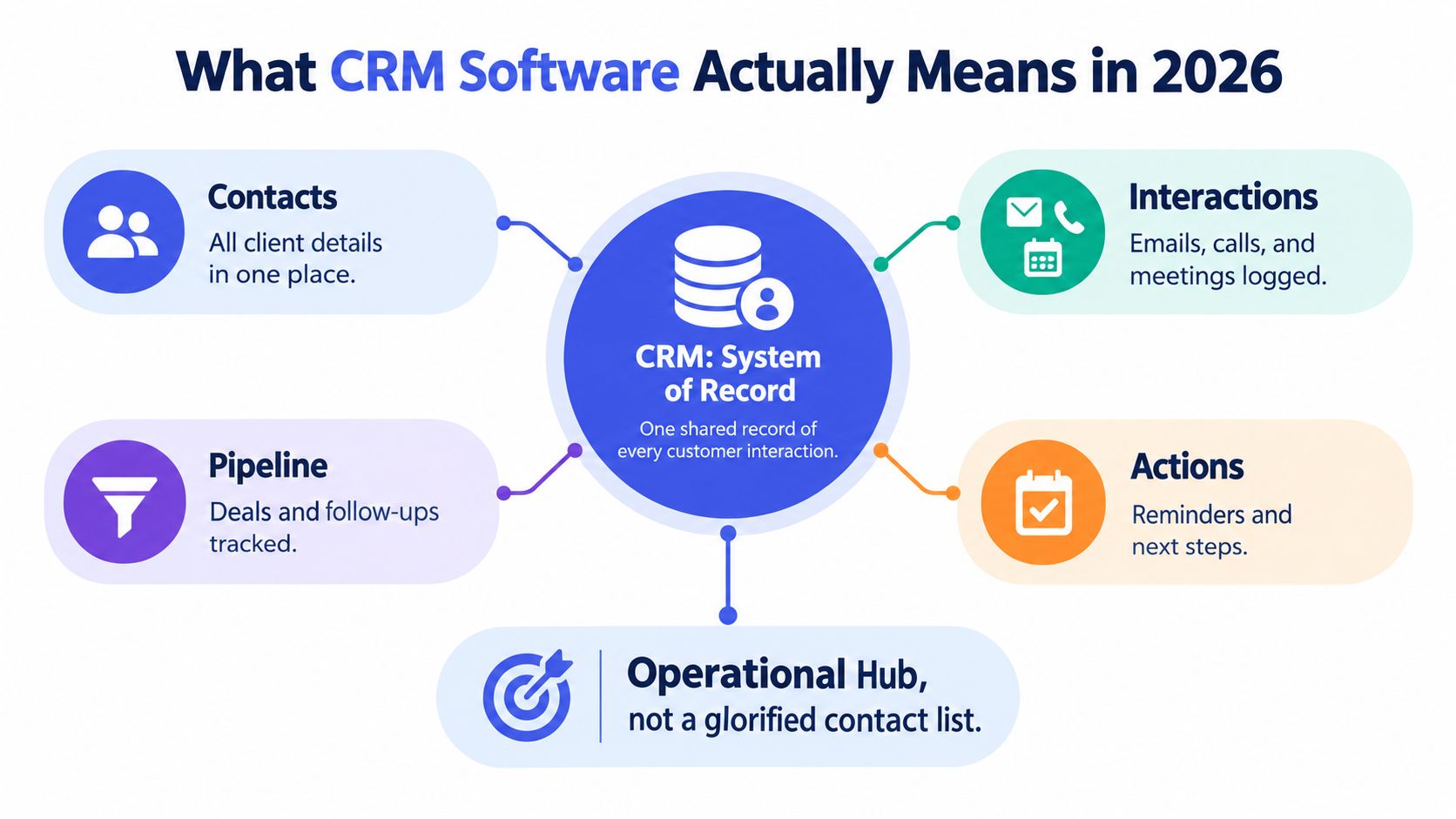
A CRM isn't only for a sales department. A designer, coach, photographer, consultant, or small agency can use it to connect people with processes. Industry coverage describes this shift as CRM becoming a system of action, where the software doesn't merely store history but helps initiate and complete work across customer workflows. For a solo operator, that can mean moving from a contact list to a daily operating hub.
The Core Uses Every CRM Is Built For
Most CRM platforms organize work around the same connected functions. The differences usually appear in complexity, integrations, automation depth, and pricing. The underlying purpose stays familiar: keep relationship information usable, then turn it into timely action.
| Function | What It Does | Why a Freelancer Uses It |
|---|---|---|
| Contact management | Stores contact details, tags, notes, and interaction history in searchable records. | You can open a client record before a call and see the relevant context without searching several apps. |
| Pipeline tracking | Shows deals as stages such as inquiry, proposal, negotiation, booked, and completed. | You can see which prospect needs attention instead of relying on memory or a spreadsheet filter. |
| Invoicing and payment tracking | Connects a completed deal with invoice creation, delivery, and payment follow-up. | You can turn agreed project details into a bill without retyping them into another system. |
| Email automation | Uses templates, scheduled messages, and triggers to handle routine outreach. | You can send a consistent proposal follow-up while keeping personal conversations human. |
| Scheduling and calendar sync | Links appointments, availability, booking links, and meeting context to contacts. | You can schedule a discovery call without losing the client's history or creating duplicate entries. |
| Reporting | Summarizes activity, deal movement, revenue, and other business indicators. | You can review which work is closing and where your pipeline needs attention. |
Contact management is the foundation. Guidance from the U.S. Chamber of Commerce on CRM software describes CRM as a centralized customer database that supports coordination, reduces duplicate effort, and makes customer information available across devices.
Pipeline tracking adds time and sequence. A lead is not just “in the spreadsheet.” It might be awaiting a reply, reviewing a quote, booked for a project, or ready for an invoice. That stage tells you what action belongs next.
Invoicing connects the promise of revenue with the administrative work that follows a closed deal. Small-business automation guidance describes generating and sending an invoice from a CRM when a deal closes, with payment reminders triggered after the due date. You can review sales automation ideas for small businesses for an example of that workflow.
Email, scheduling, and reporting complete the loop. A CRM can record messages, keep appointments beside the relationship record, and show whether work is moving forward. Used properly, it doesn't remove judgment. It removes the need to repeatedly reconstruct the same context.
Want to better organize your clients and business opportunities?
Spreadsheets vs a Real CRM Workflow
A spreadsheet is useful when you need a simple list. It becomes awkward when one client has multiple conversations, proposals, appointments, invoices, and follow-ups that must remain connected.
| Task | Spreadsheet workflow | CRM workflow |
|---|---|---|
| Logging a new lead | Add a row, paste contact details, then create a separate email or task reminder. | Create one contact and deal record, assign a stage, and add the next action. |
| Following up on a quote | Search sent email, check the proposal date, then update a cell manually. | Open the deal, review the conversation history, and send the appropriate follow-up from the record. |
| Sending an invoice | Copy project details from the spreadsheet into an invoicing tool. | Move the deal to the completed stage and create an invoice using the saved information. |
| Scheduling a call | Exchange messages, check a separate calendar, and type the appointment into another app. | Share availability and attach the booked meeting to the client record. |
| Reviewing monthly revenue | Filter rows, combine invoice data, and calculate totals in another tab. | View closed deals, invoice status, and revenue activity in one report. |
The difference is relationship context. A row can tell you that Daniel has a proposal worth a certain amount, but it usually won't show the email where he raised a concern, the call where you promised a revision, and the reminder due tomorrow. A CRM connects those touchpoints.
A CRM and workflow guide can help you map the handoffs between lead capture, follow-up, delivery, and payment before you choose which tasks to automate.
For a small business, the most expensive steps are often the ones that force you to switch tools and recreate information. The CRM version doesn't make every task automatic, but it keeps the information in place so the next action takes less preparation.
A Day in the Life With CRM Software
Maya, a freelance photographer, starts her workday with the CRM open beside her editing software. At 8:30, she checks the pipeline rather than opening five email threads. Three quotes are marked as sent, two are awaiting a reply, and one shoot is booked for Friday.
She doesn't treat every lead the same. The two unanswered quotes need a gentle nudge, while the booked shoot needs preparation. Maya opens each record, checks the last interaction, and assigns a next action. Her morning review becomes a short list instead of an exercise in remembering.
At 10:00, she prepares a follow-up email. The message uses a template, but the relevant project details and recent conversation are available from the contact record. She edits the wording before sending it, because an automated starting point should save time without pretending to know the relationship better than she does.
At 11:30, Maya takes a discovery call with a new client. She writes notes directly into the contact record, including the requested shoot style, preferred date, and decision deadline. Before ending the call, she shares a booking link. The appointment lands on the connected calendars and stays attached to the client's record.
Keep human control over: pricing, sensitive conversations, negotiation, project exceptions, and any message where tone matters more than speed.
After lunch, a previously completed deal moves into invoicing. Maya checks the client details, creates the invoice, generates the PDF, and sends it by email. The closed deal then appears in her revenue view, so the money is connected to the opportunity that produced it.
This workflow answers what CRM software is used for more clearly than a feature list can. It helps Maya make decisions at 8:30, communicate at 10:00, capture context at 11:30, and bill after the work is agreed. Each action starts from the same relationship record.
Why Freelancers Need a Simpler CRM
A large CRM can be appropriate for a large sales organization. A freelancer managing under 50 clients usually has a different problem. The constraint isn't a lack of territory management, complex lead scoring, or dozens of configuration screens. It's the time spent switching tabs, retyping notes, checking who owes what, and remembering which prospect needs a reply.
The Pipedrive survey coverage reported by BusinessWire highlights the scale of this administrative burden. It says 42% of sales and marketing professionals spend at least 40% of their day on non-revenue tasks, 71% spend at least ten minutes preparing for each customer call, and 47% say follow-ups or CRM updates often take more than 24 hours.
Those figures describe sales and marketing professionals broadly, not every freelancer. The practical lesson still applies: a CRM should reduce preparation, not create another project to manage.
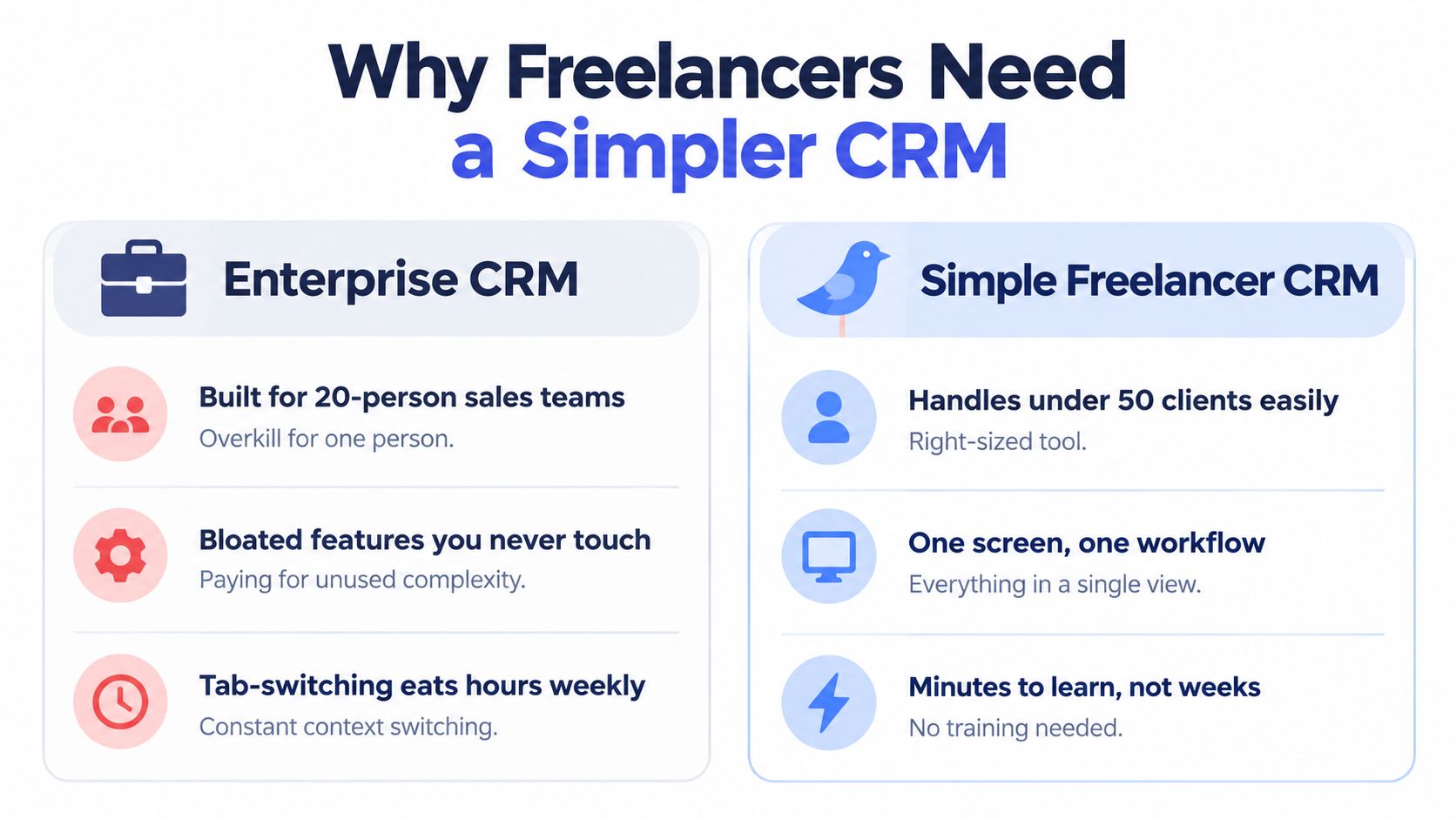
A focused tool has several advantages:
- Faster launch: You can start with contacts, deals, invoices, and follow-ups instead of designing an entire operating system.
- Lower admin overhead: Fewer settings mean fewer decisions before you can use the product.
- Predictable cost: You can choose a plan that matches the number of clients and workflows you manage.
- Clean exit: Exporting your contact data to CSV gives you a practical migration path if your needs change.
MicroCRM is one example of a lightweight option for freelancers and small businesses. It combines contact records, a Kanban deal pipeline, invoicing, email follow-ups, appointment scheduling, and reports in one interface. Its CRM guide for freelancers is useful if you're comparing a focused workspace with a feature-heavy platform.
The right test is simple. Can you open a client, understand the current status, record the next step, and send the required message without training sessions or a maze of configuration? If yes, the tool is probably addressing the actual bottleneck.
Choosing a CRM That Fits Your Business
Before adopting a CRM, test the workflow rather than collecting feature names. A short checklist can reveal whether the software will help or become another source of administration.
- Check data ownership: Confirm that you can export contacts and activity to CSV without an unexpected fee.
- Measure onboarding effort: If setup feels too large for a solo workflow, the platform may be oversized.
- Verify integrations: Make sure the CRM works with the email and calendar you already use.
- Test core actions: Add a lead, log a call, send an invoice, and schedule a meeting. Each should feel direct.
- Match pricing to reality: Choose based on your current client count and workflow, not a maximum tier you may never need.
- Review exit options: Look for account pauses, exports, and migration paths before you depend on the system.
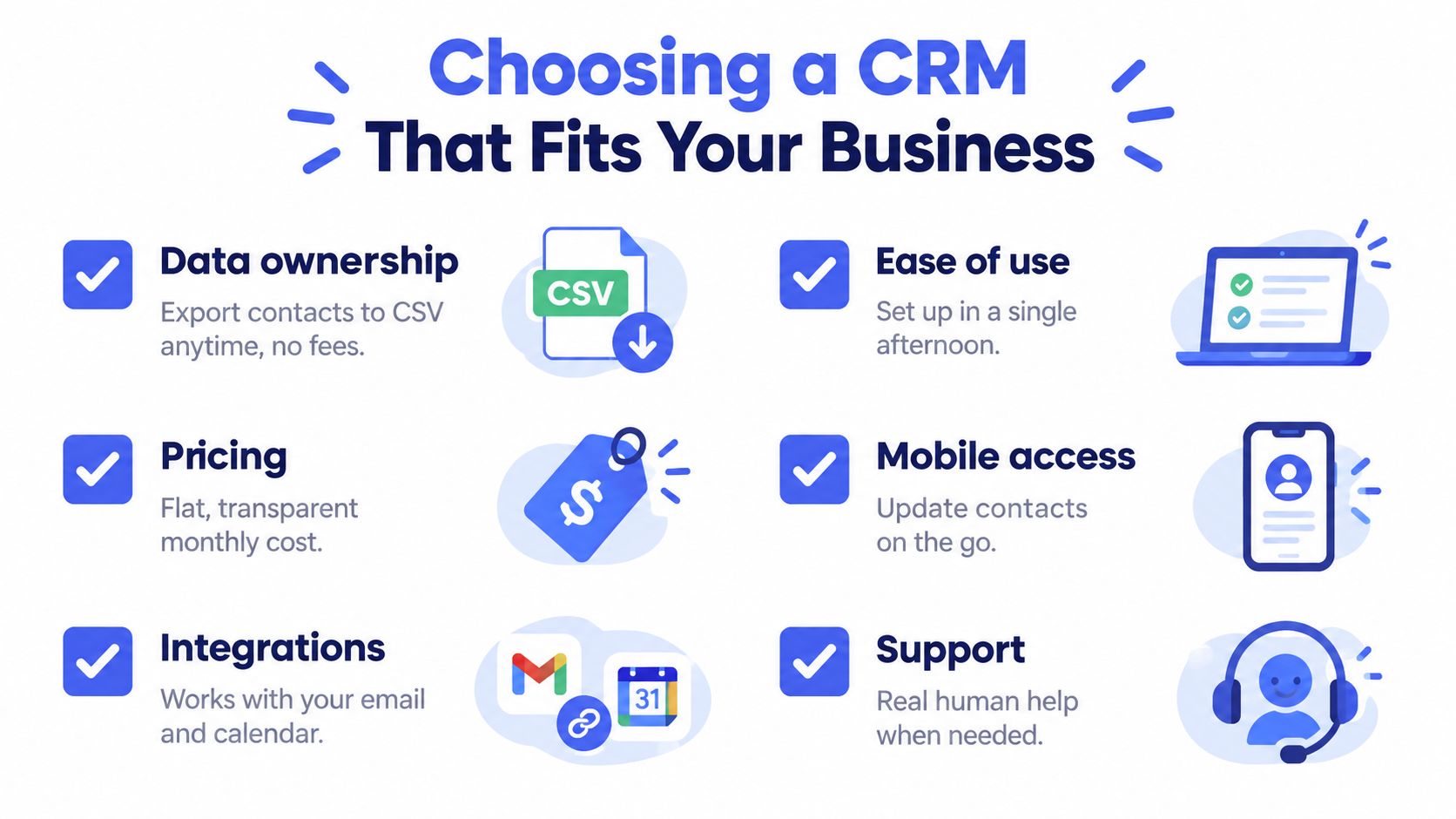
The best choice is the one that fits your actual workday. A guide to choosing a CRM can help you compare usability, integrations, data control, and pricing before you move active client records.
Bringing It All Together
CRM software works best as a system of action, not a passive address book. Contact management supplies the context, pipeline stages show priority, email and reminders keep work moving, scheduling protects your calendar, invoicing connects completed deals to payment, and reporting gives you a usable view of the business.
The value comes from the connection between those tasks. You don't need every advanced feature to benefit. Start with one or two active client records, use the workflow for a week, and notice where you stop searching, copying, and remembering.
Micro CRM brings contacts, deals, invoices, follow-ups, appointments, and business reports into a lightweight workspace for freelancers and small businesses. Visit Micro CRM, start with the free plan, and test the workflow without a credit card.