
CRM for Solo Entrepreneurs: How to Choose the Right One
You open Excel to check a client's project status, Gmail to find the last promise you made, and a separate folder to locate an invoice. Then you realize the follow-up you meant to send went out of sight two weeks ago. This is the daily friction that pushes many freelancers and independent consultants to look for a CRM for solo entrepreneurs, even when they're wary of adding another system.

A useful CRM shouldn't create a second job. It should put client history, deals, invoices, follow-ups, and appointments close to the place where your work already happens. The practical test is simple: will you keep it updated on a busy Tuesday? This guide focuses on that question, not on collecting the longest feature list.
Table of Contents
- Why Solo Entrepreneurs Outgrow Spreadsheets
- CRM Adoption Among Small Businesses and Solo Operators
- The Five Core Jobs a Solo CRM Must Do
- Lightweight All-in-One CRMs vs Feature-Heavy Platforms
- Understanding Pricing and Real Costs for a One-Person Business
- How Micro CRM Fits the Solo Entrepreneur Workflow
- Choosing and Starting With Your First CRM
Why Solo Entrepreneurs Outgrow Spreadsheets
Excel works well when your customer list is short and your process is still in your head. You can create columns for a name, email address, deal value, status, and next action. The trouble starts when those columns become a substitute for a workflow.
A freelance designer might record a proposal in one row, keep the client's objections in Gmail, and write the next follow-up on a sticky note. A photographer may track a booking in Excel but store the invoice in a cloud folder and the appointment in a personal calendar. Each tool holds a fragment, while the owner has to remember how the fragments fit together.
Where spreadsheet tracking breaks
Spreadsheet-based CRM workflows depend on manual entry. Every note, status change, and contact detail has to be typed in, which creates opportunities for typos, inconsistent records, and accidental deletion, as described in this review of Excel CRM limitations. A deleted row or incorrect formula can also disrupt the surrounding dataset.
The problem isn't only accuracy. A spreadsheet rarely prompts you when a lead needs attention. As contact lists grow, missed follow-ups, slower responses, duplicate records, and lost opportunities become common failure points, according to this comparison of contact management in Excel and dedicated CRM software.
Practical rule: If you have to remember when to follow up, where the last conversation happened, and whether an invoice was sent, the system is asking too much of you.
A dedicated CRM gives each contact a record, each opportunity a visible stage, and each next action a place to live. The right choice won't be the platform with the most settings. It will be the one that removes enough manual work to become part of your normal routine. This guide to using a CRM system can help you think through that workflow before moving your data.
CRM Adoption Among Small Businesses and Solo Operators
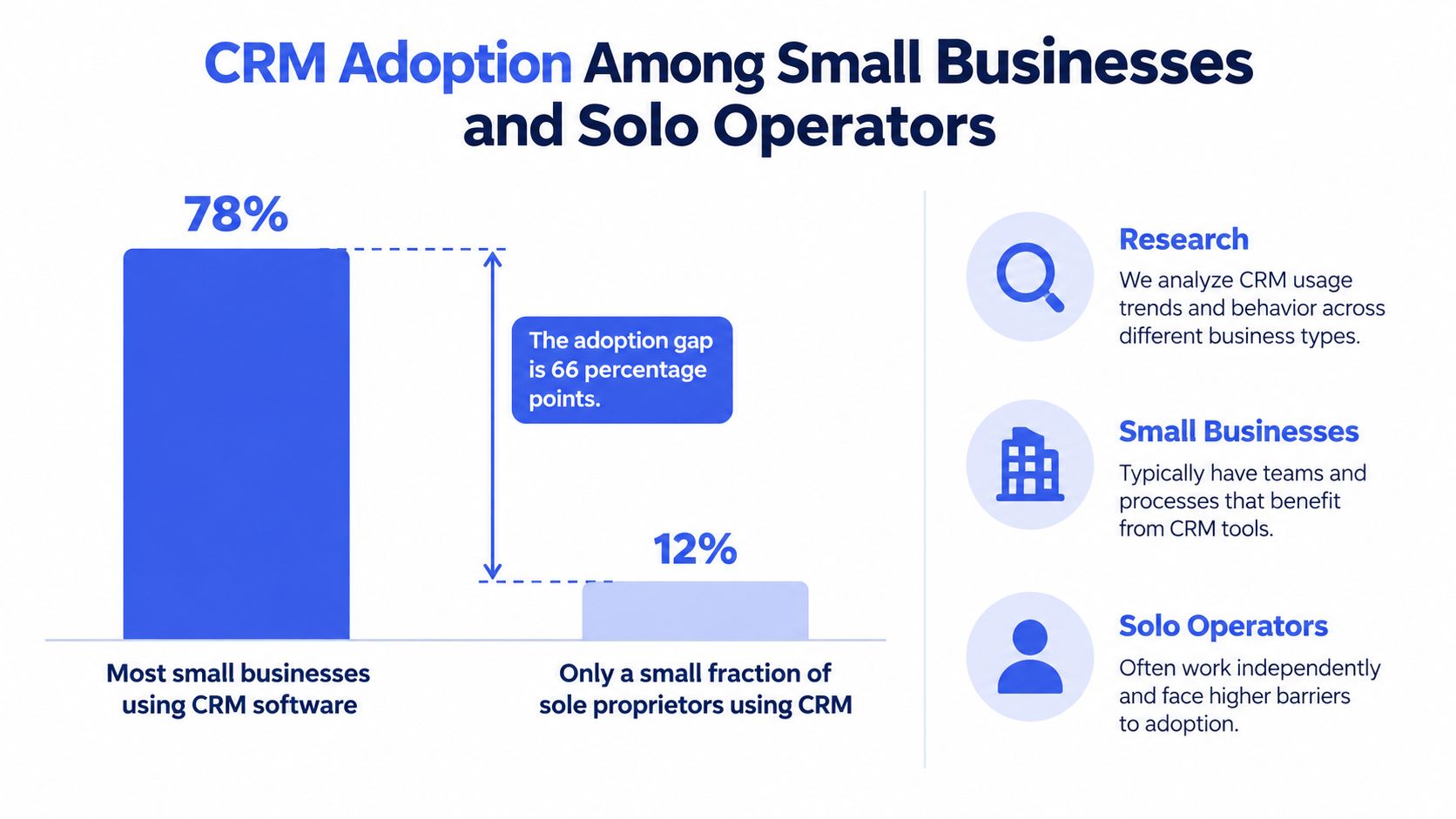
A solo consultant can manage leads from a spreadsheet for a while, then lose track of who needs a reply, where a conversation happened, or which proposal is still open. That pressure helps explain why CRM adoption rises with business size, even though one-person businesses often have less time for administration.
Freshworks' 2024 survey of 600 U.S. business owners and professionals found that 73% of businesses use CRM software, including 71% of small businesses with 500 or fewer employees. The figures appear in this Freshworks CRM statistics report.
Solo operators show a different pattern. A 2022 U.S. survey of 1,146 small and medium-sized business owners and managers found that 11% of sole proprietors use CRM software, compared with 20% of firms with 1 to 9 employees, 43% of firms with 10 to 49 employees, and 54% of firms with 50 to 99 employees. The original research is available in this study of CRM adoption among SMEs.
What the gap reveals
The gap reflects product design as much as demand. Many CRMs assume shared ownership, role permissions, approvals, territory management, and an administrator. Those controls suit a team. They slow down a person who handles sales, delivery, support, and billing alone.
A separate 2026 roundup reports that 50% of businesses with 10 or fewer employees use CRM systems, while 91% of businesses with 11 or more employees do, in this CRM statistics summary. The 2022 study counts firms with 1 to 9 employees separately from sole proprietors, while the 2026 roundup groups all firms with 10 or fewer employees together, which is why the small-firm figure appears higher.
For a solo business, adoption depends on update effort. A CRM used from Gmail, a phone, or a web database should capture context where work already happens, rather than require duplicate entry after every call, message, appointment, proposal, or invoice. The right system earns a place in the routine by reducing administration, not by reproducing a sales department's process.
The Five Core Jobs a Solo CRM Must Do
A practical CRM decision starts with jobs, not features. Ask what you need to accomplish repeatedly, then judge each product by how quickly it lets you complete that work.
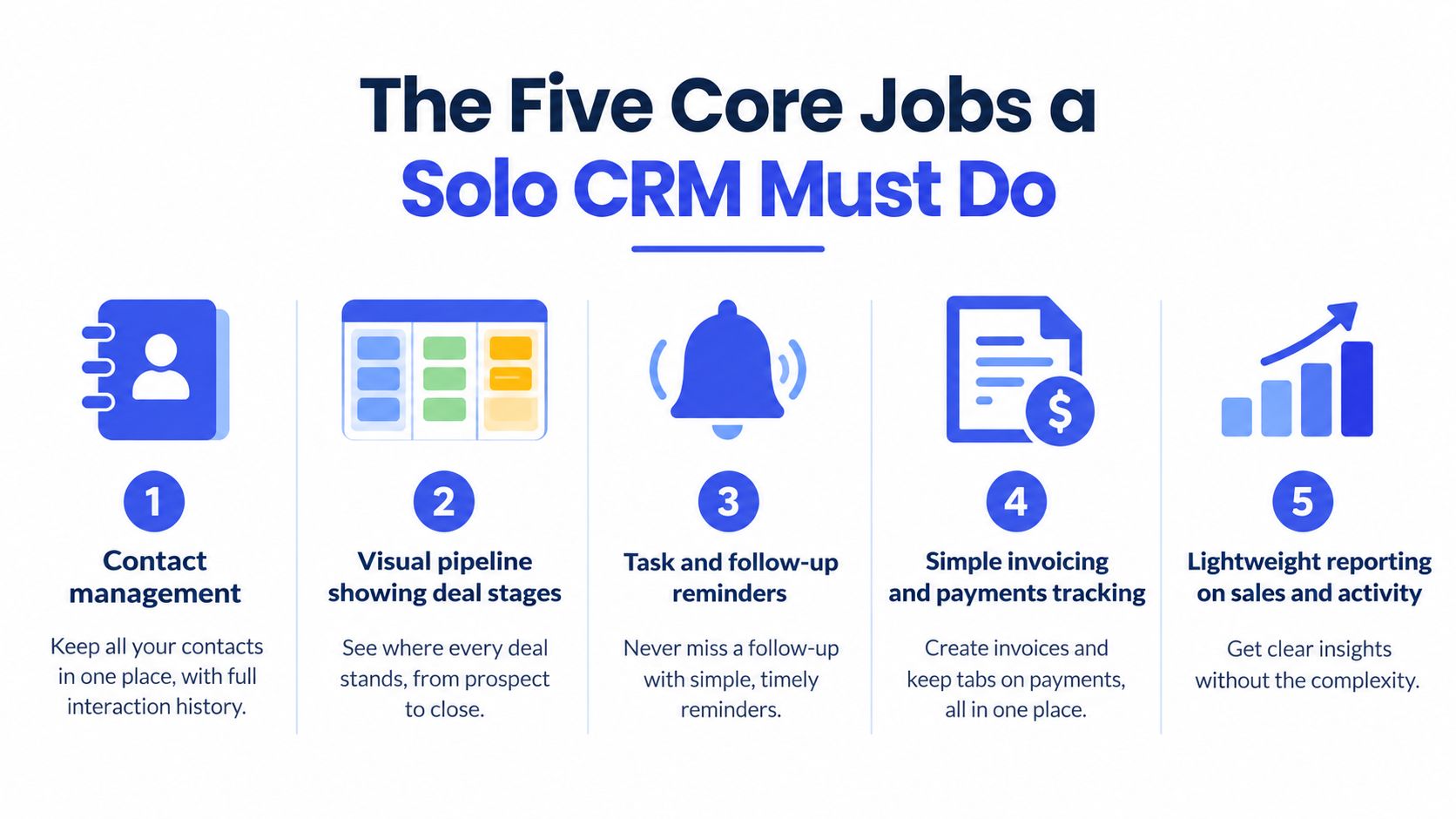
1. Preserve contact history
You should be able to open a client record and see the important context, including contact details, notes, emails, calls, and next steps. Basic search and tags are enough for many solo businesses. You don't need a data warehouse if you only need to answer, “What did we agree to, and what happens next?”
2. Show deal status visually
A Kanban pipeline should make the current state obvious. Stages might include inquiry, discovery, proposal, approved, and closed. Dragging a deal to a new stage should be faster than editing several spreadsheet cells, and the board should make neglected opportunities visible.
3. Keep follow-ups from disappearing
A reminder, task, or automated email sequence should handle the gap between a conversation and the next action. Good automation supports your process. It doesn't require a complex flow builder that takes longer to configure than the follow-up itself.
4. Create and track invoices
If you invoice clients, billing belongs close to the client and deal record. Look for professional invoice creation, PDF generation, email delivery, and payment status tracking. A solo photographer shouldn't have to copy the same customer details into several systems after every booking.
5. Manage appointments
A calendar should show availability, upcoming sessions, and the connection between a meeting and its client. Coaches and consultants benefit especially from scheduling that doesn't require a separate manual reconciliation step.
The real question isn't which CRM has the most features. It's whether you'll actually keep the CRM updated when client work takes priority.
Use these five jobs as a filter. If a tool handles them clearly and quickly, it may be enough. If it offers advanced reporting but makes contact updates awkward, it may fail the most important test.
Lightweight All-in-One CRMs vs Feature-Heavy Platforms
A lightweight all-in-one CRM and a feature-heavy platform solve different problems. The first aims to reduce fragmentation for one operator. The second provides depth for organizations with specialized processes, larger datasets, and multiple users.
| Criterion | Lightweight All-in-One CRM | Feature-Heavy Platform |
|---|---|---|
| Setup and learning curve | Quick sign-up, simple fields, minimal configuration | More configuration, training, and process design |
| Pricing model | Often transparent, with a free or low-cost entry option | Frequently tiered, with add-ons or per-seat pricing |
| Feature breadth | Contacts, pipeline, follow-ups, invoices, and scheduling | Advanced automation, integrations, permissions, and analytics |
| Invoicing and scheduling | May be included in the same workspace | May require add-ons or separate applications |
| Best fit | A solo service provider with a modest client base | A growing team with complex sales operations |
The main trade-off is depth versus daily usability. A complex platform may offer AI add-ons, automation wizards, extensive integrations, and detailed permissions. Those capabilities can matter later, but they also introduce more decisions before you can record a contact or schedule a follow-up.
Count the subscriptions, not just the CRM features
Many solo operators don't need another isolated sales database. They need fewer disconnected tools. Independent guides note that one-person businesses often value a unified workflow covering contacts, proposals, projects, invoicing, and scheduling, as discussed in this overview of CRM tools for one-person businesses.
Replacing several subscriptions with one coherent workspace can simplify administration, but only if the included features are usable. An all-in-one platform with awkward invoicing isn't automatically better than a focused CRM paired with an excellent accounting tool.
A lightweight tool wins when your work is relationship-driven, your pipeline is manageable, and you want to update records without stopping to administer software. A heavier platform wins when you genuinely need team permissions, complex routing, deep marketing automation, or extensive customization. The right choice depends on what your business does today, not what a hypothetical department might need later. This all-in-one CRM guide offers another way to evaluate that trade-off.
Understanding Pricing and Real Costs for a One-Person Business
Solo CRM pricing deserves a different calculation from team software. A per-seat model may look reasonable for an organization with many users, but a one-person business receives no benefit from unused seats, role permissions, or collaboration controls.
Start by checking the free plan. Does it require a credit card? How many contacts, deals, emails, or sequences can you store? Can you pause during a quiet period without losing your records? These questions matter more than a long list of premium features.
Price the workflow you actually use
Consider a freelance photographer who invoices clients monthly. The relevant value lies in contact history, booking details, invoice generation, email delivery, and appointment management. Paying for advanced lead routing or team dashboards won't improve that workflow.
A consultant with longer sales cycles may prioritize pipeline stages and follow-up sequences. For that person, a cheap contact database that doesn't remind them about the next conversation can cost more in forgotten opportunities than a transparent subscription would.
The broader CRM market has moved toward small-business adoption. One 2026 industry summary values the small-business CRM software market at USD 11.77 billion in 2026 and projects growth to USD 25.55 billion by 2035 at an 8.5% CAGR, as reported in this small-business CRM market summary. That context doesn't tell you which plan to buy, but it does explain why more lightweight options are appearing.
Read pricing as an operating decision. A free plan with no credit card requirement lets you test whether the system fits your routine. An account pause option with preserved data protects you during slower periods. Clear limits are preferable to a low entry price that hides essential functions behind several upgrades. Use this CRM pricing guide to compare the structure rather than focusing only on the headline price.
How Micro CRM Fits the Solo Entrepreneur Workflow
Micro CRM puts contacts, deals, invoices, email, appointments, and reporting in one workspace. Contact search, tags, and interaction history support client follow-up. A Kanban pipeline shows deal stages, with drag-and-drop updates and automatic probability calculations. Invoicing includes PDF generation and multi-currency support. Email templates, automated follow-ups, and a calendar cover routine communication and scheduling.
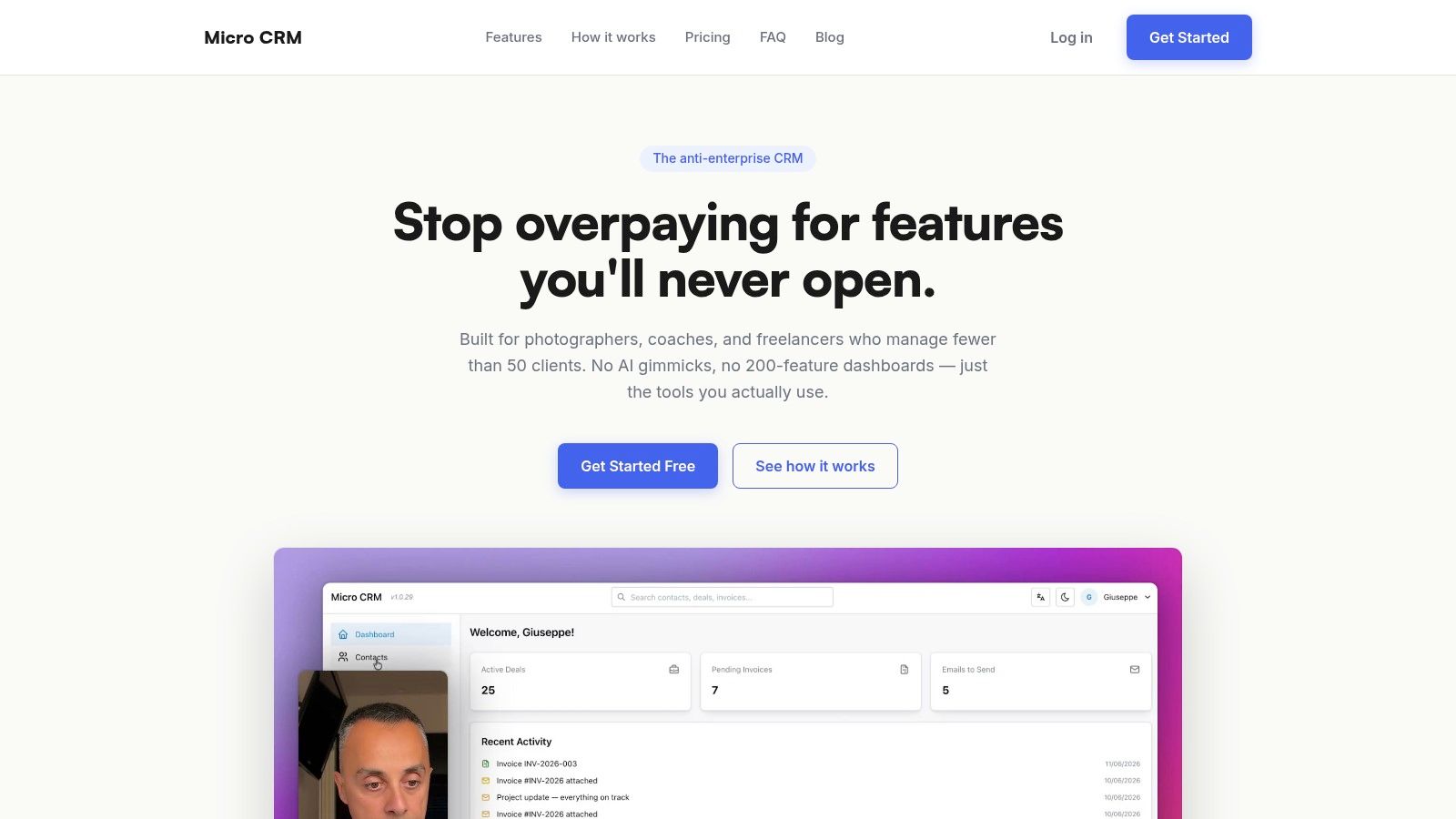
The fit depends on where your work already happens. A photographer who works mainly in a web database can add a client, record the shoot conversation, move the opportunity through pipeline stages, schedule the appointment, and create a PDF invoice without copying the record into another tool. A coach who spends more time in email can use templates and follow-up sequences between sessions, while the calendar tracks availability.
That consolidation matters because a CRM only helps if updates survive a busy week. Re-entering every call, email, and invoice in separate systems creates admin work that a solo operator may skip. One workspace reduces those handoffs, although it still requires consistent updates.
A small agency managing under 50 clients can use the pipeline to identify active proposals and deals needing attention. Revenue, deal, and activity KPIs are available without building a custom dashboard.
What the product is and isn't
Micro CRM targets users managing fewer than 50 clients who want a short learning curve. Sign-up needs no setup call, and the free plan needs no credit card. It avoids AI add-ons and elaborate automation wizards, so teams needing extensive automation, permissions, or complex operational routing may need another platform.
For a short visual overview, watch the product walkthrough below.
If contacts, deals, and invoices are spread across separate tools, Try MicroCRM for free and test whether one workspace keeps your normal routine updated.
Choosing and Starting With Your First CRM
A solo consultant with ten active prospects does not need a platform built for a sales department. If your client work, follow-ups, invoices, and appointments already fit into a small set of repeatable tasks, choose a lightweight all-in-one CRM that keeps those tasks visible and quick to update. The practical test is whether you can record an interaction while the context is still open, rather than postponing it for an end-of-day admin session.
Choose a feature-heavy platform when its complexity solves a problem you have now. Several people sharing one pipeline, advanced automation, detailed permissions, or complex reporting can justify the extra setup. Future growth alone is a weak reason to accept more fields, configuration, and maintenance.
Use the first week to build a habit
A CRM becomes useful through regular updates, not a perfect configuration. Keep the first week narrow and test whether the system fits the place where your work takes place, whether that is Gmail, your phone, or a web database.
Import active contacts: Bring in current clients and live prospects first. Clean names, email addresses, company details, and notes as you go. Do not turn migration into an archive project.
Create practical pipeline stages: Use the language of your actual sales process. A consultant might use inquiry, discovery, proposal, decision, and won. A photographer may need inquiry, booking, scheduled, delivered, and paid.
Add the next action: Every active deal needs a specific next step. “Follow up” is weaker than “Email proposal questions” or “Confirm shoot date.” If adding that action takes too long, simplify the record or change the workflow.
Create one email template: Start with the message you send repeatedly, such as a proposal follow-up, appointment confirmation, or invoice reminder. Add more only when the first template has proved useful.
Send the first invoice: Use a real client record and complete the full flow, including creating the invoice, generating the PDF, and sending it. This shows whether billing belongs in your daily system or should remain elsewhere.
Review the pipeline regularly: Check for deals without a next action, stale proposals, and clients waiting for a reply. Keep the review short enough to complete during a normal workday.
A systematic review of CRM systems and SME performance reported improved retention, sales, and operational efficiency, with stronger gains associated with process automation and better data management. The findings do not guarantee the same result for every solo business. They do support a practical priority: reduce manual entry, preserve interaction history, and connect follow-ups with operational work.
Start simple enough that updating the CRM feels easier than not updating it.
A useful CRM should disappear into your routine. If it makes you copy every call, email, and invoice into separate fields or tools, it will become another neglected spreadsheet. Choose the smallest setup that captures the next action and keeps the record current without interrupting client work.
Micro CRM brings client records, deals, invoices, email follow-ups, and appointments into one lightweight workspace for freelancers and small businesses. It is designed for solo entrepreneurs who want a short setup process without a setup call or unnecessary complexity. Whichever tool you pick, judge it during the second week, not the first day. If you are still updating records without having to think about it, the choice was right.