
How to Improve Conversion Rates Without Losing Your Mind
You've got three browser tabs open, a spreadsheet full of leads, a quote you meant to send on Tuesday, and an invoice reminder buried under a PayPal notification. The work itself is solid. The process around it is leaking opportunities.
That's the practical answer to how to improve conversion rates as a freelancer: stop treating conversion as a landing-page trick and start fixing the daily workflow that moves someone from first contact to paid invoice. Analytics, forms, A/B tests, follow-ups, pipeline reviews, and billing all belong in the same operating system.
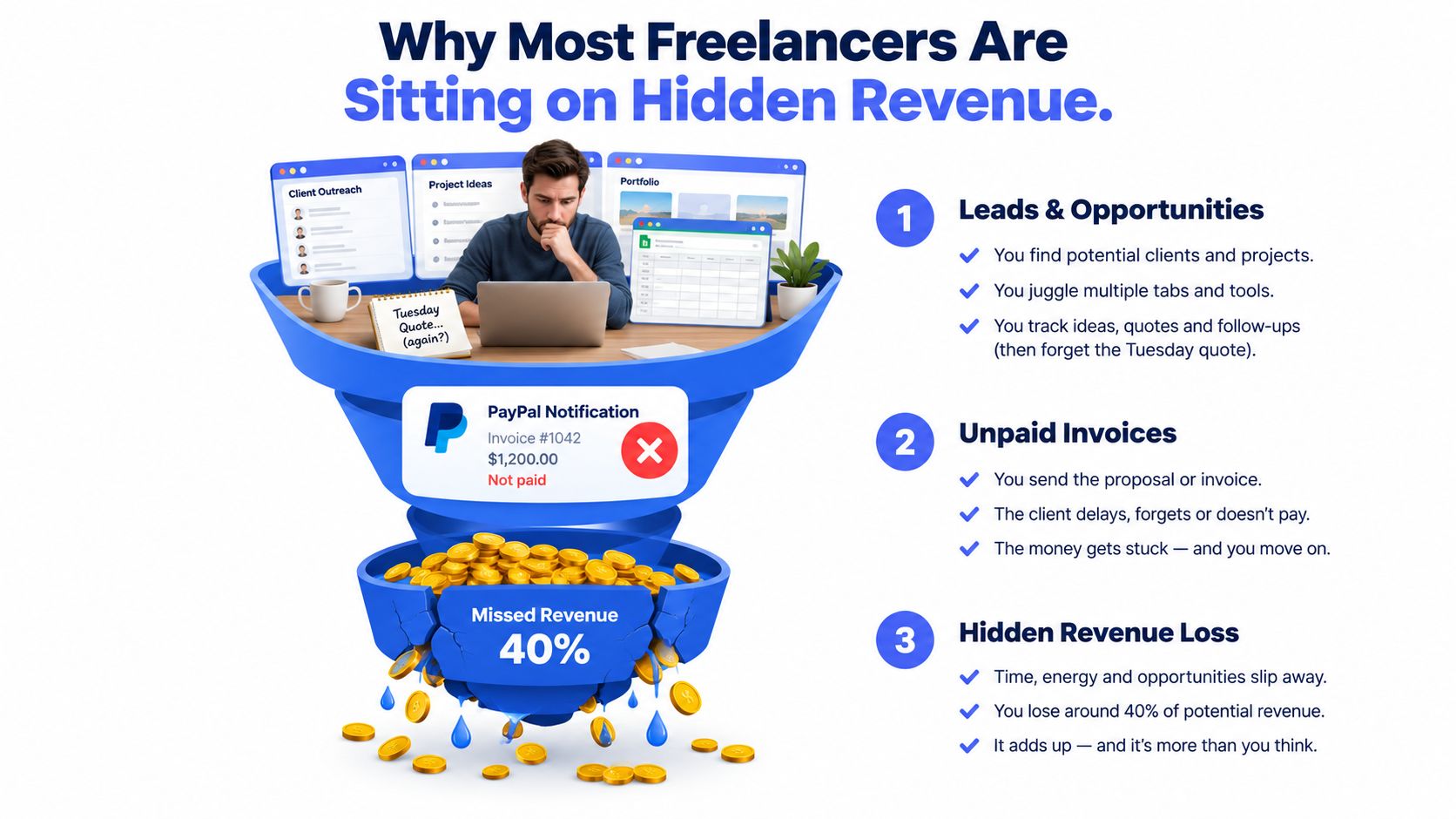
Table of Contents
- Why Most Freelancers Are Sitting on Hidden Revenue
- Set Up Analytics With One Conversion Per Page
- Hypothesis-Driven A/B Testing That Actually Finishes
- Landing Pages and Forms That Stop Leaking
- Follow-Up Sequences That Get Replies
- Pipeline Hygiene With a Lightweight CRM
- Track the Numbers That Actually Matter
Why Most Freelancers Are Sitting on Hidden Revenue
Consider a freelance designer with 2,000 monthly visitors and a landing page converting at 1.5% instead of 3%. That's 30 leads rather than 60, before changing traffic, pricing, or the service itself. A page can rank well and still produce very little business if the message and next step leave visitors uncertain.
The same leak appears inside forms. If a five-field form loses 40% of users before submission, reducing it to three fields might remove a meaningful barrier. A single forgotten follow-up can be even more expensive. If a prospect was close to approving a $2,400 project, the email that never went out represents more than a missed click. It represents a stalled sale.
Practical rule: Treat every unanswered lead, incomplete form, and unpaid invoice as a conversion problem until the evidence shows otherwise.
The scattered workflow makes these leaks hard to see. Your website analytics sit in one tab, email in another, invoices somewhere else, and deal status lives in a spreadsheet that you update when you remember. Use profitability analysis for small businesses to connect revenue with the work behind it, then keep the operating loop simple:
- Capture: Record the contact and the source.
- Qualify: Move the opportunity through clear deal stages.
- Follow up: Schedule the next message instead of relying on memory.
- Bill: Send the invoice while the project is still active.
- Review: Find the point where prospects stop moving.
A conversion rate isn't improved by one clever headline. It improves when the whole path becomes easier to measure and harder to neglect.
Set Up Analytics With One Conversion Per Page
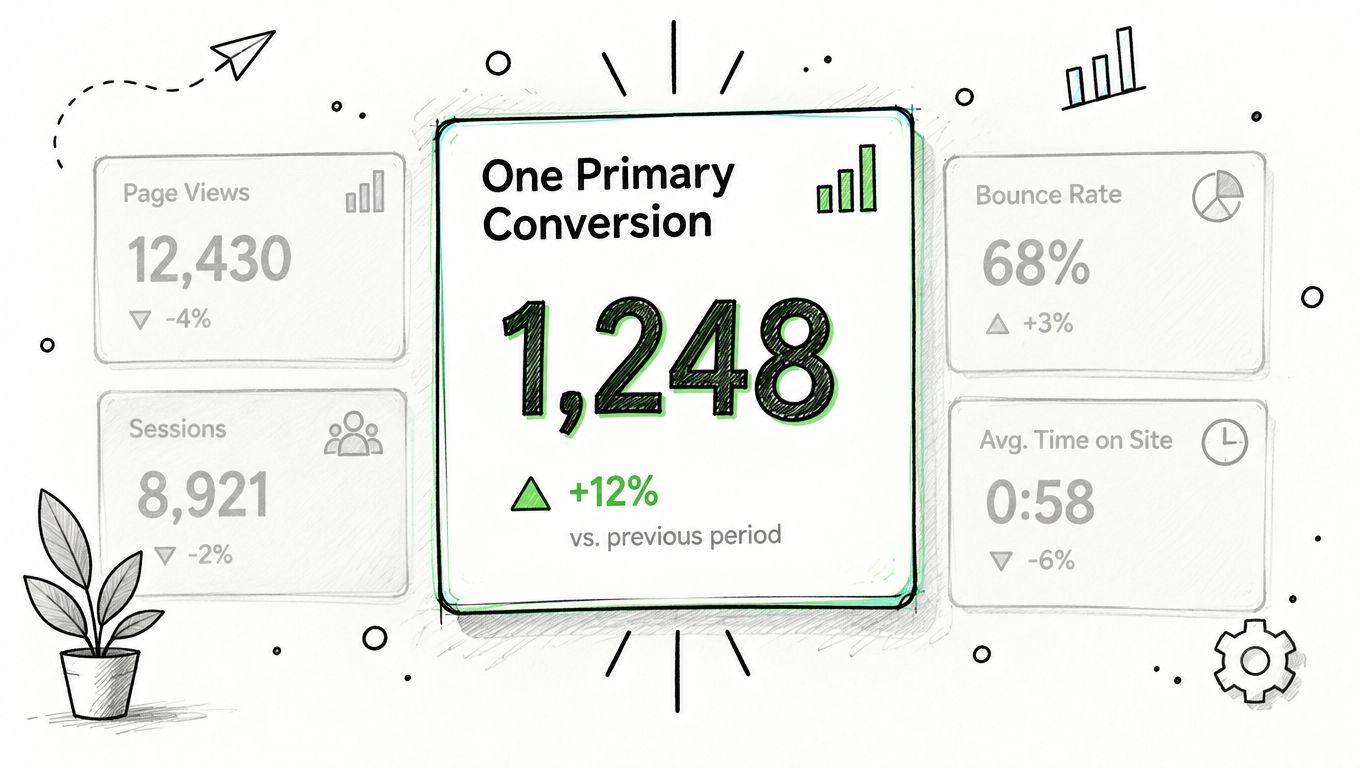
Before opening a dashboard, decide what success means on that page. A service page might have one primary conversion, a booked discovery call. A lead-magnet page might measure a form submission. A product page might measure checkout completion.
Give that action one event and one value. Track secondary signals, such as CTA clicks, scroll depth, or time on page, only after the primary event works reliably. Otherwise, you'll build a complicated dashboard that tells you everything except whether the page produced the action you need.
A lightweight setup
You can configure this in Plausible or GA4 without creating an analytics project that takes over your business.
- Create the event: Name it after the actual action, such as
discovery_call_booked. - Attach it: Connect the event to the booking button, confirmation page, or completed form.
- Verify it: Trigger the action yourself and check the debug view or live report.
- Read the result: Confirm that the event appears in the reporting interface before trusting the number.
- Document the definition: Write down what counts and what doesn't, especially if several buttons lead to different outcomes.
A common mistake is configuring dozens of events before checking one. Start with a single page and one conversion. Once the data is trustworthy, add supporting events that answer a specific question.
Spend five minutes each week reading the same four items: traffic, conversion rate, top source, and one unusual change. You don't need a wall of charts. You need a repeatable habit that tells you where to investigate next.
Hypothesis-Driven A/B Testing That Actually Finishes
A/B testing shouldn't be a button-color lottery. It's a way to test a specific belief about why visitors hesitate.
Use this structure:
If we change X for Y audience, then Z metric will move by W because of R.
For a consultant, that might become: “If we replace a generic headline with an outcome-specific headline for visitors arriving on the service page, discovery-call bookings should increase because prospects can qualify themselves faster.” The exact expected movement belongs in your test plan, not in your imagination after the results arrive.
The rules that prevent bad decisions
Change one major variable per test. If you change the headline, form length, CTA, and page layout at the same time, you won't know what caused the result.
Set the minimum sample and runtime before launch. Don't stop because an early result looks exciting, and don't keep checking until a random fluctuation gives you a preferred answer. One analysis of 28,000 tests found 13% produced a statistically significant winner, 9% produced a significant loss, and 78% were inconclusive, as reported in conversion testing benchmark analysis. Most tests need disciplined interpretation, not celebration.
A 12% lift on 80 conversions might look impressive, but it isn't automatically reliable. If the sample is too small or the test ends early, the result can drift back toward the previous baseline.
A backlog that keeps testing moving
| Page or Element | Hypothesis (If... then... because...) | Primary Metric | Minimum Sample | Decision Rule |
|---|---|---|---|---|
| Service headline | If the headline names the outcome, bookings will rise because visitors understand the offer faster | Booked calls | Predefined before launch | Ship only if the planned threshold is met at the end date |
| Lead form | If optional fields are removed, submissions will rise because completion requires less effort | Form submissions | Predefined before launch | Keep the change only after adequate sample size |
| CTA copy | If the button describes the benefit, clicks will rise because the action feels more concrete | CTA clicks | Predefined before launch | Iterate if the result is inconclusive |
| Pricing section | If objections are answered beside the offer, bookings will rise because uncertainty falls | Qualified leads | Predefined before launch | Accept, reject, or revise the hypothesis |
A failed test still teaches you something if the question was clear. Record the result, explain what it changed in your understanding, and queue the next test.
Landing Pages and Forms That Stop Leaking
A landing page has one job: make the next action obvious and easy. The first screen should answer what this is and what the visitor gets without forcing them to decode clever copy.
Start with the headline, then remove competing exits. One primary CTA keeps attention pointed at the intended action. A booking page shouldn't ask visitors to read a blog, join a newsletter, download a guide, and schedule a call with equal emphasis.
Fix the friction in order
- Clarify the promise: Replace “Strategic creative solutions for modern brands” with “Book a focused brand review and leave with your next three design priorities.”
- Reduce the form: Ask for name, email, and the one piece of context you need. Don't collect details you can gather during the call.
- Make the CTA specific: “Book my brand review” tells the visitor what happens next. “Submit” doesn't.
- Check mobile completion: Test the page on your own phone, including keyboard behavior, tap targets, validation, and confirmation.
- Use real trust signals: Named clients, a genuine photo, a relevant testimonial, or a specific outcome is more useful than a generic badge.
Dedicated landing pages often outperform broad site averages. An Unbounce benchmark covering 41,000 landing pages, 464 million pageviews, and 57 million conversions reported a 6.6% median landing-page conversion rate, according to this landing-page CRO benchmark summary. Independent benchmarks place median dedicated-page performance around 4.02% to 6.6%, with top-quartile pages exceeding 11.45%, as described in landing-page conversion benchmarks.
The point isn't to chase a benchmark blindly. Compare like with like, then test one repair at a time.
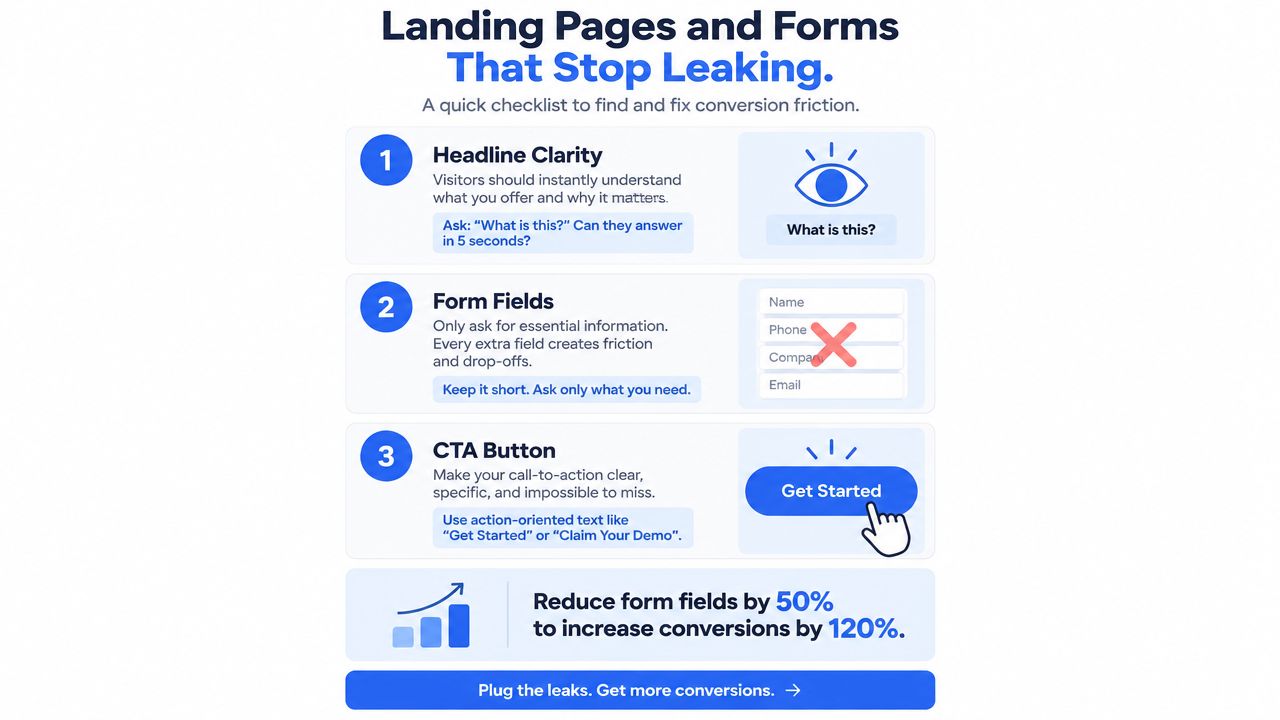
A consultation page with a vague headline, five fields, and a weak button should become a page with an outcome-led headline, three useful fields, and an action-specific CTA. Measure the change. Don't redesign the entire funnel because one form underperforms.
Follow-Up Sequences That Get Replies
One email is not a follow-up system. It's a single chance that depends on perfect timing.
Response rates can fall from 21% on the first follow-up to 17% on the second, 13% on the third, 9% on the fourth, and 7% on the fifth or later, based on follow-up email response benchmarks. That decline is a reason to make each message useful, not a reason to send the same message repeatedly.
A practical four-touch sequence works like this:
- First message: Send the original proposal or pitch with one clear next step.
- Second touch: Add a relevant proof point, example, or useful observation.
- Third touch: Reframe the offer around the prospect's specific operational problem.
- Final touch: Close the loop politely and leave the door open for a later conversation.
Each email needs a different reason to exist. If the prospect hasn't replied, repeating “just checking in” won't create new information or urgency.
Automate the sequence inside a CRM, but stop it when the prospect replies, books, declines, or reaches the final touch. Record opens and replies as events so you can see which step creates movement. The goal isn't to send more email. It's to prevent good opportunities from disappearing because you got busy delivering client work.
For a practical explanation of the workflow, see what an email sequence is. A CRM with contact history, templates, and scheduled follow-ups can keep this process running without another spreadsheet.
Pipeline Hygiene With a Lightweight CRM
A CRM only helps if you open it. The useful version is a weekly ritual, not a database you admire during setup and abandon afterward.
Reserve a regular block at the end of the week. Review every open opportunity and make the next action explicit. If a deal has no next action, it isn't being managed. It's being stored.
The weekly pipeline review
- Tag the source: Mark whether the opportunity came from search, referral, outbound email, a partner, or another channel.
- Tag the service: Separate branding, photography, consulting, retainers, or other offers so patterns become visible.
- Review stale deals: For opportunities untouched for 14 days, advance them, park them, or remove them from the active forecast.
- Update probability: Use the evidence in the conversation, not optimism, to estimate whether the deal is moving.
- Set a dated next action: “Email next week” is vague. “Send revised scope on Thursday” is operational.
Excel often begins to show its limitations. A spreadsheet can hold names and amounts, but it rarely gives you a clean interaction history, a visual deal flow, an invoice status, and an automatic follow-up in the same working view.
Tools such as CRM software for freelancers are useful when they reduce switching rather than add administration. Micro CRM combines contacts, a Kanban pipeline, invoicing, email sequences, appointment scheduling, and reporting in one interface, with a free plan that doesn't require a credit card. Use it if the simpler workflow matches your needs. Don't buy an enterprise system for a modest client list.
Your pipeline should function as a working ledger. Monday morning becomes faster when every opportunity has a status, a reason, and a next move.
Track the Numbers That Actually Matter
A solo operator doesn't need every dashboard widget. You need a small scorecard that exposes where revenue slows down.
The broad website conversion baseline is commonly cited at about 2% to 3% across industries, with some 2026 summaries placing the global average at 2.35% and small-business websites at about 2.1%, according to conversion-rate benchmark data. Use those figures as context, not as a target detached from your offer and traffic quality.
Review these four KPIs monthly:
| KPI | What It Measures | Watch For |
|---|---|---|
| Conversion rate | Visitors to leads and leads to clients | A page that attracts attention but produces few actions |
| Lead-to-deal velocity | How quickly qualified leads become deals | Slower movement after a change in response or follow-up |
| Follow-up response rate | Whether each sequence creates replies | A step that receives no engagement or uses the wrong hook |
| Invoice aging | How long completed work waits for payment | Projects delivered without a clear reminder process |
A simple monthly review
Pull the current month's numbers and compare them with the prior month. Mark one win, one leak, and one experiment for the next review. Keep the decision narrow.
For example, if follow-up replies fall while lead-to-deal velocity slows, don't immediately rewrite the website. Inspect the sequence, check whether messages went out on time, and review stale opportunities in the pipeline. Then test one new follow-up hook.
Invoice aging deserves its own attention. 56% of surveyed U.S. small businesses were owed money from unpaid invoices, and 47% had some invoices more than 30 days overdue, according to invoice reminder statistics. Integrated invoicing and reminders aren't separate from conversion. They protect the final step, turning an agreed project into collected revenue.
A monthly review should feed your testing backlog. Every reliable learning becomes the next hypothesis, and every weak result becomes a reason to simplify the question.
Manage clients, deals, and invoices without wasting time across disconnected tools. Micro CRM brings contacts, pipeline stages, invoicing, appointment scheduling, and automated follow-ups into one lightweight workspace for freelancers and small businesses. Start for free, with no credit card required, and use the workflow to find the leak that's costing you business.