10 Best Small Business CRM Tools Compared for 2026

A freelancer opens a spreadsheet to check a lead, then another file to find the invoice, then an email thread to see whether the follow-up ever went out. By the time everything is in one place, the prospect has gone quiet. That's the point where the best small business CRM stops being a nice-to-have and starts saving real time, especially for solo operators and tiny teams that manage every client themselves.
This comparison looks at ten tools small businesses evaluate, from simple pipeline apps to broader client platforms. I'm ranking them by how many clients a solo user can realistically manage without friction, how much the paid tiers change the cost, and whether the free plan is enough to matter. Micro CRM sits in the mix as a lightweight option for very small client lists, with contacts, pipeline, invoicing, email, and scheduling in one place.
Table of Contents
- 1. Micro CRM
- 2. HubSpot CRM
- 3. Bigin by Zoho CRM
- 4. Pipedrive
- 5. Freshsales
- 6. Capsule CRM
- 7. Less Annoying CRM
- 8. HoneyBook
- 9. Bonsai
- 10. monday Sales CRM
- Top 10 Small Business CRM Comparison
- Matching a Small Business CRM to Your Client Load
1. Micro CRM
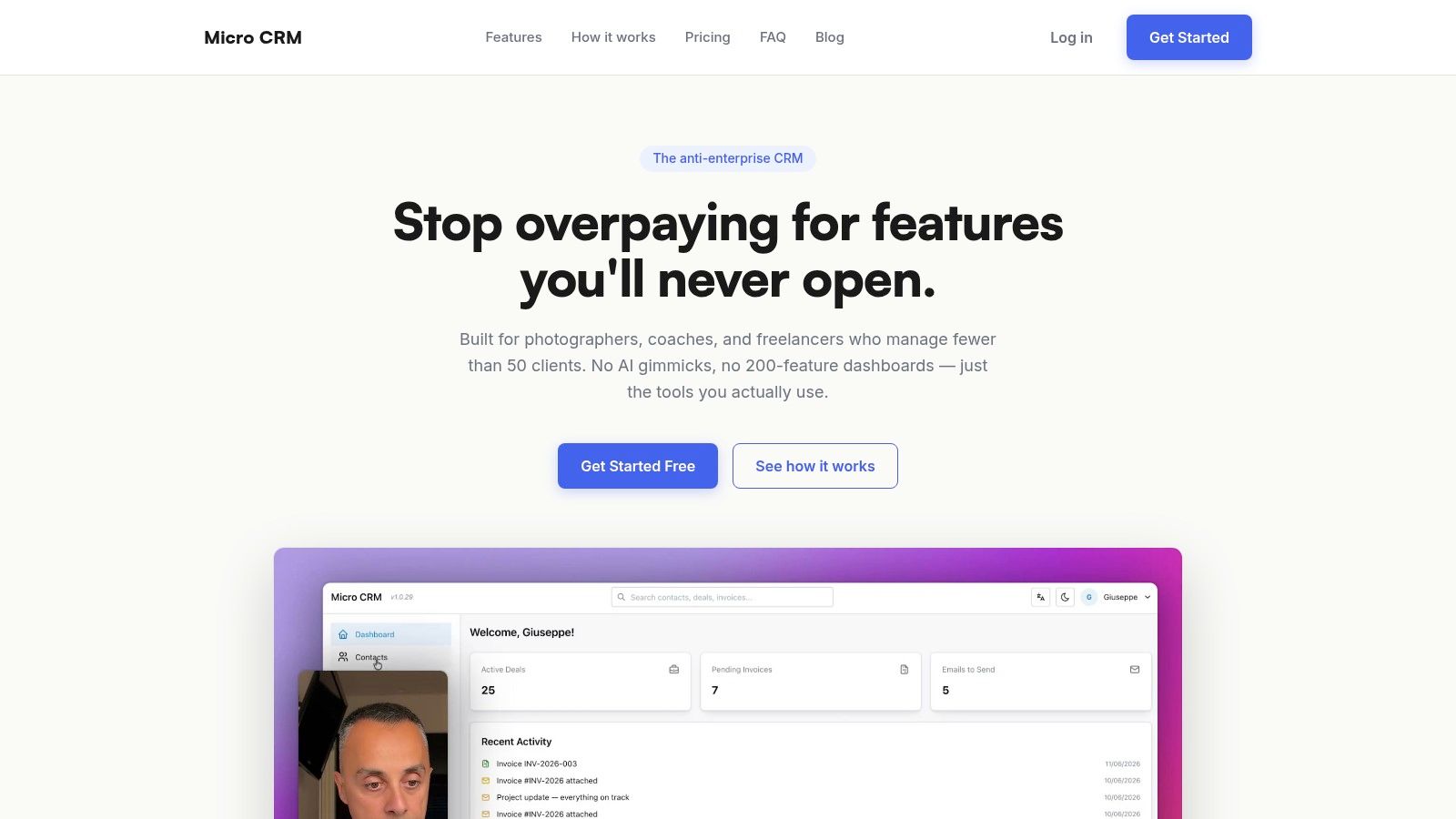
A freelancer who tracks leads in one spreadsheet and invoices in another quickly loses time to manual checking. Micro CRM brings contacts, a visual Kanban pipeline, invoicing, email follow-ups, calendar scheduling, and high-level reporting into one workspace. That makes it suited to freelancers and micro-businesses that need client management without maintaining a large system.
The product keeps its scope narrow. You can move from sign-up to a first contact and invoice with little setup, which matters for solo operators who are also doing the client work. Adoption is often the hurdle. A smaller tool is useful only if it becomes part of the daily workflow.
Where Micro CRM fits best
Micro CRM fits freelance photographers, designers, consultants, solo entrepreneurs, and small agencies managing under about 50 clients. Its free plan includes up to 50 contacts, 5 deals, 5 invoices per month, and 100 emails per month. That covers a serious trial and may cover a solo freelancer with a modest monthly workload. Paid options are Starter at $14/month billed annually, Pro at $29/month billed annually, and a limited-time Lifetime Deal at $299 one time.
The client-load trade-off is clear. A freelancer with a small, repeatable pipeline can keep leads, invoices, and follow-ups together without paying for a broader sales suite. A micro-agency with more complex permissions or automation may outgrow it. If your work is seasonal, the account can be paused for up to six months with data preserved and no billing.
Practical rule: choose Micro CRM when the main job is moving deals forward, sending invoices, and preventing missed follow-ups. Keep a spreadsheet if you handle only a few active clients and rarely need reminders or invoice tracking.
Data is hosted on AWS, protected with encryption at rest and in transit, and authenticated through Amazon Cognito. Those controls address basic ownership and access concerns without adding enterprise administration.
Pros
- Simplicity and speed: sign up in seconds and start with minimal setup.
- All essentials in one place: contacts, pipeline, invoicing, email sequences, calendar, and readable reports reduce app switching.
- Transparent pricing: a free tier, annual plans, and an optional lifetime deal make the cost easy to compare.
- Security and control: AWS hosting, encryption, Amazon Cognito, and pause-without-loss account control.
- Free plan covers a small workload: 50 contacts and 5 invoices per month can cover a solo freelancer's real monthly volume.
Cons
- Not built for large teams: it avoids heavy automation and enterprise administration.
- Some limits are plan-based: advanced reporting and calendar capabilities depend on the tier.
- Import depth is still developing: CSV import is on the roadmap.
Micro CRM suits freelancers who want a working client system without a long implementation project. Try Micro CRM for free and compare it with the spreadsheet stack you use now.
2. HubSpot CRM
HubSpot makes sense when you want a single vendor for CRM, marketing, service, and website tools, and you're willing to live with more packaging complexity. The free core CRM covers contacts, deals, tasks, and email tools, so it's a very easy place to start if you're testing the waters. It also scales farther than a lot of lightweight tools, which is why many teams treat it as a platform rather than just a CRM.
The trade-off is price structure. Once you start adding hubs and seats, the clean free-entry story gets complicated fast, and that matters if you're a freelancer trying to keep costs flat. HubSpot is best for owners who want room to grow and are comfortable reading plan pages closely before committing.
For small teams that need a broad stack, it's a strong choice. For a solo consultant with a handful of clients, it can be more system than you need. If you're comparing options and want a deeper free-plan breakdown, see Micro CRM's free CRM guide.
Best for: founders who want one ecosystem for sales and marketing.
Spreadsheet still enough? Yes, if your follow-ups are simple and your client list stays tiny.
Website: HubSpot
3. Bigin by Zoho CRM
Bigin is Zoho's answer for very small businesses that want pipeline management without full Zoho CRM complexity. It's built around deals, stages, email, tasks, and basic automation, which makes it easier to adopt than a broader suite. The upgrade path into full Zoho CRM is there, but you don't have to take it on day one.
This is a good fit when you want a more structured process than Excel but don't want to spend a weekend configuring workflows. Bigin's clean scope is the point. It keeps the daily routine tight, which is why it works well for a single owner or a tiny team that just needs visibility.
For micro-businesses, that simplicity matters more than a giant feature list. If you're still sending invoices elsewhere and only need pipeline control, it's a sensible midpoint. For a practical price comparison against smaller tools, see Micro CRM's cheapest CRM guide.
Best for: consultants and very small teams that want simple pipelines.
Spreadsheet still enough? Sometimes, if you only track a few ongoing deals and rarely need reminders.
Website: Bigin by Zoho CRM
4. Pipedrive
Pipedrive is the classic sales-first option on this list. The interface is built around a visual pipeline, so you always know what's moving and what's stalled. That makes it a good fit for small teams that need discipline more than breadth.
It's also one of the easier tools to adopt because the workflow is obvious. Deals move from stage to stage, reminders are tied to activity, and the day's work stays visible. If your business depends on consistent follow-up, that clarity is useful.
The downside is that add-ons can push the cost up once you want more than a basic sales engine. Pipedrive is excellent for structured outreach, less convincing if you need invoicing and client billing inside the same workspace. For people who already manage quotes and invoices elsewhere, it's still a strong pick.
Best for: sales-minded freelancers and small agencies with active pipelines.
Spreadsheet still enough? Only if you can keep the pipeline very simple and don't need forecasting.
Website: Pipedrive
5. Freshsales
Freshsales is a good fit for SMBs that want communication tools inside the CRM, not bolted on later. Built-in phone, email, chat, and sequences make it appealing if you do a lot of direct outreach and want less tab-switching. It's the kind of system that helps a small team stay responsive without assembling a separate stack.
The practical strength here is balance. It feels modern, the setup is manageable, and the sales workflow is clear enough for owners who don't want a long onboarding cycle. The AI layer exists, but the main appeal is still the communication bundle.
Where it's less convincing is deep customization. If you need a very specific process or complex reporting, you may outgrow it. For many small service businesses, though, it covers the daily work cleanly.
Best for: small teams that sell by phone, email, and chat.
Spreadsheet still enough? Not usually, if you handle many active conversations each week.
Website: Freshsales
6. Capsule CRM
Capsule is one of the cleanest options for teams that want contact and pipeline management without clutter. The free plan covers up to 2 users and 250 contacts, which makes it unusually approachable for a tiny agency or partnership. Paid tiers add automations, reporting, and more than one pipeline, so it can grow without feeling like a different product.
The appeal is the low learning curve. Capsule doesn't try to be everything, and that's a good thing for small businesses that care more about keeping customer records tidy than building a giant sales machine. If you want email and webforms, the optional Transpond marketing add-on keeps the stack fairly contained.
It's a sensible middle ground between spreadsheet simplicity and full-suite complexity. If your client list is still small, Capsule can be enough for a long time.
Best for: small teams that want simple CRM hygiene and light growth room.
Spreadsheet still enough? Yes, if you're barely past manual tracking and don't need formal pipeline stages yet.
Website: Capsule CRM
7. Less Annoying CRM
Less Annoying CRM does exactly what the name says, and that's the reason many small businesses like it. It keeps contact tracking, pipeline stages, calendar items, tasks, and basic email logging in one straightforward place. The pricing model is flat and predictable, which matters a lot when you're trying to control monthly overhead.
This is not the tool for teams that want automation layers or a marketing suite. It's for owners who want the fewest possible moving parts and don't want to relearn their CRM every time they log in. Support is a real part of the value here too, because small businesses often need help that doesn't come with a training bill.
For a very small client roster, it's hard to beat on simplicity. If your process is basically “remember every client, every follow-up, and every meeting,” this kind of tool makes sense.
Best for: solo owners who want the easiest possible CRM.
Spreadsheet still enough? Yes, until reminders and follow-ups become hard to trust.
Website: Less Annoying CRM
8. HoneyBook
HoneyBook is less of a traditional sales CRM and more of a client-flow system for service businesses. It blends CRM basics with proposals, contracts, scheduling, invoicing, and payments, which is why it fits photographers, designers, coaches, and other project-based work so well. The point is to move a client from inquiry to booking with fewer handoffs.
That makes it excellent when the sale and the service are tightly connected. A proposal can turn into a contract, then an invoice, then a scheduled session, all without leaving the same environment. For creative businesses, that's often more useful than a heavy sales pipeline.
It's not as strong for complex B2B deal structures. If your business is mostly one-off projects or sessions, though, HoneyBook is a very practical pick. For a freelancer-focused comparison, see Micro CRM for freelancer workflows.
Best for: creatives, coaches, and studios selling projects or sessions.
Spreadsheet still enough? Not once proposals, contracts, and invoices start living in different places.
Website: HoneyBook
9. Bonsai
Bonsai is another client-lifecycle suite, but it leans even harder into freelance operations. Alongside CRM and pipeline tools, you get proposals, contracts, project management, time tracking, invoicing, and bookkeeping features. That breadth can replace several separate subscriptions for a solo freelancer or a very small agency.
The downside is that CRM depth stays light. Bonsai is better at managing the whole client engagement than at running a complex sales process. If you close work from referrals, retainers, or repeat projects, that trade-off is often worth it.
It's strongest when your business is centered on delivery after the sale, not on heavy outbound prospecting. If you mainly want one subscription for the whole client lifecycle, it deserves a look.
Best for: freelancers and small agencies managing projects end to end.
Spreadsheet still enough? Maybe, if you only need simple client tracking and don't issue many proposals or invoices.
Website: Bonsai
10. monday Sales CRM
monday Sales CRM is the most flexible tool in the group, and that's both its strength and its warning label. The board-based structure makes it easy to tailor stages, fields, and automations to a non-standard process. It also helps teams manage sales and delivery in one platform, which is attractive when pre-sale and post-sale work overlap.
The catch is setup discipline. monday can become a strong system, but it can also turn into a build-it-yourself project if nobody owns the structure. For teams with a process in mind, that flexibility is excellent. For a solo user who just wants less admin, it can be more work than value.
It's a good fit when your business process doesn't look like a standard pipeline and you're willing to invest time in setup. If you need something faster, lighter tools usually win.
Best for: micro-agencies and custom-process teams.
Spreadsheet still enough? Yes, if your workflow is simple and you're not ready to maintain a custom board system.
Website: monday Sales CRM
Top 10 Small Business CRM Comparison
| Product | Core features | Ease & quality | Price / Value | Target audience | USP / Notes |
|---|---|---|---|---|---|
| 🏆 Micro CRM | Contacts, Kanban deals, invoicing (PDF, multi‑currency), email sequences, calendar, reports | ★★★★★ Minimal setup, fast workflows | 💰 Free / $14 Starter / $29 Pro / $299 LTD, generous free limits | 👥 Freelancers, solo entrepreneurs, small agencies (<50 clients) | ✨ Zero‑learning curve, pause account, AWS encryption, one‑click invoices |
| HubSpot CRM | Contacts, deals, tasks, email; modular Hubs (Sales/Marketing/Service) | ★★★★☆ Robust UX; learning grows with scale | 💰 Free core; seat‑based Hubs can escalate costs | 👥 SMBs scaling to mid‑market needing a unified suite | ✨ Smart CRM, large app marketplace, strong onboarding |
| Bigin (Zoho) | Pipeline‑centric deals, contact mgmt, email, basic automations | ★★★★ Easy to set up for small teams | 💰 Free → affordable paid tiers with clear limits | 👥 Very small businesses, users wanting simple pipelines | ✨ Lightweight CRM with smooth upgrade path to Zoho CRM |
| Pipedrive | Drag‑and‑drop pipelines, email sync, reporting, 500+ integrations | ★★★★ Clear sales UI; fast adoption | 💰 Paid tiers + add‑ons; transparent trials | 👥 Small sales teams, reps focused on deals | ✨ Sales‑first discipline, forecasting, rich integrations |
| Freshsales (Freshworks) | Kanban deals, sequences, native phone/chat, scoring, AI add‑ons | ★★★★ Modern SMB experience | 💰 Competitive per‑seat; AI/agent sessions as add‑ons | 👥 SMBs needing integrated phone/chat & engagement tools | ✨ Built‑in telephony and Freddy AI (optional) |
| Capsule CRM | Contacts, pipelines, reporting, optional marketing add‑on | ★★★★ Fast onboarding, clean UI | 💰 Free (2 users) → paid plans with clear tiers | 👥 Small teams wanting simple CRM with room to grow | ✨ Optional native marketing keeps stack simple |
| Less Annoying CRM | Contacts, pipelines, calendar, tasks, email logging | ★★★★★ Easiest learning curve, very simple | 💰 Flat, predictable monthly fee (no contracts) | 👥 Small businesses wanting ultra‑simple CRM | ✨ Predictable pricing, free phone/email support |
| HoneyBook | CRM + proposals, contracts, scheduling, invoicing, client portal | ★★★★ Smooth client flow for creatives | 💰 Paid subscription; payment processing fees apply | 👥 Photographers, designers, coaches, creative pros | ✨ Integrated proposals/contracts + client portal |
| Bonsai | CRM, proposals, contracts, time tracking, invoicing, projects | ★★★★ All‑in‑one freelance workflow | 💰 Subscription tiers; payment fees apply | 👥 Freelancers & small agencies needing end‑to‑end tools | ✨ Combines contracts, billing, time tracking in one app |
| monday sales CRM | Highly customizable boards, automations, dashboards, integrations | ★★★☆☆ Very flexible but needs setup discipline | 💰 Seat/tier pricing; cost rises with customization | 👥 Teams wanting tailored sales + delivery workflows | ✨ Extremely adaptable board/automation system |
Matching a Small Business CRM to Your Client Load
The right CRM depends more on your client load than on feature count. If you're handling fewer than 50 clients and invoicing matters every week, a lightweight tool with built-in billing is usually the best fit. If your work is project-based, proposal and contract flows matter more. If your process is custom, you can accept more setup in exchange for flexibility, but only if someone owns that structure.
That's why Micro CRM makes sense for very small teams that want to stop juggling spreadsheets, invoices, and reminders. It keeps the core work in one place, which is where a small business usually feels the gain first. The goal isn't to use the fanciest system, it's to keep client work moving without adding admin weight.
A spreadsheet is still enough until follow-ups start slipping. Once missed reminders, scattered invoices, or duplicate contact records begin to cost you time, the case for a real CRM gets a lot stronger. At that point, the best tool is the one your team will open every day, not the one with the longest feature page.
Manage clients, deals, and invoices in one platform. Start for free at https://microcrm.xyz. No credit card required.
Micro CRM gives freelancers and small businesses a simpler way to track contacts, deals, invoices, and follow-ups without the overhead of a heavy CRM. If you want a lightweight system that matches the way a small client load works, visit Micro CRM and see whether it fits your day-to-day workflow.